
Best Proxy Type for Web Scraping in 2026
TL;DR
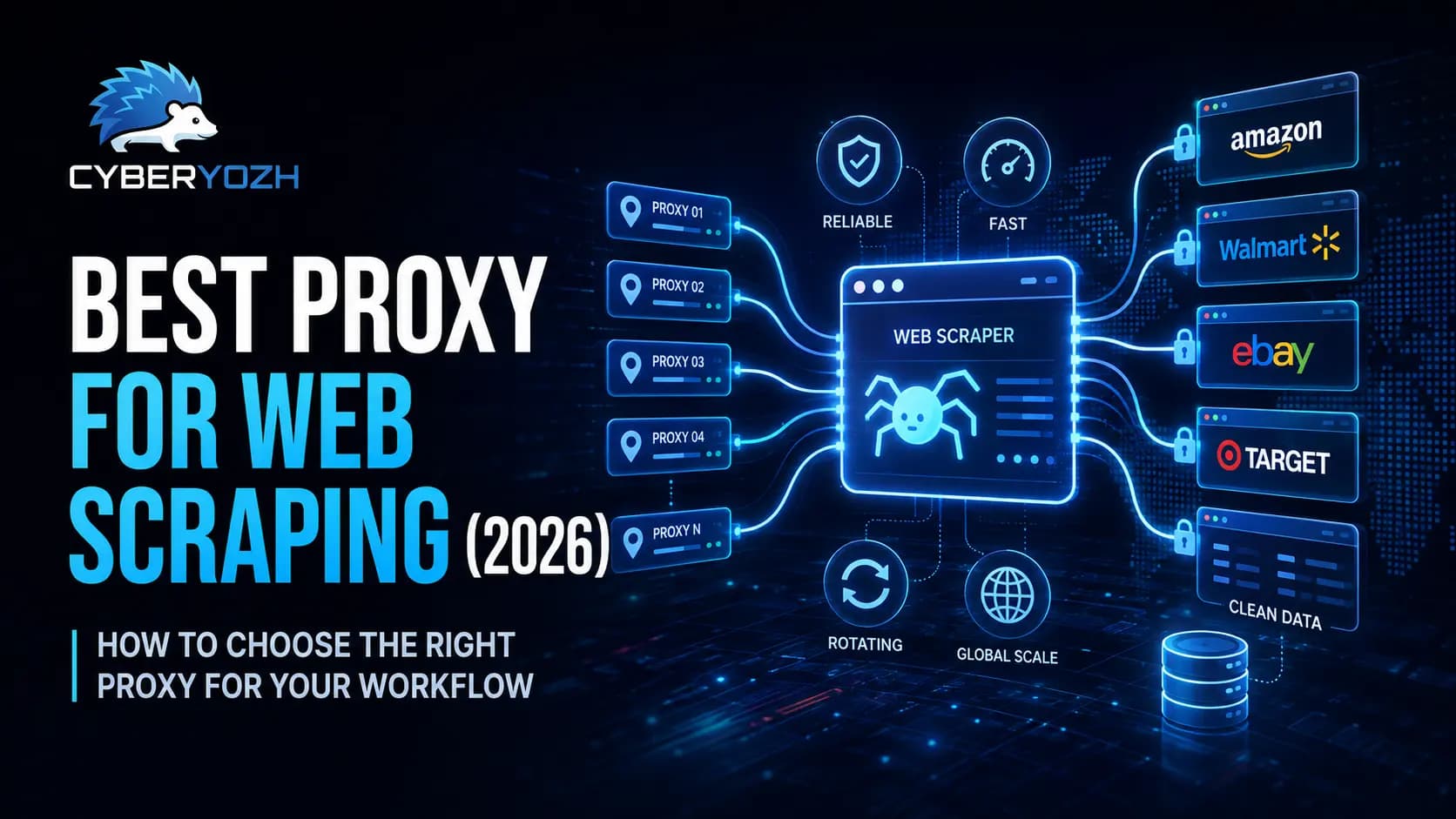
The best proxy for web scraping depends on the website, request volume, location, session length, and budget.
Rotating residential proxies are usually the strongest all-round choice for ecommerce scraping, price monitoring, SERP tracking, and large-scale data collection.
Datacenter proxies are often faster and more affordable, but some websites identify and block them more easily.
ISP proxies are better when you need one stable IP for a longer session.
Mobile proxies make more sense for mobile-first websites, social platforms, ad verification, and carrier-specific testing.
Proxies work best when combined with proper request pacing, retry logic, session management, and responsible scraping practices.
CyberYozh provides residential, ISP, datacenter, and mobile proxies, so teams can match the network type to the task. Browse the proxy catalog early at CyberYozh proxy catalog, check an IP before deployment at CyberYozh IP reputation checker, or review API access at CyberYozh API access.
Best proxy for web scraping
The best proxy for web scraping is the one that helps your scraper send requests reliably, reach the locations you need, maintain the right type of session, and stay within budget:
For many scraping projects, rotating residential proxies are the best place to start. They provide access to a large pool of residential IP addresses and can automatically change the IP used for each request or session. However, residential proxies are not always necessary.
A datacenter proxy may work perfectly well for a public website with light restrictions.
An ISP proxy may be better when your scraper needs to remain logged in for several hours.
A mobile proxy may be the right choice when you are testing mobile websites, advertisements, social platforms, or carrier-specific content.
There is no single proxy that is best for every project. The right answer depends on the website you are scraping and how your scraper behaves. The best option is the one that fits the job without making the workflow more expensive or complicated than it needs to be.
Need help choosing? Compare residential, ISP, datacenter, and mobile options in the CyberYozh proxy catalog.
What is a proxy for web scraping
A proxy for web scraping is a server that sits between your scraper and the website you are collecting data from.
Without a proxy, every request comes from your normal IP address.
If your scraper sends too many requests from that one IP, the website may:
Slow down your connection
Return a 403 error
Return a 429 rate-limit error
Show a CAPTCHA
Display a blank or restricted page
Block the IP temporarily
When you use a proxy, the request works like this:
Your scraper sends the request to the proxy.
The proxy sends the request to the website.
The website sees the proxy IP instead of your original IP.
The response returns through the proxy.
A rotating proxy can change the IP automatically. A sticky session can keep the same IP for a set period when your scraper needs cookies, login state, or a multi-page session.
Web scraping proxies are commonly used for:
Ecommerce price monitoring
Product availability checks
Competitor research
SERP tracking
Public listing collection
Travel fare monitoring
Regional website testing
Market research
Approved AI data collection
A proxy gives you more control over how your requests reach the website. It does not make weak scraping code reliable. You still need:
Proper request timing
Retry limits
Timeouts
Error handling
Data validation
Session management
For a broader look at how the network and crawler work together, see CyberYozh’s web scraping workflow.
Why proxies matter for web scraping
Not every scraper needs a proxy. If you are collecting a few public pages once in a while, your normal internet connection may be enough. Proxies become more useful when:
You are scraping many pages
You need data from different countries
The same job runs every day
Several workers are sending requests at once
The website has strict rate limits
Your scraper needs separate sessions
Check out the best proxy provider for web scraping in 2026
Websites may limit requests from one IP
Many websites limit how many requests one IP address can send within a certain period. If your scraper sends requests too quickly, you may see:
403 errors
429 errors
CAPTCHA pages
Slow responses
Empty content
Temporary blocks
A rotating proxy spreads requests across different IP addresses. This does not mean you should send traffic as fast as possible. You should still use reasonable delays and respect the website’s rules.
When an authorized workflow runs into challenges, you can review practical CAPTCHA solver options instead of retrying the same failed request endlessly.
Websites may show different data by location
A website can show different information depending on where the user appears to be located. This can affect:
Prices
Product stock
Search results
Ads
Delivery options
Currency
Language
Promotions
For example, an ecommerce business may want to compare a product’s price in Germany, Nigeria, the United Kingdom, and the United States.
A geo-targeted proxy lets the scraper connect from the country needed for the research. It is also useful to understand how geo-targeting works, because IP location is only one signal. Websites may also look at language, cookies, account settings, and marketplace selection.
One IP creates an obvious pattern
If every request comes from the same IP, the traffic pattern is easier to recognize. Rotation helps spread independent requests across several connections. This is useful when collecting:
Product pages
Category pages
Search results
Reviews
Listings
Public directories
If your workflow depends on login state or cookies, do not rotate the IP after every request. Use a sticky session instead.
Larger scrapers need more connections
A small scraper may open one page at a time. A larger crawler may send dozens or hundreds of requests at once. At that stage, you need to think about:
Concurrency
Available IPs
Failed requests
Retry limits
Authentication
Session length
Traffic usage
Cost per successful page
A provider may advertise millions of IPs, but that number means little if the IPs are not available in the locations you need or do not work with your targets.
Best proxy types for scraping
The four main proxy types used for web scraping are:
Rotating residential proxies
Datacenter proxies
ISP proxies
Mobile proxies
Each one works best for a different type of task.
Rotating residential proxies
Rotating residential proxies are often the best choice for ecommerce scraping, regional research, SERP tracking, and large-scale public data collection.
This makes them look more like normal consumer connections than datacenter IPs. Rotating residential proxies are useful for:
Ecommerce price monitoring
Product catalog collection
Marketplace research
Regional search results
Travel data
Public reviews
Competitor monitoring
Local content testing
Their main advantage comes from combining residential IPs with:
Automatic rotation
Sticky sessions
Country targeting
Large IP pools
API access
Session controls
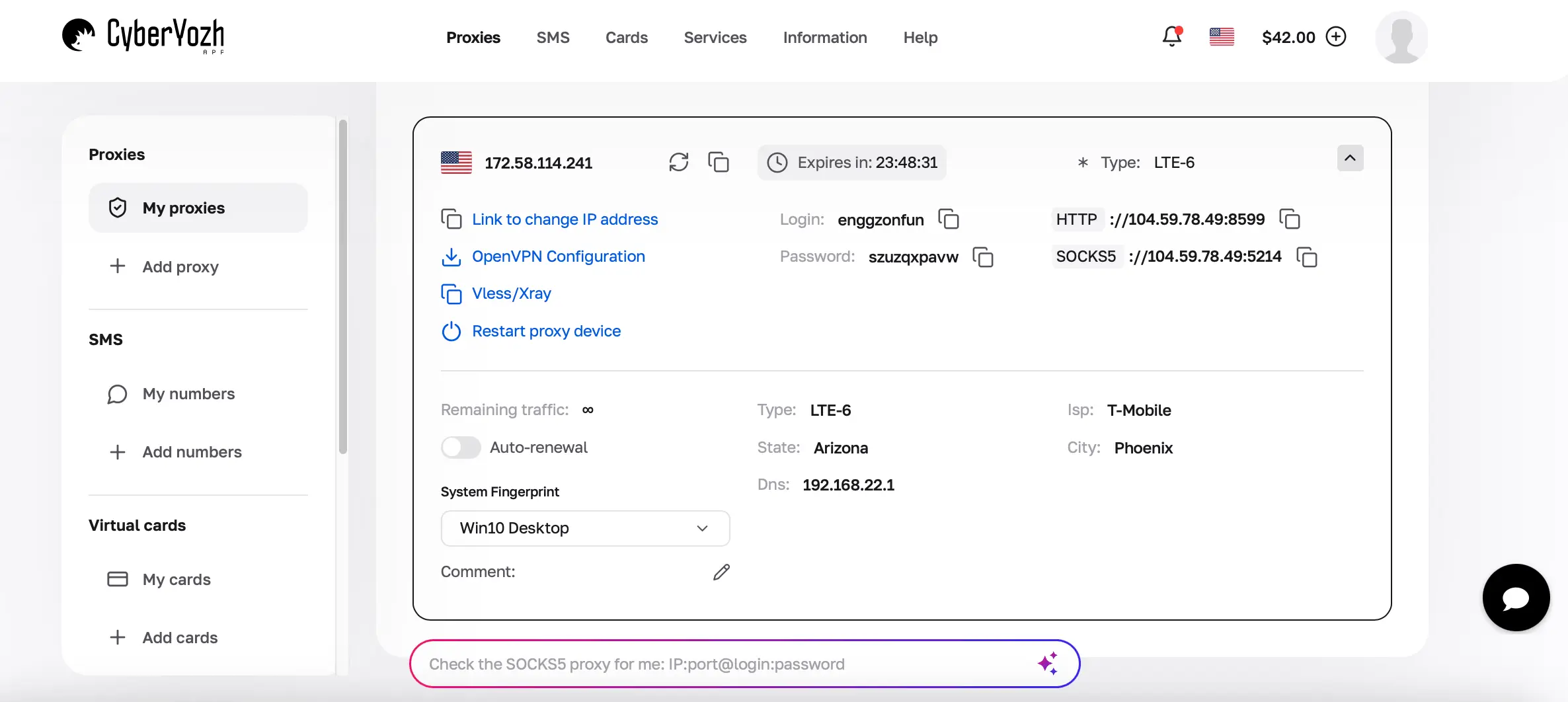
CyberYozh’s rotating residential network includes more than 100 million IPs across over 195 countries. It supports rotating sessions, sticky residential sessions lasting up to 24 hours, advanced filtering, geo-targeting, API access, traffic rollover, and HTTP, HTTPS, and SOCKS5 connections.
Need a large residential IP pool for ecommerce or search data? Start with CyberYozh rotating residential proxies.
Rotating residential proxies are usually billed by bandwidth. To reduce costs, avoid loading anything your scraper does not need. If you only need product names, prices, and stock information, you can often block:
Images
Videos
Fonts
Analytics scripts
Advertising scripts
Use rotating residential proxies when:
You need many IP addresses
You need data from several countries
The website has strict request limits
Requests are mostly independent
You need automatic IP rotation
A small proxy list is no longer enough
Datacenter proxies
Datacenter proxies come from cloud servers, hosting companies, and datacenters. They are usually:
Fast
Stable
Affordable
Easy to scale
They work well for:
Public websites with light restrictions
Testing websites you own
API testing
Internal quality assurance
High-volume crawling
Low-cost experiments
Speed-sensitive jobs
A datacenter proxy may be the best proxy for web scraping when the target accepts server traffic, and you want to keep costs low.
The main disadvantage is that some websites can identify datacenter IP ranges more easily than residential IPs. Use datacenter proxies when:
The target accepts datacenter traffic
Speed matters
You need lower costs
Residential identity is not required
You are testing your own system
If you are unsure which network type fits your project, the comparison of datacenter and residential proxies explains the main differences. Looking for a fast and affordable option? Compare CyberYozh datacenter proxies.
ISP proxies
ISP proxies are often called static residential proxies. They combine stable server infrastructure with IP addresses associated with internet service providers. Unlike rotating residential proxies, they usually keep the same IP for longer. They are useful for:
Logged-in sessions
Cookie-based workflows
Multi-step processes
QA testing
Stable regional browsing
Long-running jobs
Use an ISP proxy when:
Your workflow needs one stable IP
Login state matters
Cookies need to remain active
Constant rotation would break the session
You need more stability than a rotating pool provides
CyberYozh ISP proxies are better suited to workflows where session consistency matters more than frequent IP changes.
Mobile proxies
Mobile proxies route traffic through LTE or 5G carrier networks. They are more specialized and usually more expensive than datacenter or residential proxies. They are useful for:
Mobile app testing
Mobile website testing
Social media workflows
Ad verification
Carrier-specific testing
Mobile-first platforms
Regional mobile content
CyberYozh mobile proxies support dedicated channels, API-based and manual IP changes, UDP, and mobile network routing.
The guide comparing mobile and residential proxies can help you decide whether a carrier connection is worth the higher cost. You can also compare different providers in the guide to the best mobile proxy providers.
Testing a mobile-first platform? Explore CyberYozh mobile proxies.
Rotating proxies vs static proxies
A rotating proxy changes the IP address based on a set rule. A static proxy keeps the same IP.
Use rotating proxies for
Search result collection
Product page scraping
Category crawling
Price monitoring
Public listings
Large batches of independent requests
Regional research
Use static or sticky proxies for
Logged-in accounts
Shopping carts
Multi-page forms
Browser sessions
Cookie-based workflows
Tasks that need one stable location
A good scraping system may use both.
For example, an ecommerce team may use rotating residential proxies to collect thousands of product pages and an ISP proxy to keep one authorized seller-dashboard session active.
HTTP, HTTPS, and SOCKS5 for scraping
HTTP, HTTPS, and SOCKS5 describe how the proxy handles traffic.
HTTP proxies
HTTP proxies work with normal web traffic. They are commonly used with:
Python Requests
Scrapy
cURL
Browsers
Standard HTTP websites
For many scraping projects, HTTP support is enough.
HTTPS proxies
HTTPS proxies support encrypted connections to HTTPS websites. Most modern websites use HTTPS, so this is important for normal web scraping.
SOCKS5 proxies
SOCKS5 works at a lower network level and supports more types of traffic. It is useful when:
The application needs more protocol flexibility
The workflow includes non-HTTP traffic
The tool supports SOCKS connections
You need application-level routing
Proxy vs VPN for web scraping
A VPN usually routes most or all traffic from a device through one VPN server. A proxy can be used for one script, browser, worker, application, or request. A VPN may be enough when:
You are browsing manually
You only need a few locations
You do not need automatic rotation
You want device-wide routing
Proxies are usually better when:
You are running a scraper
You need many IP addresses
You need automatic rotation
You need sticky sessions
Different workers need different connections
You need API control
A proxy gives a crawler more control than a normal VPN. The full proxy vs VPN comparison explains when each option makes sense.
How to choose the best proxy provider for web scraping
Do not choose a provider only because it claims to have a large IP pool. Look at what your scraper actually needs.
Start with the simplest proxy that works
A practical testing order is:
Datacenter proxies for simple public websites
ISP proxies for stable sessions
Rotating residential proxies for regional or stricter targets
Mobile proxies for mobile-first or carrier-specific workflows
This prevents you from paying for an expensive network when a simpler one is enough.
Check rotation and session controls
Ask:
Can the IP rotate after every request?
Can I keep the same IP when needed?
How long can a sticky session last?
Can I control rotation through an API?
Can separate workers keep separate sessions?
Test real performance
Do not rely only on advertised uptime. Run a small test and measure:
Successful pages
Failed requests
CAPTCHA rate
Average response time
Timeout rate
Retry count
Data used
Cost per usable record
The cheapest proxy may become expensive if most requests fail.
Pro tip: Test the provider against your real target before buying a large plan.
Check tool compatibility
Your proxy should work with the tools you already use. These may include:
Scrapy
Selenium
Playwright
Puppeteer
Python Requests
Postman
cURL
Node.js
CyberYozh also provides setup options for Scrapy, Playwright, Puppeteer, and Selenium proxies.
API and automation with Yozh Scraper
Many proxy providers stop after giving you access to IP addresses. You still have to build the crawler, manage browser sessions, collect search results, clean the data, and maintain the whole process yourself.
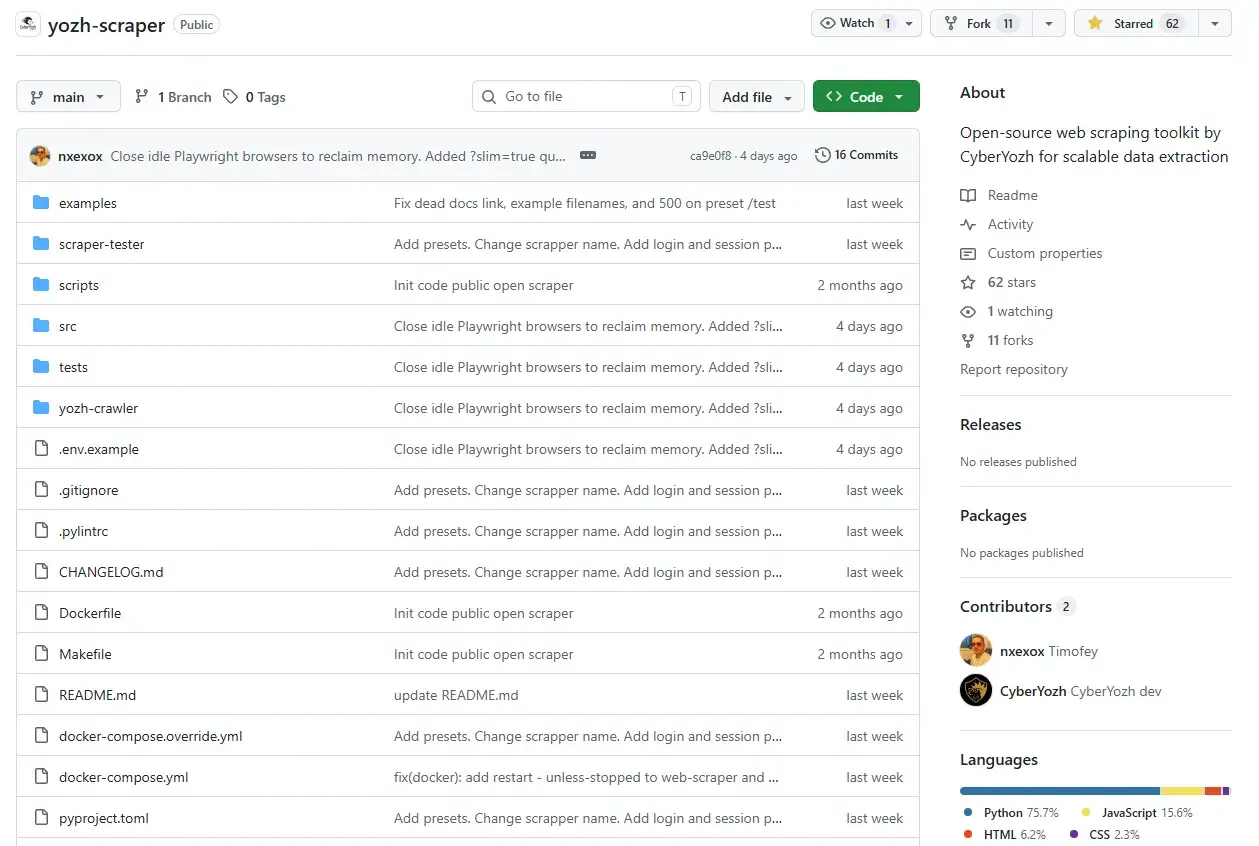
CyberYozh combines its proxy infrastructure with Yozh Scraper, an open-source scraping ecosystem. This gives developers a way to connect:
Search APIs
Proxy routing
Session management
Data extraction
AI-ready output
Collect search results and scrape pages in one request
The CyberYozh Search API supports Google, Bing, and Yandex. By adding scrape: true to a request, the system can:
Retrieve the search results.
Open the returned pages through Playwright.
Extract the data.
Return the combined response.
Use open-source tools without another monthly bill
Yozh Scraper and its user interface are open source. You can:
Inspect the code
Change it
Self-host it
Add it to your own system
Build custom workflows
You then pay for the proxy network used in production instead of paying another closed software subscription.
Recover when a page layout changes
Traditional scrapers often depend on fixed CSS selectors. When the website changes its layout, those selectors can stop working. Yozh Scraper can use AI-assisted parsing to find missing fields in the available HTML and continue the extraction.
This does not remove the need for validation, but it can reduce the number of jobs that fail because of a small layout change.
Keep browser sessions active
Some approved workflows need login state, cookies, or multi-step navigation. Persistent browser sessions allow the crawler to keep that context between requests. For accounts your team is authorized to use, approved session cookies can also reduce repeated logins.
Connect scraping tools to AI agents
Yozh Scraper supports the Model Context Protocol. This means compatible AI environments, including Claude Desktop and LangChain-based agents, can call scraping tools directly.
Create cleaner data for search and AI workflows
Raw HTML contains a lot of noise, including:
Menus
Ads
Cookie banners
Sidebars
Unrelated links
The fit_markdown format removes much of that noise and returns cleaner Markdown. This makes the output easier to:
Search
Store
Analyse
Index
Use in approved AI workflows
Want to build without paying for another scraper subscription? Explore Yozh Scraper on GitHub. Already have a crawler? Connect it to CyberYozh API access.
Common proxy mistakes in scraping
Using free proxies for production: Free proxies may be
Slow
Unstable
Unsafe
Shared by many people
Already restricted
They may work for a quick test, but they are rarely a good choice for a business workflow.
Rotating too often: Changing the IP after every request can break
Cookies
Login sessions
Shopping carts
Multi-step forms
Use a sticky session when the website expects continuity.
Keeping one IP for too long
The opposite mistake is sending too many requests through the same IP. This may trigger rate limits or make the traffic pattern easier to detect.
Treating every 200 response as success
A website can return a 200 status code while displaying:
A CAPTCHA
A login page
A consent screen
Empty content
A blocked-page message
Common mistake: Do not save a page just because the response code is 200. Check that the title, fields, and content match what you expected.
Retrying forever
Unlimited retries increase costs and traffic.
Use:
Retry limits
Timeouts
Exponential backoff
Failure logs
Clear error types
For Python projects, the guide to retrying Python Requests shows practical ways to handle temporary failures.
Loading content you do not need
Images, videos, fonts, ads, and tracking scripts can consume a lot of residential proxy traffic. Block anything that is not required for the data you want.
Why CyberYozh works for web scraping
CyberYozh is not only a place to buy proxy IPs. It combines proxy infrastructure with scraping and automation tools. Relevant features include:
More than 100+ million IPs
More than 195+ supported countries
Sticky sessions lasting up to 24 hours (rotating residential)
Automatic rotation
Traffic rollover
Geo-targeting
API access
Advanced IP filtering
Mass credentials
IP reputation checks
Residential, ISP, datacenter, and mobile proxies
Yozh Scraper
Search API integration
These tools do not guarantee that every request will work. They give teams more control over:
Location
Sessions
Network type
Automation
Cost
Project access
Before sending a proxy into production, you can also use the CyberYozh IP reputation checker to review available risk signals.
Need proxies, API access, IP checks, and an open-source scraper in one workflow? Start building with CyberYozh.
Final thoughts
There is no single proxy that is best for every scraping job. Do not choose a proxy provider only because it advertises the largest pool. Test it against your real website and measure:
Successful pages
Failed requests
Response time
CAPTCHA rate
Bandwidth
Retries
Cost per usable record
CyberYozh combines several proxy networks with sticky sessions lasting up to 24 hours on supported rotating residential proxies, HTTP, HTTPS, SOCKS5, and UDP protocol support, anti-detect browser integrations, API access, IP reputation checks, and the open-source Yozh Scraper ecosystem.
Compare available networks in the CyberYozh proxy catalog. Build your crawler with Yozh Scraper on GitHub.