
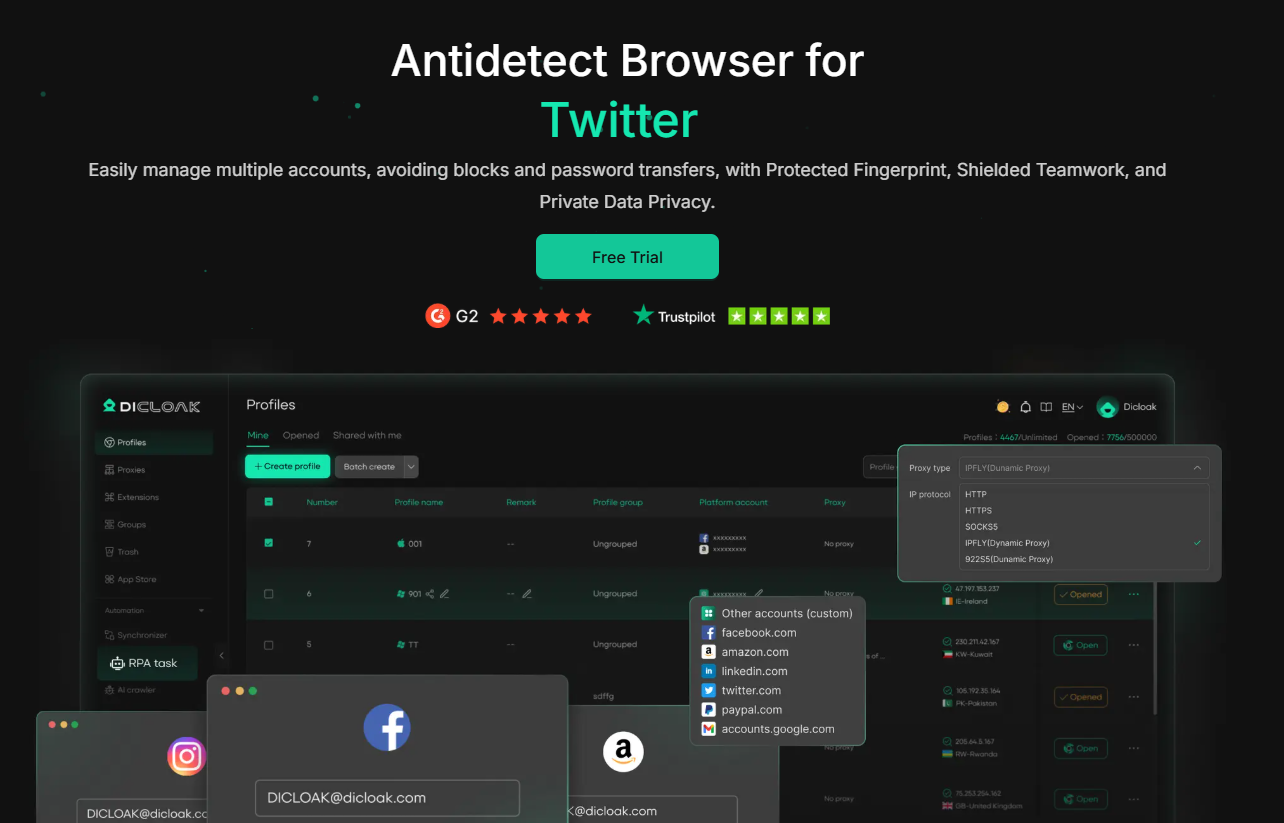
Jubah DICloak adalah browser antideteksi berbasis Chromium yang dibangun untuk manajemen multi-akun yang aman. Browser ini memalsukan elemen sidik jari utama, sehingga setiap profil tampak sebagai pengguna yang sepenuhnya terpisah di platform mana pun. DICloak dapat digunakan oleh individu maupun tim dan memungkinkan hingga 5 profil secara gratis.
BONUS: Dapatkan diskon 20% dengan kode promoCYBERYOZHSaat melakukan pemesanan. Berlaku untuk semua langganan DICloak!
Cara memilih proxy terbaik untuk aktivitas DICloak
Proxy mana yang paling sesuai untuk kebutuhan spesifik Anda? Mari kita uraikan.
Proxy seluler: Segala hal tentang media sosial
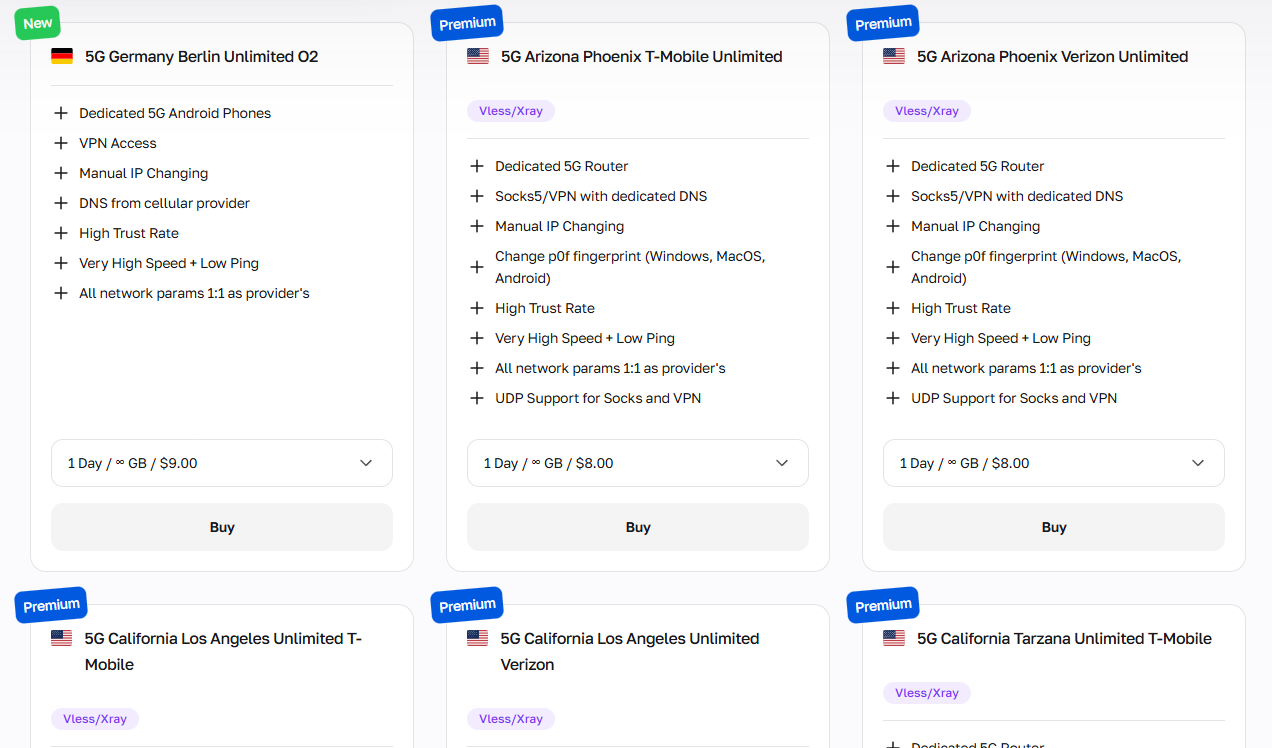
Proxy seluleradalah yang terbaik untuk semua aktivitas media sosial, pengambilan data sosial, dan tugas-tugas lain yang membutuhkan kepercayaan tinggi, sehingga Anda dapat menghindari pemblokiran dan penangguhan. Karena mereka mengarahkan lalu lintas melalui jaringan operator seluler sungguhan, platform memperlakukan mereka sebagai pengguna ponsel pintar biasa.
Mereka adalah pilihan pertama untuk:
Media sosialmanajemen multi-akun
Otomatisasi dan penjadwalan kampanye influencer
Ekstraksi data umpan media sosial dan riset audiens.
Melewati deteksi bot platform dan CAPTCHA
Verifikasi iklan seluler di berbagai wilayah
DICloak menetapkan satu proxy per profil, menjadikan proxy seluler pilihan tepat ketika kesehatan akun menjadi prioritas utama. Proxy seluler CyberYozh juga menyertakan manajemen sidik jari digital bawaan untuk lapisan perlindungan ekstra.
Residensial statis: Manajemen layanan web
Proxy statis residensialMenyediakan alamat IP rumah tetap dan nyata yang dilihat platform sebagai pengguna rumah tangga biasa. Layanan ini terjangkau dan cepat, menjadikannya pilihan terbaik untuk aktivitas jangka panjang.
Mereka sangat cocok untuk:
Pemeliharaan identitas merek dan akun jangka panjang di berbagai platform.
Sesi terautentikasi yang berkelanjutan dan persistensi login yang stabil.
Manajemen akun e-commerce di Amazon, eBay, Etsy, dan Shopee.
Pelacakan peringkat SEO yang stabil dari lokasi geografis tetap.
Otomatisasi pengelolaan profil LinkedIn dan jangkauan untuk bisnis B2B.
Hindari tindakan massal bervolume tinggi dari IP statis, karena pola lalu lintas yang tidak biasa dapat merusak reputasi IP Anda.
Rotasi residensial: Aktivitas daring massal
Proksi rotasi residensialMengambil data dari kumpulan besar IP rumah asli yang berubah setiap kali ada permintaan atau pada interval waktu tertentu, sehingga ideal untuk otomatisasi alur kerja massal. IP ini ideal untuk:
Pelacakan kata kunci massal dan pemantauan SERP
Pengambilan data katalog produk dan harga dalam skala besar.
Pembuatan prospek massal dan pengumpulan kontak.
Verifikasi iklan di berbagai wilayah geografis
Riset audiens media sosial bervolume tinggi
Karena DICloak mendukung otomatisasi melalui RPA dan Local Open API-nya, proxy yang berganti-ganti secara alami cocok dengan alur kerja berbasis skrip yang berjalan di banyak profil.
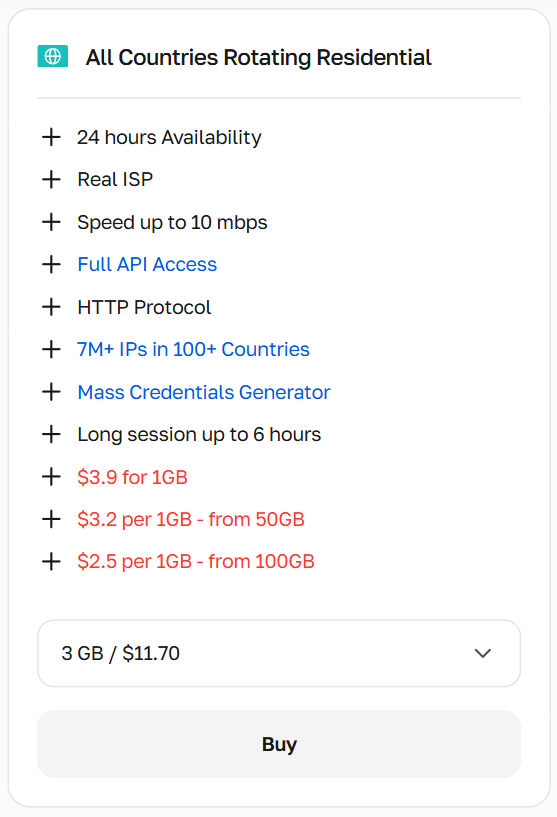
Mereka dikenakan biaya berdasarkan volume lalu lintas, jadi mengoptimalkan permintaan Anda untuk menghindari redundansi secara langsung menurunkan biaya.
Sebelum menggunakan proxy apa pun, verifikasi reputasinya dengan CyberYozh.Pemeriksa IPuntuk memastikan alamat tersebut bersih dan dapat dipercaya.
Proxy pusat data: Aplikasi non-kritis
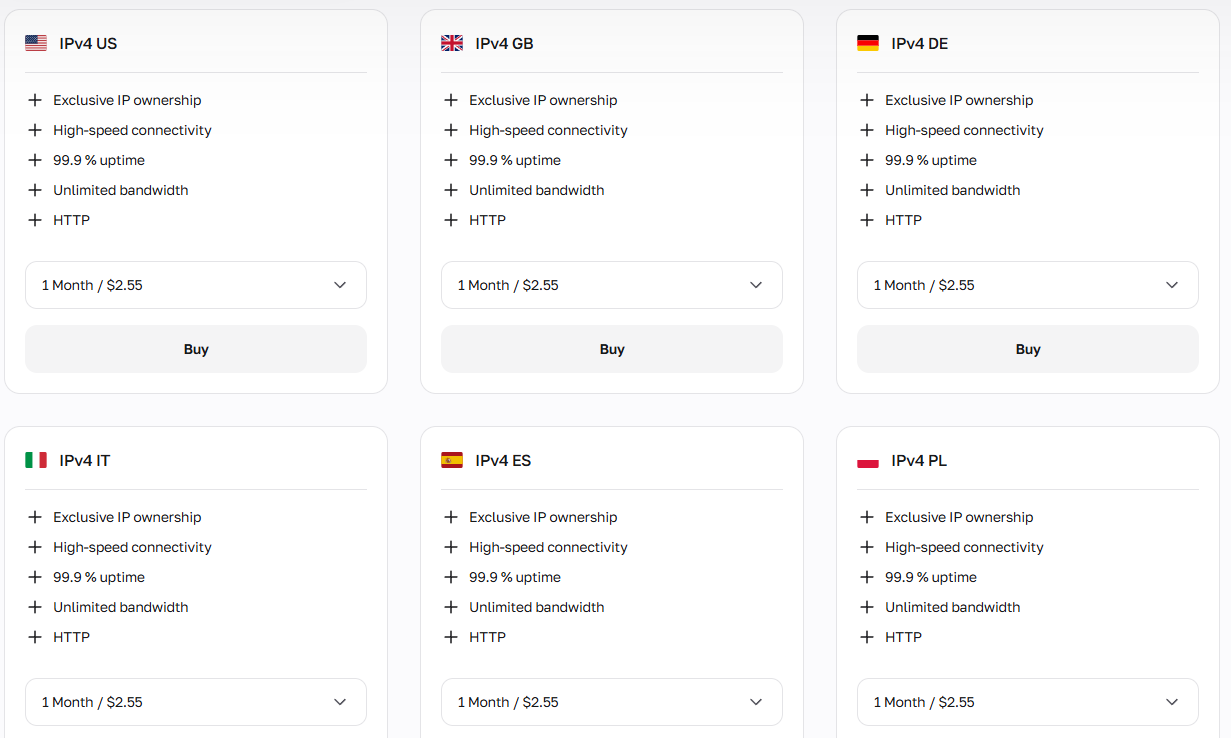
Proxy pusat dataMenawarkan rentang IP terbesar, kecepatan tertinggi, dan harga per IP terendah dari semua jenis proxy, tetapi mudah dideteksi oleh sistem anti-bot, sehingga paling cocok untuk tugas-tugas yang tidak dibatasi oleh platform.
Gunakan untuk:
Pengambilan data dari basis data publik dan pengumpulan direktori terbuka.
Pengujian endpoint API dan simulasi beban
Agregasi berita dan konten berskala besar
Perbandingan harga ritel di berbagai toko umum
Pengujian lingkungan pengembangan dan otomatisasi QA
Oleh karena itu, metode ini paling baik digunakan untuk tugas-tugas di mana risiko deteksi rendah atau tidak kritis.
Ringkasan: Cara memulai menggunakan proxy untuk DICloak
Tugas yang berbeda membutuhkan jenis proxy yang berbeda pula, jadi berikut panduan singkat sebelum Anda melanjutkan:
Untuk pengelolaan akun media sosial dan pengambilan data sosial, gunakan proxy seluler.
Untuk profil yang stabil dan berjalan lama serta pengelolaan akun e-commerce, gunakan proxy statis residensial.
Untuk otomatisasi skala besar dan pengumpulan data massal dengan RPA DICloak atau API Lokal, gunakan proxy residensial yang berganti-ganti.
Untuk pengambilan data publik, pemantauan harga, dan tugas-tugas lain yang minim pengawasan, proxy pusat data adalah pilihan yang paling hemat biaya.
Selain fitur proxy, editor sidik jari profil DICloak memungkinkan Anda untuk menyesuaikan:
Sistem operasi
Agen pengguna
Versi peramban
Rendering Canvas dan WebGL
WebGPU
Zona waktu, bahasa, dan resolusi layar
Setiap konfigurasi menciptakan identitas digital yang sepenuhnya terisolasi, sehingga memasangkan proxy CyberYozh yang unik dengan sidik jari DICloak yang unik menghasilkan persona yang konsisten dan kredibel untuk setiap akun.
Tambahkan proxy ke DICloak dan jalankan sesi browser antideteksi.
Setelah Anda memilih jenis proxy yang tepat, pengaturan lengkapnya hanya membutuhkan beberapa menit.
1. Daftar dan instal DICloak di desktop Anda.
Pergi ke sanasitus webKlik tombol Daftar, dan buat akun gratis Anda menggunakan email atau login cepat Google.
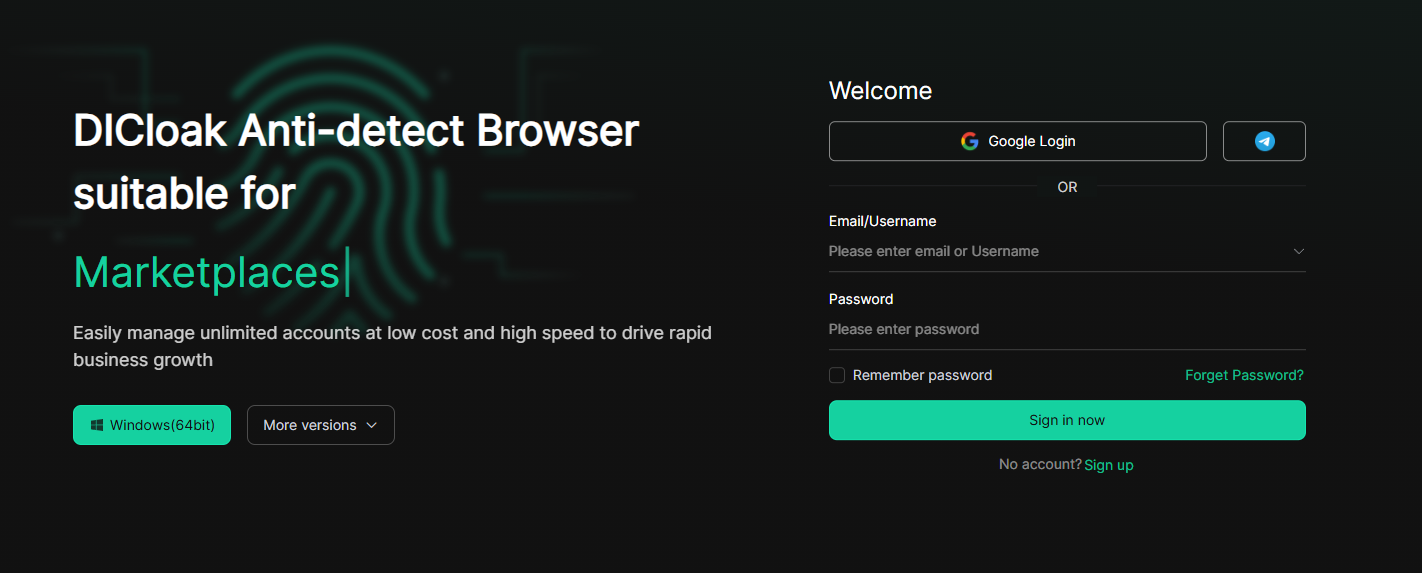
Setelah Anda mendaftar di DICloak, unduh aplikasi desktop, yang tersedia untuk Windows dan macOS. Instal aplikasi, jalankan, dan masuk dengan kredensial Anda untuk mengakses dasbor utama.
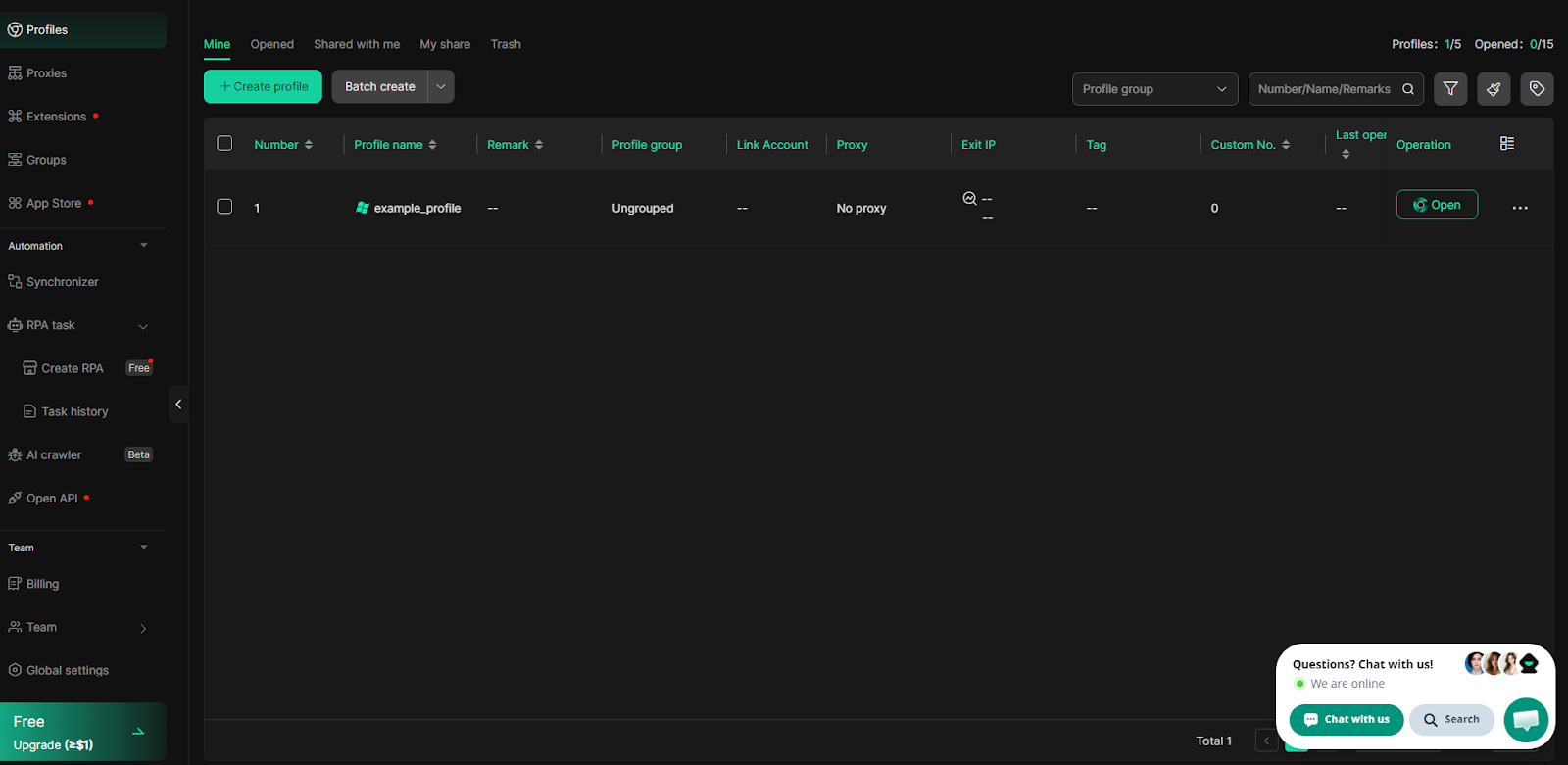
2. Dapatkan proxy CyberYozh dengan tipe yang dibutuhkan.
Masuk ke akun AndaAkun CyberYozhKlik Tambah Proksi, dan pilih jenis proksi yang sesuai dengan kebutuhan Anda: seluler, residensial (statis atau berputar), atau pusat data. Setelah diaktifkan, navigasikan ke Proksi Saya untuk menemukan kredensial akses Anda:
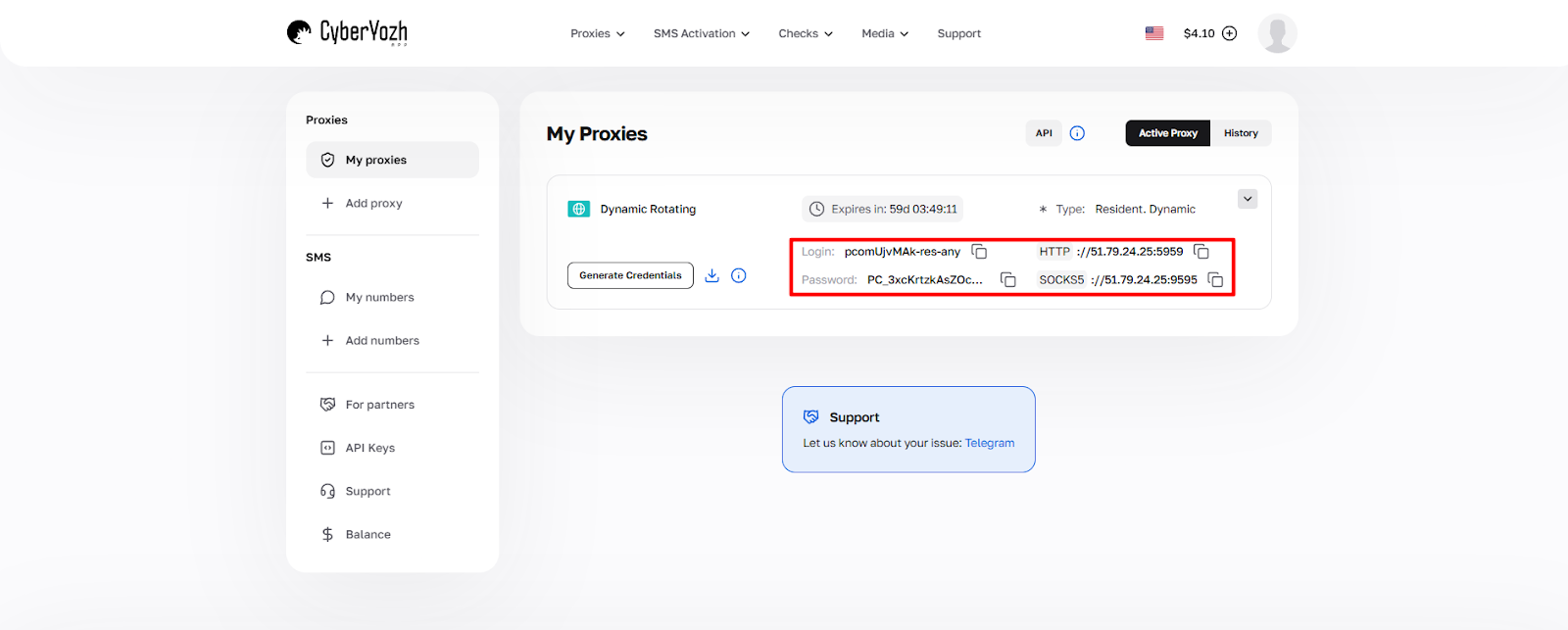
Bidang | Contoh nilai |
Host (alamat IP) | 51.79.24.25 |
Port (HTTP atau SOCKS5) | 5959 |
Nama belakang | login_cyberyozh_Anda |
Kata sandi | kata_sandi_proksi_Anda |
Klik Hasilkan Kredensial untuk mengekspor kredensial dalam format yang Anda butuhkan. Salin kredensial langsung dari dasbor. Jangan pernah mengetiknya secara manual untuk menghindari kesalahan input.
3. Buat profil DICloak
Di aplikasi DICloak, klik Profil di bilah navigasi sebelah kiri, lalu klik tombol hijau +Buat Profil.
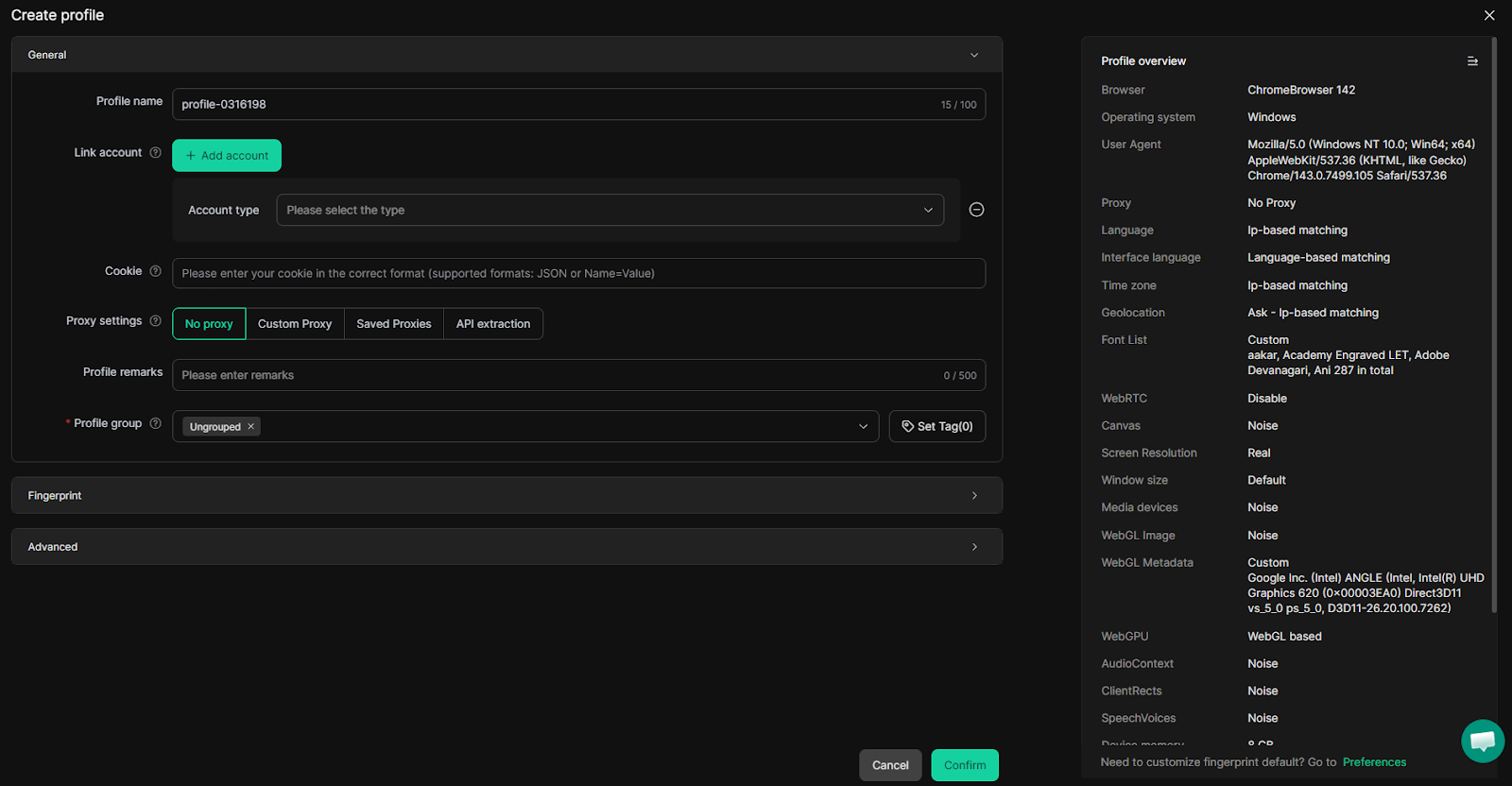
Di jendela pembuatan profil, mulailah dengan memasukkan Nama Profil. Kemudian konfigurasikan parameter sidik jari inti di bagian Umum:
Sistem operasi dan versi browser
Zona waktu, bahasa, dan resolusi layar
Pengacakan Canvas dan WebGL untuk meningkatkan keunikan.
Perilaku WebRTC dan pengaturan sidik jari audio
Parameter perangkat keras: inti CPU, RAM, dan GPU
DICloak secara otomatis menghasilkan kumpulan sidik jari yang konsisten secara default, sehingga Anda tidak perlu mengisi setiap kolom secara manual. Seperti yang Anda lihat, menambahkan proxy juga tersedia di sini.
4. Tentukan kredensial proxy CyberYozh
Di menu pengaturan Proxy, Anda akan melihat bagian konfigurasi proxy.
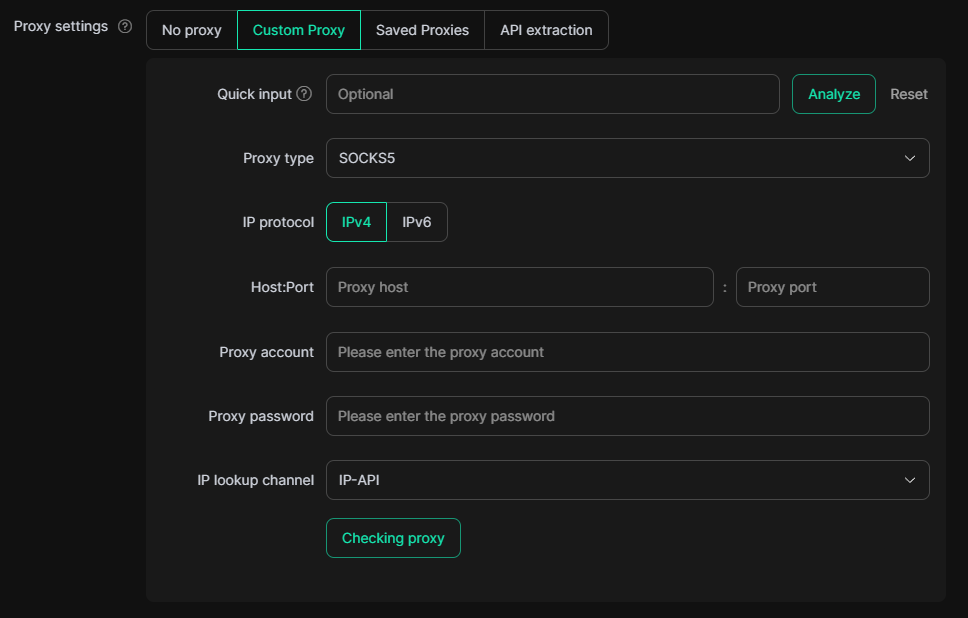
Secara default, pengaturan adalah Tanpa Proksi, tetapi setelah memilih Proksi Kustom, Anda akan melihat kolom untuk menambahkan proksi. Kemudian pilih jenis proksi Anda:
HTTPcukup untuk penjelajahan internet standar dan sebagian besar tugas pengelolaan akun.
KAOS KAKI5lebih disukai untuk alur kerja otomatisasi dan ketika Anda membutuhkan dukungan penuh untuk berbagai jenis lalu lintas.
Anda juga dapat memilih jenis protokol IPv4 dan IPv6; dalam kebanyakan kasus, IPv4 digunakan. Baca selengkapnya tentang perbedaan di antara keduanya.Artikel perbandingan CyberYozh.
Pada kolom Host:Port, masukkan IP dan port proxy yang sesuai. Kemudian, tentukan Akun Proxy (login) dan Kata Sandi Proxy dari dasbor CyberYozh Anda. Atau, Anda dapat menempelkan string standar (IP:Port:Nama Pengguna:Kata Sandi) di kolom input Cepat, sehingga DICloak akan menguraikannya.
Setelah semua kredensial dimasukkan, klik tombol Memeriksa Proksi untuk memverifikasi konektivitas. DICloak akan menampilkan alamat IP yang terdeteksi, lokasi, dan status koneksi.
Alternatifnya, jika Anda berencana untuk menggunakan kembali proxy ini di beberapa profil, pertama-tama buka bagian Proxy di panel navigasi sebelah kiri, tepat di bawah Profil.
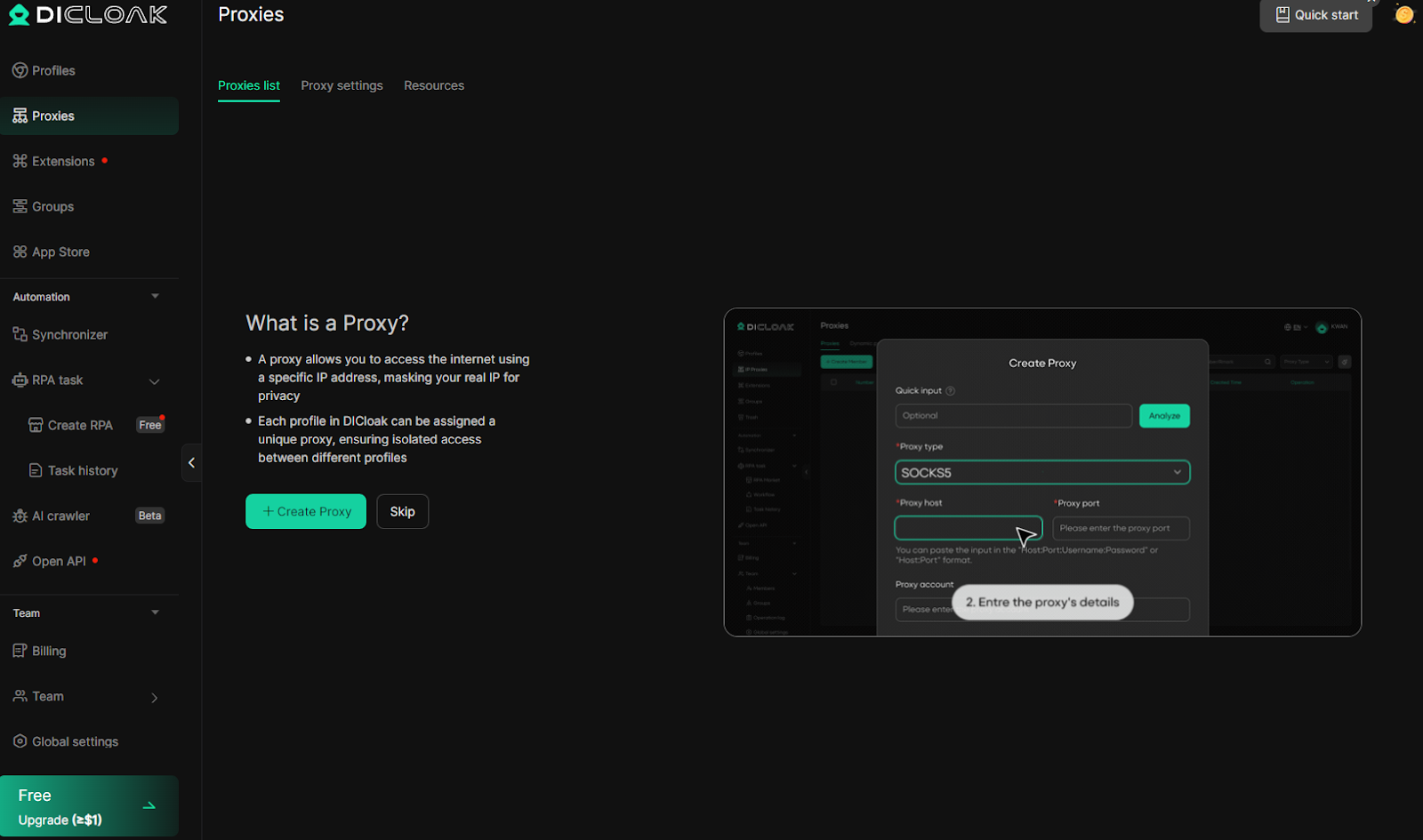
Di sini, Anda dapat menentukan informasi proxy menggunakan menu input yang sama, lalu pilih proxy dari Proxy Tersimpan saat membuat atau mengedit profil apa pun.
5. Simpan dan jalankan profil
Setelah verifikasi proxy berhasil, klik Konfirmasi di bagian bawah layar untuk menyimpan profil. Profil baru Anda akan muncul di daftar Profil dengan proxy dan sidik jari yang ditugaskan terlihat.
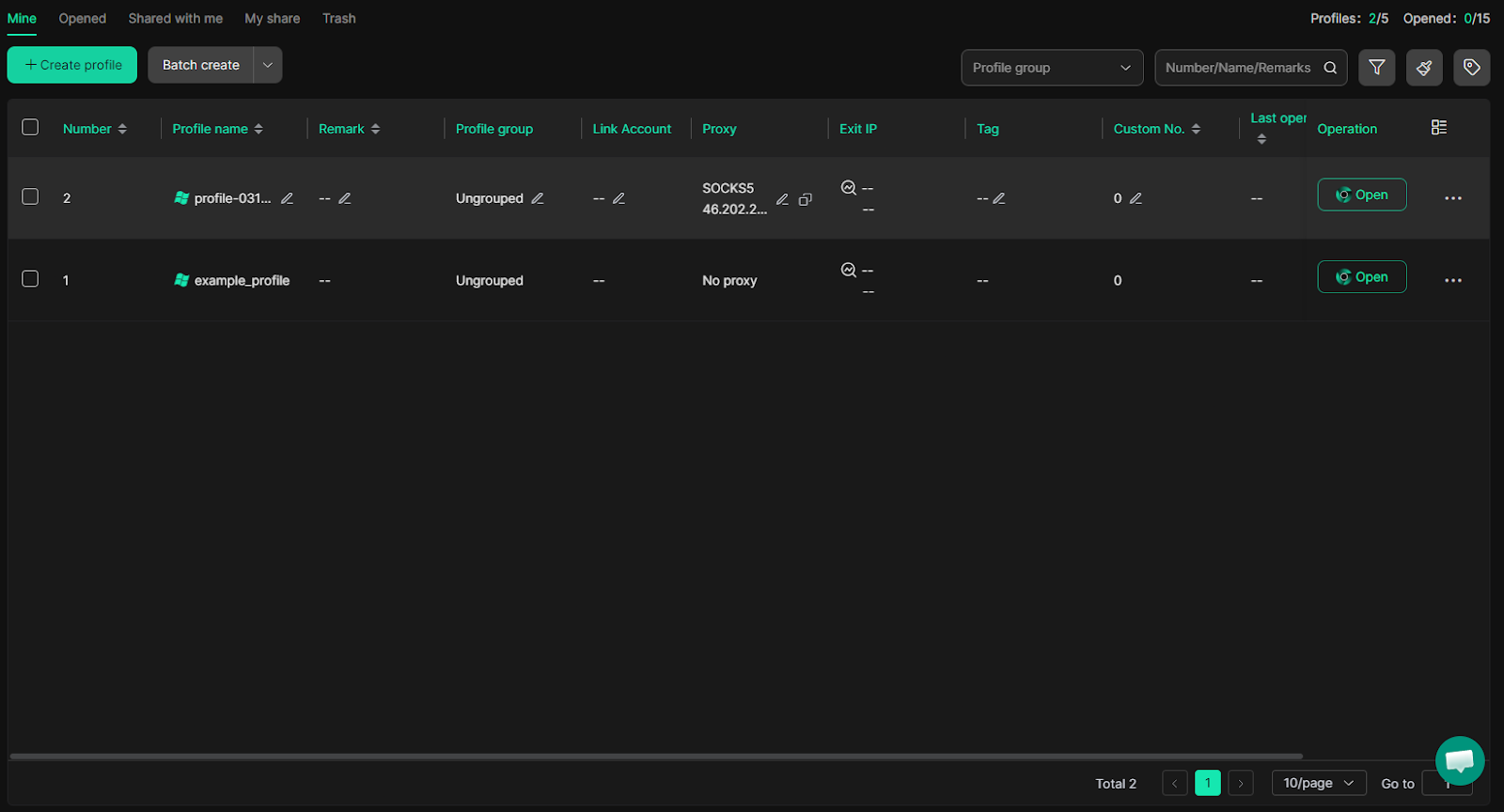
Klik Buka di samping profil untuk meluncurkan sesi Chromium terisolasi; semua lalu lintas sekarang akan dialihkan melalui proxy CyberYozh yang telah Anda tetapkan.
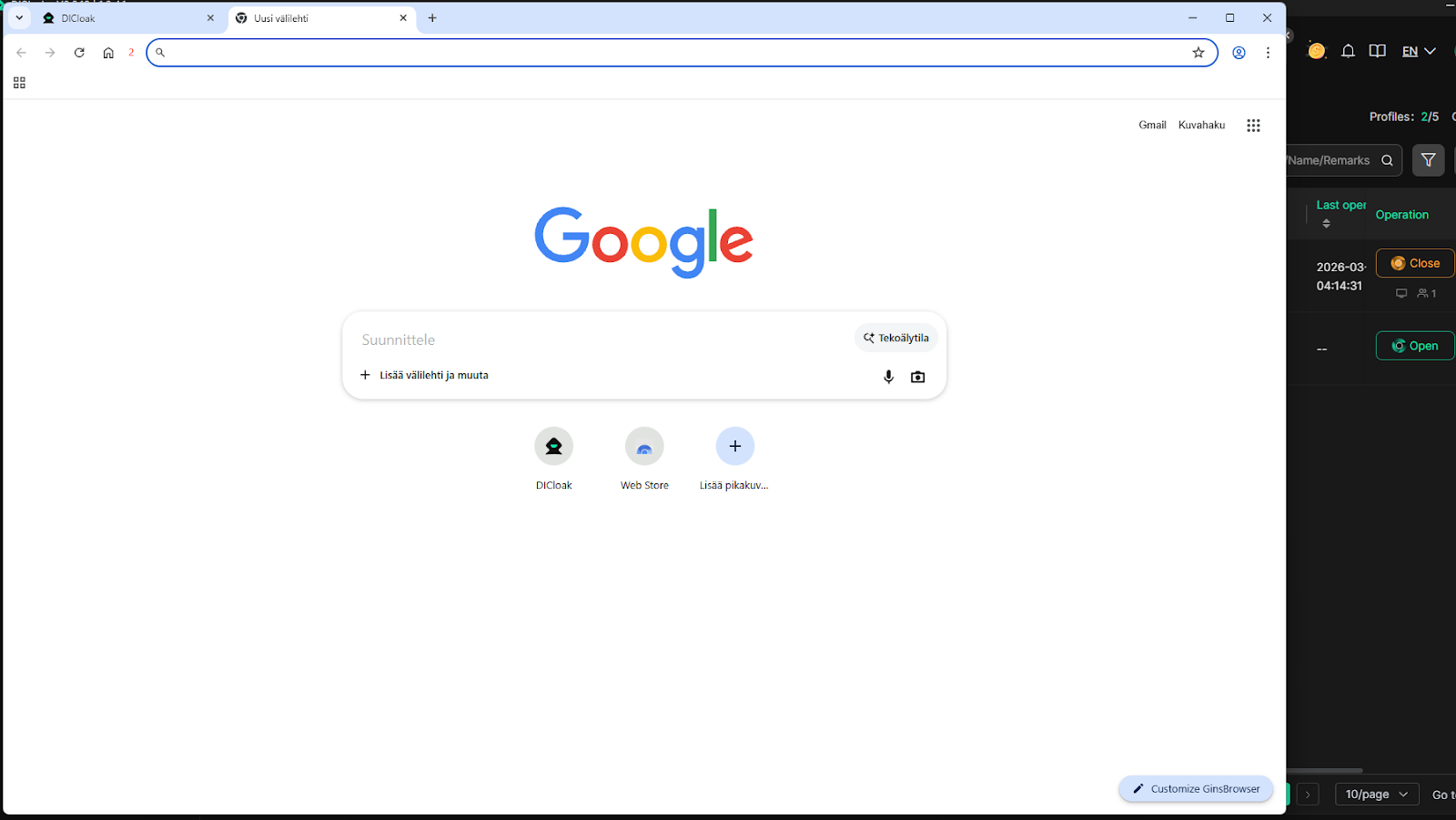
Untuk memverifikasi bahwa semuanya berfungsi dengan benar, buka alat pencarian IP di sesi baru dan konfirmasikan bahwa alamat IP yang ditampilkan cocok dengan alamat proxy Anda. Versi gratis DICloak memungkinkan Anda membuat hingga 5 profil dan menjalankan hingga 15 peluncuran sesi terpisah per hari.
Praktik terbaik penggunaan proxy di browser DICloak.
Saat proxy CyberYozh dipasangkan dengan profil terisolasi DICloak, setiap sesi menampilkan IP dan sidik jari yang berbeda, sehingga secara efektif tidak terlihat oleh sistem anti-penipuan dan deteksi multi-akun. Praktik-praktik berikut akan membantu Anda menjaga profil yang bersih dan berjalan dalam jangka panjang:
Tetapkan satu proxy unik untuk setiap profil DICloak.Menggunakan satu IP yang sama di beberapa profil adalah cara tercepat untuk memicu flag penautan lintas akun. Pengelola profil DICloak memudahkan peninjauan penugasan proxy sebelum setiap peluncuran.
Sesuaikan jenis proxy dengan persyaratan kepercayaan platform.Gunakan proxy statis seluler atau residensial untuk akun media sosial dan e-commerce. Cadangkan proxy residensial yang berganti-ganti untuk pengambilan data (scraping) dan otomatisasi massal; gunakan proxy pusat data hanya untuk tugas data publik yang tidak dibatasi.
Selalu jalankan tes Periksa Proksi sebelum memulai sesi baru.Jika pengecekan gagal, pastikan host, port, nama pengguna, dan kata sandi disalin persis dari dasbor CyberYozh Anda. Uji ulang di luar aplikasi menggunakan browser jika diperlukan.
Sejajarkan lokasi geografis proksi dengan sidik jari profil.Negara, kota, dan zona waktu proxy harus sesuai dengan parameter bahasa dan lokasi yang ditetapkan dalam profil DICloak. Ketidaksesuaian di antara sinyal-sinyal ini merupakan pemicu umum untuk deteksi.
Pertahankan sesi tetap aktif dan hindari pergantian proxy di tengah sesi.Pada akun yang sudah ada, ganti proxy hanya di awal sesi baru, bukan selama sesi aktif, terutama pada platform yang melacak konsistensi IP tingkat sesi.
PeriksaKatalog proxy CyberYozhuntuk menjelajahi semua jenis proxy yang tersedia dan menemukan paket yang tepat untuk alur kerja DICloak Anda.
Pertanyaan yang Sering Diajukan (FAQ) tentang browser antideteksi DICloak
Apa itu browser antideteksi dan bagaimana cara kerjanya?
Browser antideteksi menggantikan sidik jari browser asli Anda — sistem operasi, font, kanvas, WebGL, ukuran layar — dengan identitas palsu untuk setiap profil, sambil menjaga agar cookie, cache, dan IP tetap terisolasi sepenuhnya antar sesi.
Apa itu DICloak dan apa yang membuatnya berbeda?
DICloak adalah browser antideteksi berbasis Chromium untuk manajemen multi-akun, menawarkan otomatisasi RPA tanpa kode yang dibantu AI, kolaborasi tim, sinkronisasi cloud, dan pemalsuan sidik jari tingkat lanjut di Windows dan macOS.
Apakah DICloak aman digunakan?
Ya. DICloak memblokir alat penyadap paket seperti Wireshark, menonaktifkan alat pengembang di dalam profil, dan mencegah perubahan ekstensi yang tidak sah, melindungi sesi bersama dari pemantauan dan serangan pintu belakang.
Apakah DICloak memiliki paket gratis?
Ya. Paket gratis DICloak mendukung 5 profil, hingga 15 peluncuran sesi harian, 3 ekstensi, dan 5 tugas RPA — dengan akses penuh ke fitur sidik jari dan proksi.
Apa itu sidik jari peramban dan mengapa hal itu penting?
Pengambilan sidik jari mengumpulkan puluhan sinyal perangkat — GPU, font, resolusi layar, zona waktu, plugin — untuk menciptakan pengidentifikasi unik yang tetap ada bahkan setelah cookie dihapus, atau VPN digunakan.
Apakah situs web masih dapat mendeteksi peramban anti-deteksi?
Sistem anti-penipuan tingkat lanjut dapat menandai profil jika preset sidik jari digunakan kembali atau proxy memiliki reputasi buruk. Verifikasi IP dengan Pemeriksa IP CyberYozh dan gunakan sidik jari baru untuk setiap profil.
Apakah menggunakan browser anti-deteksi itu legal?
Browser Antidetect adalah alat legal yang digunakan untuk manajemen media sosial, pengambilan data web (web scraping), verifikasi iklan, dan penelitian keamanan siber. Legalitasnya bergantung pada tujuan penggunaan Anda dan Ketentuan Layanan masing-masing platform.
Bagaimana cara menambahkan proxy ke DICloak?
Di jendela pembuatan profil di bawah menu Proxy, ubah dari Tanpa Proxy ke Proxy Kustom, pilih HTTP atau SOCKS5, dan tempelkan host, port, login, dan kata sandi CyberYozh Anda.
Apa perbedaan antara proxy seluler dan proxy residensial untuk anti-deteksi?
Proxy seluler menggunakan jaringan operator sungguhan, menawarkan kepercayaan tertinggi untuk akun media sosial. Proxy statis residensial menyediakan IP rumah tetap — lebih murah dan ideal untuk pemeliharaan profil jangka panjang.
Berapa banyak parameter sidik jari yang dikelola oleh DICloak?
DICloak memalsukan data canvas, WebGL, WebGPU, AudioContext, ClientRects, SpeechVoices, font, RAM, inti CPU, resolusi layar, zona waktu, dan geolokasi — menghasilkan identitas perangkat yang unik dan realistis untuk setiap profil.
