
How to Generate Residential Proxies with Precise Geo-Targeting
Large-scale public data collection demands dynamic, high-reputation IP addresses. Maintaining strict network compliance and connection stability requires an enterprise-grade ISP backconnect proxy network.
The CyberYozh App architecture provides access to an extensive pool of over 50 million residential IPs distributed across more than 195 countries. This capacity ensures a 99.8% operational success rate for high-volume automated data collection tasks. Generating precise access credentials takes less than a minute through the specialized proxy dashboard.
Quick answer: How are rotating residential proxies configured
Manage your purchased pools and deploy rotating residential proxies instantly. The generator configures your network in four straightforward steps:
Target the location: Define the exact country, specific city, or ASN within the CyberYozh dashboard.
Set session persistence: Choose immediate per-request IP rotation or hold a static sticky session for up to 24 hours.
Select the protocol: Pick the output format to match your software requirements.
Generate endpoints: The system produces bulk credentials formatted for direct integration in seconds.
How do operators target specific geographic locations
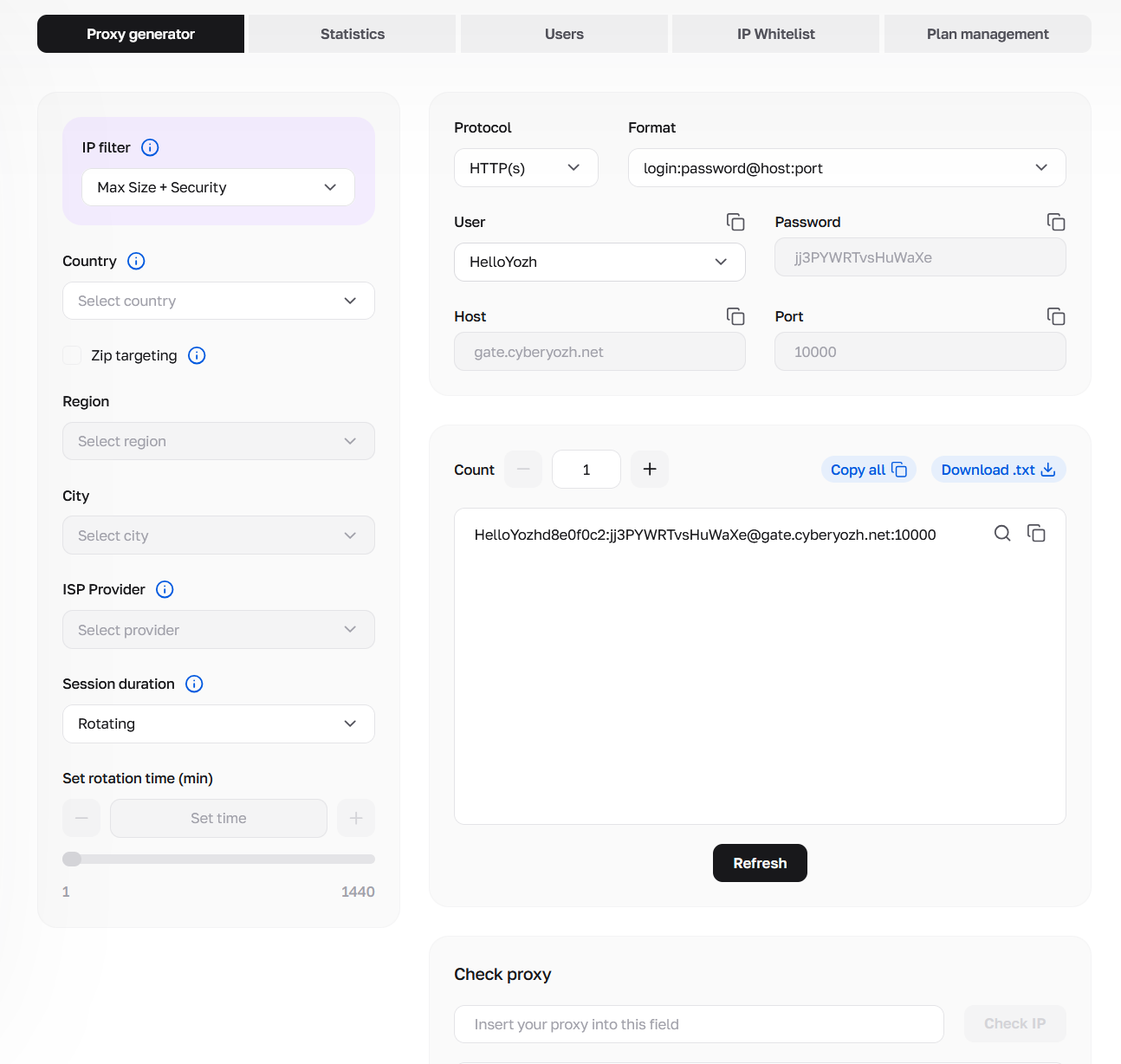
Precise network location configuration forms the foundational layer of proxy generation. The proxy generator enables strict filtering parameters. Infrastructure managers isolate IP pools at the country, region, and specific city levels. Advanced configurations extend further. The dashboard provides the capability for ASN filtering or targeting specific home Internet Service Providers (ISP).
Aligning the proxy’s residential network location and ISP signature with the physical expectations of the target platform ensures exceptionally high trust scores. Automation tools operate from the exact city anticipated by a regional e-commerce infrastructure. Connection latency is minimized. Continuous data retrieval rates remain optimal.
👉 Deploy highly targeted geographic sessions directly within the dashboard.
What is the optimal IP filter for connection trust
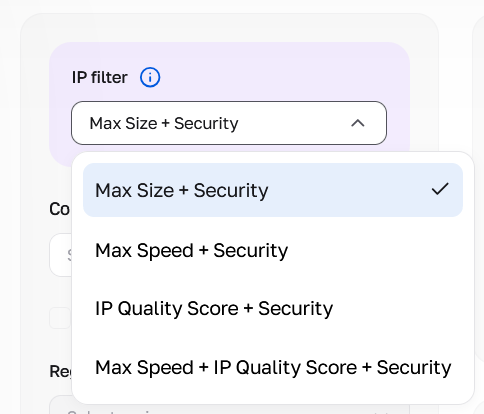
The CyberYozh infrastructure incorporates distinct routing algorithms. These algorithms balance sheer network volume with IP purity based on specific operational requirements.
Max Size + Security: Allocates access to the entire available geo-targeted proxy pool. Highly effective for massive-scale distributed web crawling.
Max Speed + Security: Prioritizes nodes with minimal latency and high bandwidth capacity. Perfect for media streaming and rapid API querying.
IP Quality Score + Security: Routes the selected pool through internal validation checkers. Filters out nodes with low trust metrics automatically.
Max Speed + IP Quality Score + Security: Combines rigorous trust validation with strict response time filtering. It stands as the ultimate choice for maintaining connection stability across highly protected enterprise networks.
HTTP vs. SOCKS5: Which protocol suits the architecture
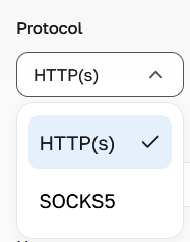
Selecting the correct network protocol depends entirely on the architecture of the automation software.
The HTTP(s) format operates at the application layer (Layer 7 of the OSI model) as defined by the IETF standard RFC 9110. It remains the industry standard for browser automation, REST API querying, and standard web extraction. It utilizes the HTTP CONNECT method to efficiently handle encrypted TLS payloads.
Conversely, RFC 1928 SOCKS5 functions at the session layer (Layer 5). It acts as a transparent relay. Setting up SOCKS5 proxy sessions routes raw TCP and UDP packets without inspecting application-level data. SOCKS5 proxies are optimal for applications requiring specific UDP associate commands or unrestricted TCP traffic flow. The CyberYozh network natively supports both protocols.
👉 Get SOCKS5 and HTTP rotating residential proxies.
Rotating vs. Sticky sessions: What are the operational differences
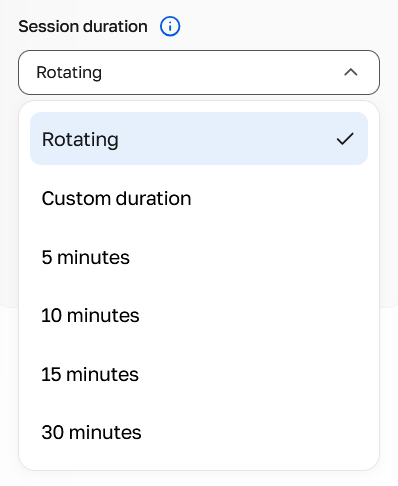
Data aggregation workflows demand varying IP lifespans. The proxy generator provides precise administrative control over session rotation logic. You must know how to configure rotating proxies for web scraping to maximize extraction efficiency.
Session type | Duration | Primary technical use case | Network routing behavior |
Rotating IP Mode | Single Request | Price aggregation, SERP scraping, distributed crawling | The infrastructure assigns a completely new, clean IP address for every individual request. |
Fixed Intervals | 5, 10, 15, and 30 minutes | Account creation, fast checkout flows, SMS profile verification | The infrastructure holds the IP address for the exact selected timeframe. The system forces a session termination immediately after the timer expires. |
Sticky Sessions | Up to 24 Hours | Distributed profile management, manual QA testing | The infrastructure maintains the exact same IP address ensuring unbroken session continuity. |
Selecting the "Rotating" parameter ensures constant IP variation. This optimal strategy forces scripts to retrieve structured data across thousands of product pages simultaneously.
The "Custom duration" setting initiates sticky IP sessions. The backend server holds the connection stable through a specific residential node. Residential proxy duration limits cap at 24 hours. The session automatically severs once the defined timer expires to prevent network degradation.
User selection and access delegation
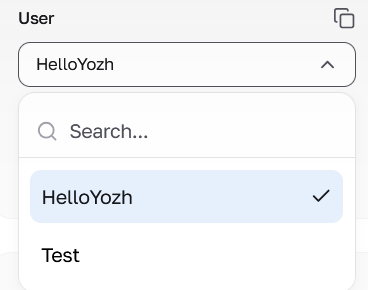
The "User" dropdown allows you to bind generated endpoints directly to a specific team member. This isolates network sessions. You protect your master balance and track individual traffic consumption easily.
Detailed configuration for access delegation is thoroughly covered in our dedicated proxy sub-users management guide.
How are proxy credentials exported for software integration
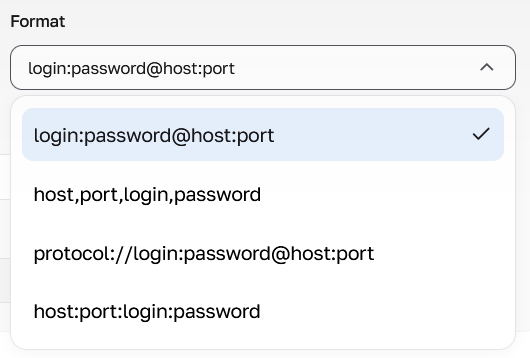
Generating the final access endpoints is a highly streamlined operation designed for bulk deployment. Operators specify the required quantity of addresses. The exact output string format is defined. Subnet masking occurs invisibly on the backend.
The generator supports four syntax standards for direct software and anti-detect browser integration:
login:password@host:port
host,port,login,password
protocol://login:password@host:port
host:port:login:password
The generated list instantly copies to the clipboard. It can also be exported as a raw text file for direct parsing into custom Python architectures or commercial data collection tools.
Deep Fraud Score validation
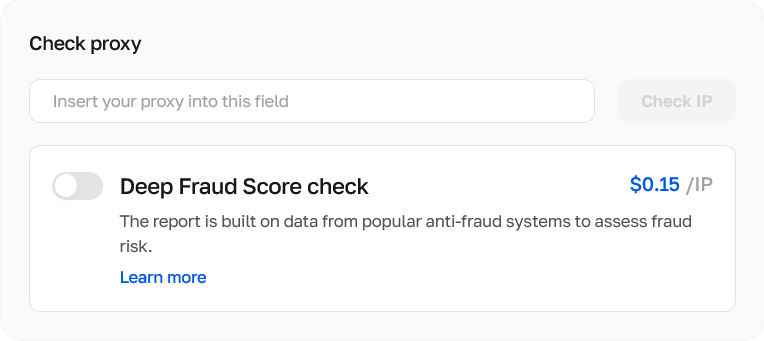
Validate endpoint quality before launching your extraction scripts. The interface includes a dedicated "Check proxy" block. Paste your copied endpoint there. Toggle the "Deep Fraud Score check". This specific function initiates predictive scoring.
Each query costs $0.15. The tool instantly cross-references the IP against enterprise risk assessment databases like IPQualityScore and ThreatMetrix. You see a comprehensive fraud risk report prior to deployment. Because of this feature, you never route critical traffic through compromised networks.
👉 Validate your network footprint now.
FAQs about the rotating residential proxy generator
How long can a rotating residential proxy session remain active?
Using the custom duration setting, sticky sessions hold a single residential IP address for up to 24 hours, provided the physical residential node remains online and connected to its local ISP.
Does the generator support UDP traffic routing?
Yes. By selecting the SOCKS5 protocol within the generator configuration, the proxies fully support UDP associate commands alongside standard TCP routing.
Can proxies be filtered by specific internet providers (ISPs)?
The generator includes advanced ASN and specific ISP targeting capabilities. Operators route traffic exclusively through designated home internet providers within a chosen metropolitan area.
What happens when a sticky residential IP goes offline?
If a physical residential device disconnects before the custom timer expires, the infrastructure automatically routes the session through the nearest available proxy node in the identical geographic cluster.
Is it possible to switch between HTTP and SOCKS5 after generation?
Credentials and routing rules are tied to the specifically selected port during generation. To switch protocols, a new list of endpoints must be generated specifying the alternate protocol port.