
How to Check Proxy Address: Verify Your IP and Proxy Settings
You deploy a new web automation campaign. The target server drops your connection instantly. Complete silence in the logs.
Your network footprint leaked.
Target platforms scan incoming request velocity and hardware parameters every single millisecond. They spot generic server signatures immediately. And they sever access before your script even loads the target page.
But you can fix this at the network layer. You verify your routing before executing any live tasks. Knowing exactly how to check proxy address configurations lets you catch broken sockets early. Professional data teams use this exact pre-flight validation to maintain high proxy success rates under heavy load.
TL;DR: How to check your proxy server address and stop connection drops
Stop running automation scripts blindly. Find proxy address details and protect your operations before launching a campaign.
Hardware configurations: Check your operating system proxy assignments directly. This guarantees your traffic routes correctly.
Code-level tests: Fire off a cURL command. Check proxy server address and port parameters during live execution to spot socket timeouts.
Evaluate IP reputation: Run your endpoints through a Fraud Score checker to uncover hidden network history.
Deploy verified infrastructure: Push your traffic through ethically sourced IP networks. Target platforms will see regular human browsing behavior.
Why testing your network footprint comes first
Target platforms evaluate your request velocity and IP history continuously. They do not just check logins. The destination server scrutinizes your origin hardware instantly. Sending traffic through unverified nodes guarantees automated filter blocks.
Blind deployment burns budgets: Security algorithms map suspicious network subnets entirely to drop the connection. You execute real-time IP reputation and location checks first.
Working IPs are not always safe: Physical reachability serves only as the baseline. Platforms see historical spam or abuse baggage right away.
Clean routing is mandatory: Route your web queries through high-quality private networks. You completely avoid recycled or abused IP addresses this way.
This strict technical alignment restores stable access to your streams. First, look at the exact routing path. Then confirm the protocol. Then you execute your code. This process mimics natural human browsing behavior. It helps overcome regional limits safely without setting off background security alarms.
Operating system checks: How to find proxy address natively
Your browser inherits routing rules directly from your operating system. A broken node at the system level kills connectivity for your entire machine. Inspect the root configuration first.
Windows settings
Windows manages network routing through a centralized control panel.
Open your Start menu.
Navigate to Settings > Network & Internet > Proxy.
Scroll down to the Manual proxy setup section.
Check the toggle. An active toggle forces all outbound traffic through the listed address.
Verify the specific IP and port assignment. One wrong digit here breaks your connection instantly.
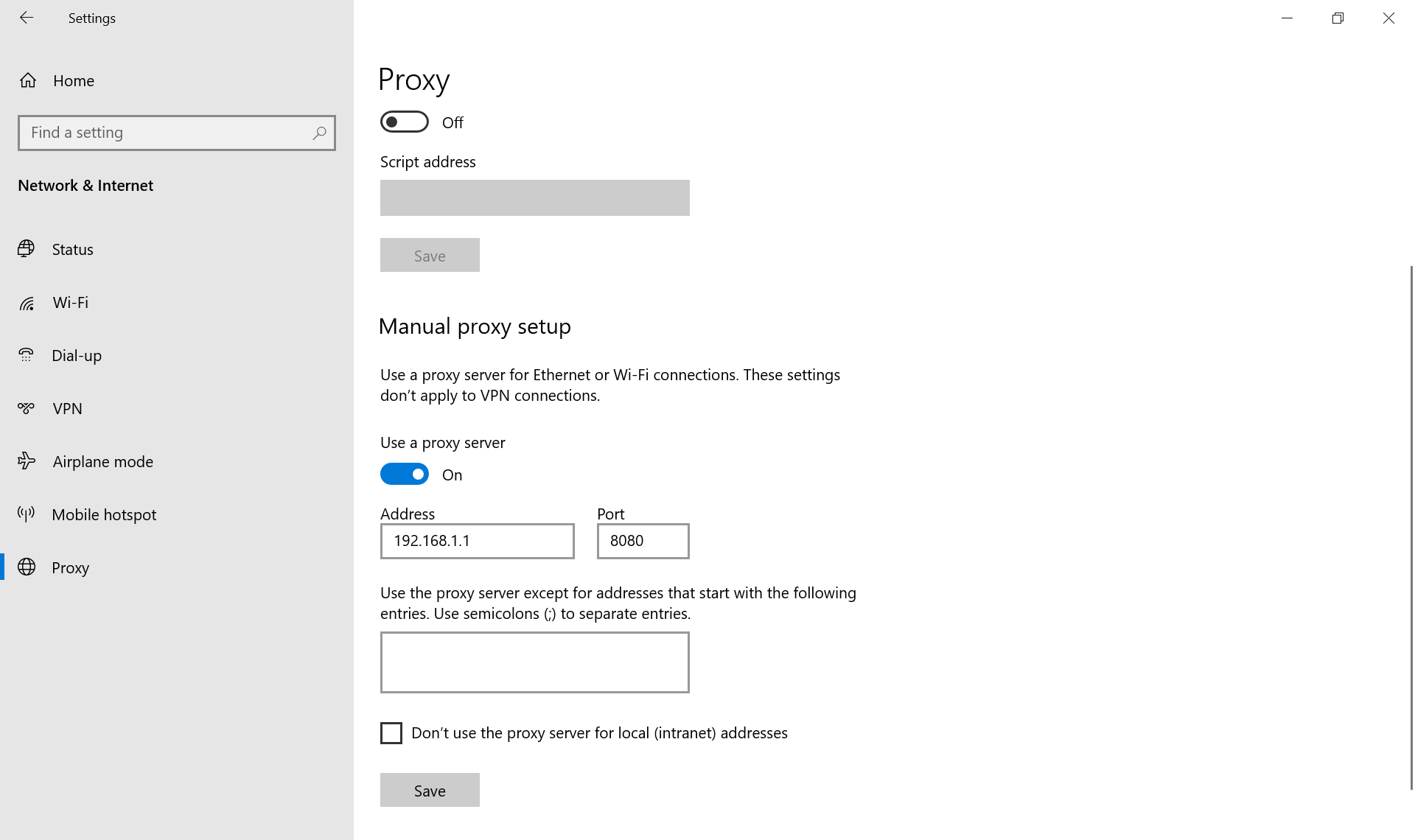
👉 Master Windows routing: Read the step-by-step manual for native Windows proxy configuration.
macOS configuration
Apple structures network layers per connection type. You might have a clean Wi-Fi profile but a misconfigured Ethernet port.
Open System Settings > Network.
Click on your currently active connection and hit Details.
Open the Proxies tab.
Check both the Web Proxy (HTTP) and Secure Web Proxy (HTTPS) configurations.
Locate your active server string to read the exact assigned IP and port.
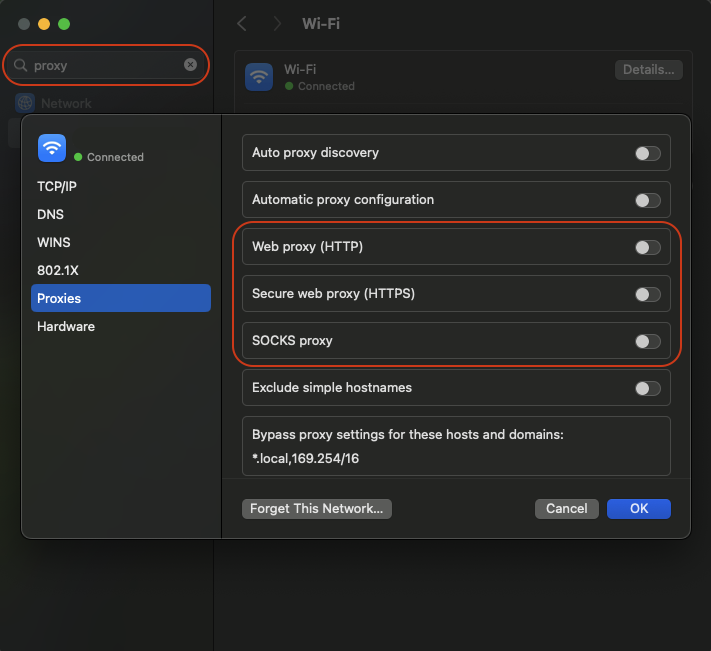
👉 Secure your macOS traffic: Follow the dedicated guide to setting up proxies natively on Mac environments.
Ubuntu Linux terminal
Desktop interfaces on Linux vary wildly. But the terminal never lies. Backend scripts pull their routing rules directly from your system environment variables.
Open your command line.
Print your active routing rules using this command:
env | grep -i proxyReview the output to find your exact HTTP and HTTPS routing strings.
Clear old configurations. Overwrite any old server IPs listed there before launching heavy data extraction tasks.
👉 Control Linux environments: See exactly how to inject proxy variables safely across Ubuntu and other distributions.
http_proxy=http://192.168.1.100:8080

https_proxy=http://192.168.1.100:8080

no_proxy=localhost,127.0.0.1

HTTP_PROXY=http://192.168.1.100:8080

HTTPS_PROXY=http://192.168.1.100:8080
Browser-level verification: How to check my proxy server ip address
Your operating system handles global routing. But individual web browsers manage local traffic differently. You need to know exactly where your browser pulls its network configuration.
Browser extensions and application isolation
OS-level routing affects all background applications simultaneously. This fails completely for multi-account management. You must isolate digital profiles at the application layer. Deploy third-party extensions like FoxyProxy or SwitchyOmega. They route traffic exclusively within the browser.
But watch your protocol compatibility. Chromium browsers do not natively support SOCKS5 proxies requiring password authentication. Forcing an authenticated SOCKS5 connection in Chrome results in continuous failures. You must route authenticated SOCKS5 traffic through Mozilla Firefox or dedicated management clients.
Standard browsers (Chrome and Firefox)
Google Chrome does not feature an independent network menu on Windows.
Open Chrome settings and search for proxy configuration.
The browser redirects you to the native Windows control panel.
This behavior applies to Edge, Brave, Vivaldi, and Opera. They inherit your system-level connection parameters automatically.
Firefox maintains a completely independent network engine.
Open Firefox settings.
Scroll to the bottom and click Network Settings.
Select the manual configuration option.
Verify the specific IP address and port right there without altering your global machine traffic.
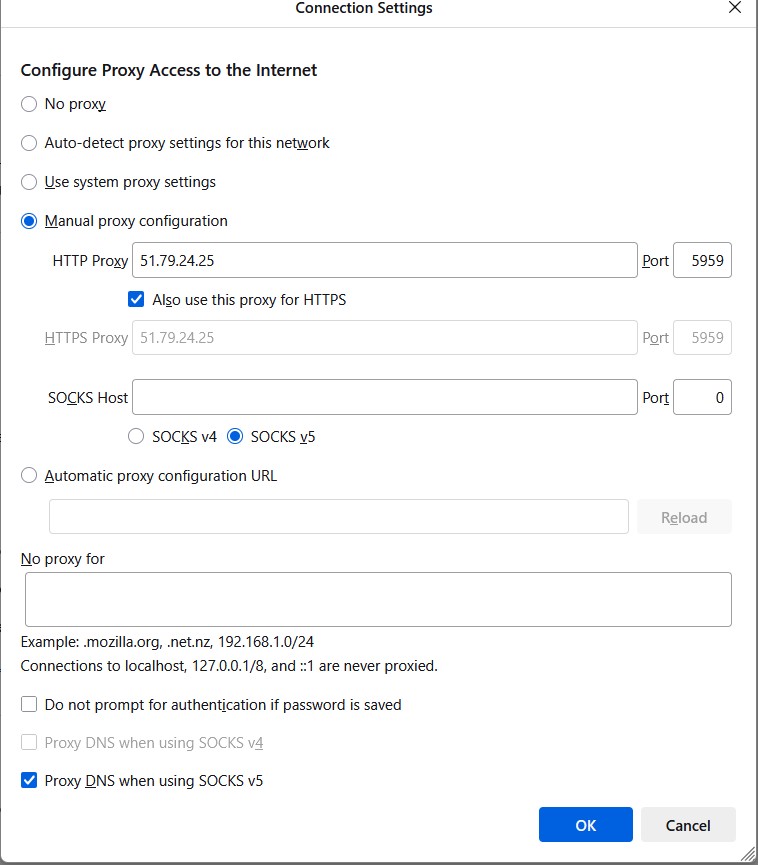
👉 Configure local browser traffic: Read the specific setup guides for Chrome, Firefox, and Chromium-based browsers.
Anti-detect browsers
Standard browsers hit a strict technical ceiling. A clean IP address helps. But a standard Chrome installation still broadcasts your real graphics card render hashes and hardware profiles. Security filters catch this hardware mismatch instantly.
You fix this by deploying integrated anti-detect browsers. These platforms manage browser fingerprinting entirely in the cloud. They simulate real device and OS signals natively. They align your network location perfectly with your internal browser coordinates.
Professional data teams build scalable workflows using AdsPower, Dolphin{anty}, and Multilogin. The setup remains identical across platforms like Octo Browser, MoreLogin, or Incogniton. You paste your host and port into the profile dashboard. You can isolate cloud phone operations via DuoPlus or run multi-accounting structures in Geelark. The software locks the connection exclusively to that specific digital profile.
👉 Connect anti-detect profiles: Read our official integration manuals for AdsPower, Dolphin{anty}, and Octo Browser.
👉 Deploy high-trust mobile proxies: Route your traffic through real LTE/5G networks to manage social media profiles safely.
Command line & code: How to check proxy server address and port
Graphical interfaces hide connection errors. You need raw network data to diagnose routing issues effectively. The terminal provides this immediate visibility.
cURL authentication and SOCKS5h
Run a simple command to simulate an authenticated web request. This tests your exact node configuration before you write any automation code.
curl -v -x http://USER:PASS@IP:PORT https://ipv4.icanhazip.comThe -v flag activates verbose mode. A rejected login throws an HTTP 407 Proxy Authentication Required error. You probably just misspelled your username. If the command returns the clean IP address, your authentication works.
Standard HTTP testing is simple. SOCKS5 protocols require nuanced syntax. A standard SOCKS5 request forces your local machine to resolve DNS locally. Your ISP records the target destination. The target server spots the DNS mismatch instantly. Your network footprint leaks.
You fix this by enforcing remote DNS resolution. Use the socks5h:// scheme.
curl --proxy socks5h://USER:PASS@IP:1080 https://ipinfo.io/jsonThis command passes DNS resolution entirely to the proxy server side. It protects your infrastructure from local DNS leaks completely.
Python / Requests logic
Real production environments rely on code. You need to see how the network handles actual automated requests. A quick Python Requests script solves this.
import requests

proxies = {

    "http": "http://USER:PASS@IP:PORT",

    "https": "http://USER:PASS@IP:PORT"

}

try:

    response = requests.get("https://ipv4.icanhazip.com", proxies=proxies, timeout=10)

    print(f"Active Node: {response.text.strip()}")

except requests.exceptions.RequestException as e:

    print(f"Routing Failed: {e}")
Drop this script into a loop and watch the response times. Fast replies mean minimal connection drops. You secure stable performance under heavy load. If Python starts spitting out socket timeouts, drop that IP immediately.
Monitoring active sessions
Target sites kill idle sockets fast. Track the stability of your sockets across your whole project. Record every single HTTP response code. Modern dashboards provide continuous session tracking without custom loggers. You isolate and discard failing IPs instantly to keep your data pipeline running.
Advanced auditing: Moving beyond the basic ping
A basic terminal ping only proves physical reachability. It says absolutely nothing about the node's actual reputation in the eyes of anti-fraud algorithms.
Evaluate the Fraud Score: Destination servers pull your network history from corporate databases like IPQualityScore, MaxMind, and ThreatMetrix. Run your endpoints through the CyberYozh App Fraud Score checker before launching tasks. It reveals the exact hidden baggage attached to your IP address.
Enforce risk thresholds: Drop any IP scoring above 75 instantly. Watch the Abuse Velocity metric closely. This metric shows how often an IP appears in recent spam logs. High abuse velocity guarantees immediate session drops.
Validate the ASN: Firewalls spot commercial data center IPs instantly. Make sure the IP actually registers as a residential or mobile device based on its Autonomous System Number (ASN). Filter out high-risk IPs before they break your script.
👉 Check your IP Fraud Score now: See your connection exactly the way destination servers see it.
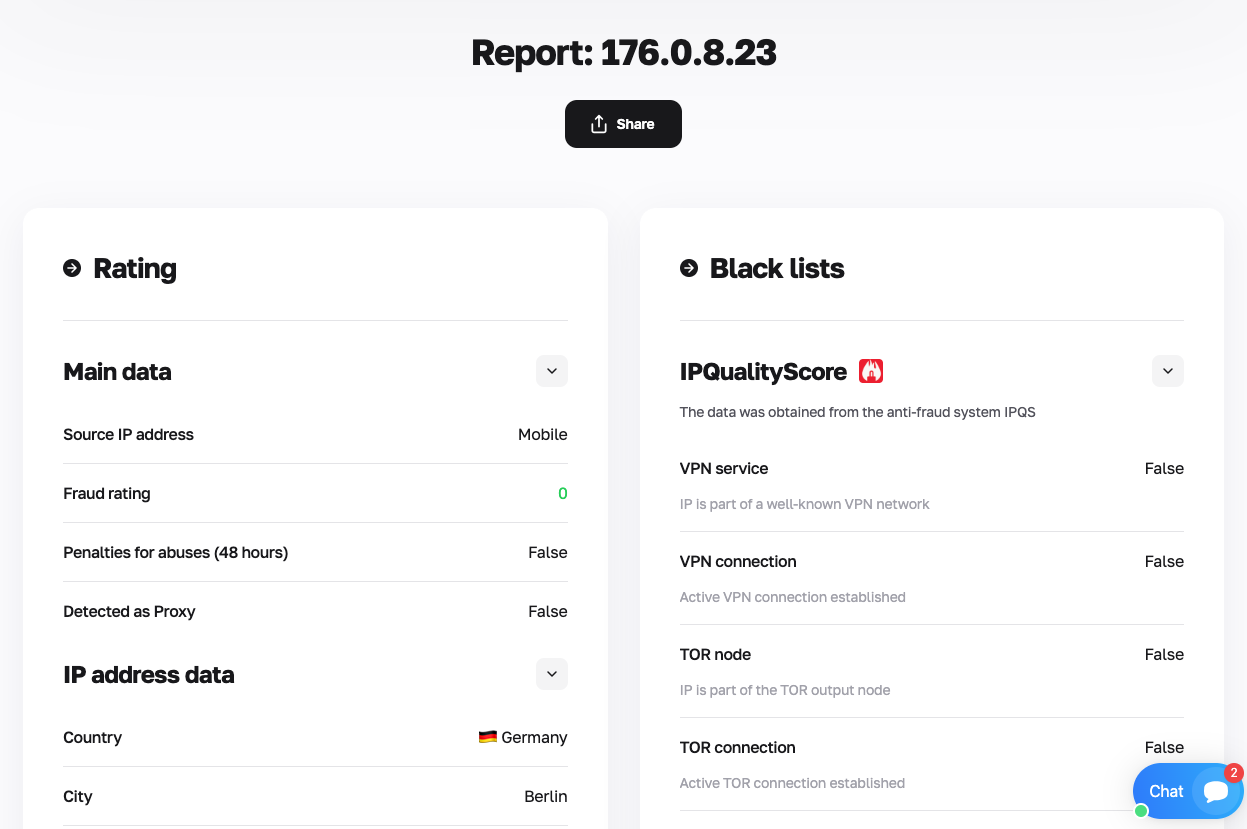
Stop acting on guesswork. Free tools use outdated cached data. Read the complete guide on the CyberYozh App IP Checker to learn how to analyze your footprint using aggregated commercial databases.
Scaling operations with verified infrastructure
You verified your baseline connection. Now scale the traffic volume safely. Running heavy automation through a single gateway crushes your operation instantly. Match specific proxy architectures directly to your exact workload.
Matching proxies to tasks
Different tasks demand entirely different network footprints. Using the wrong routing architecture triggers automated blocks.
Static residential (ISP) nodes: These provide static IPs indistinguishable from real users. Keep these for managing high-trust e-commerce profiles or strict multi-accounting setups.
Rotating residential networks: This architecture taps into a massive global residential IP pool. It switches your network node automatically on every request. These provide aggressively low $0.9/GB pricing options for heavy web scraping. You parse millions of pages without hitting rate limits.
Mobile (LTE/5G) proxies: These route traffic through true mobile carrier IP networks. Deploy these ports for strict social media operations.
Datacenter proxies: Affordable datacenter proxy packages provide raw speed. Use them for fast data crawling on low-security targets.
👉 Start with $0.9/GB rotating proxies: Get massive scalability for heavy web scraping without paying for unused traffic.
Precision targeting
Location mismatches trigger immediate security flags. Platforms check geographic coordinates milliseconds after you connect. You cannot route traffic through London if your target account operates locally in Chicago.
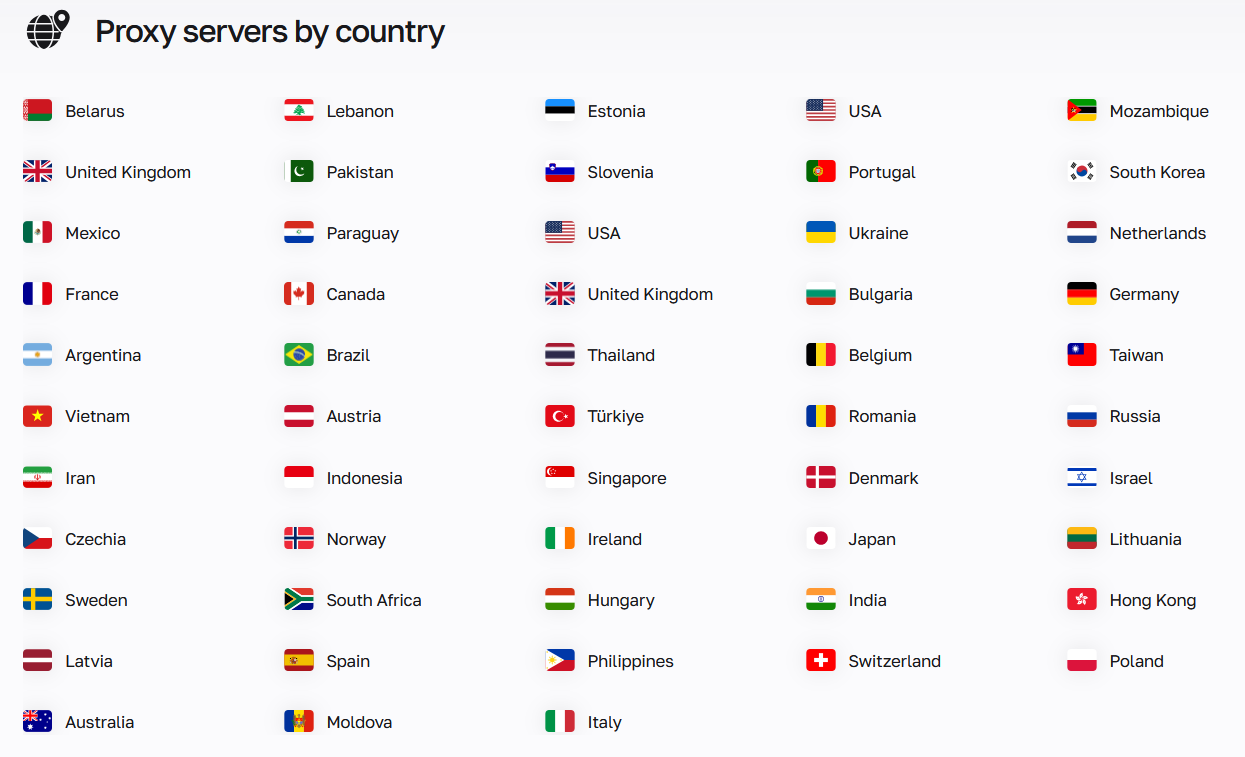
You fix this using granular city and ZIP-code targeting. Align your network location exactly with the target market. This ultra-precise targeting prevents regional filter flags completely.
Platform ecosystem
Scaling requires tight infrastructure coordination. Fragmented tools break your data pipeline. CyberYozh App consolidates your entire operational footprint into a single dashboard.
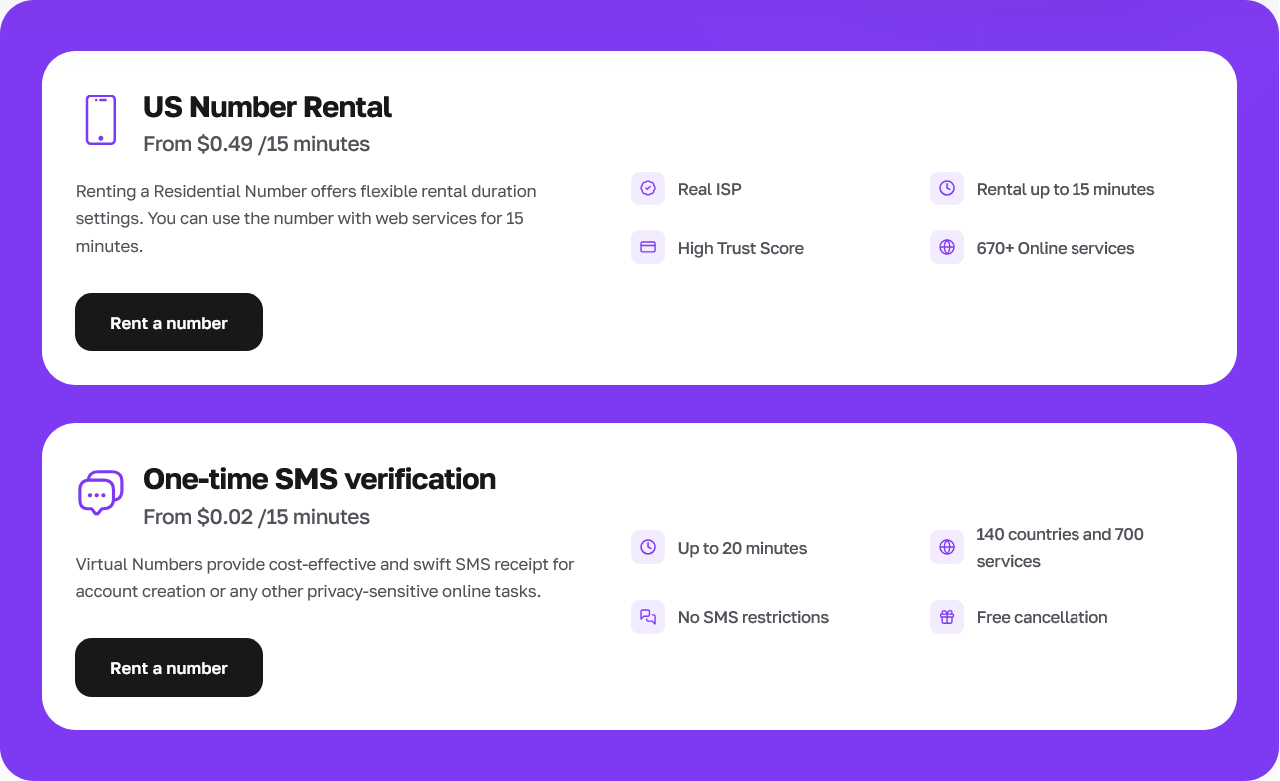
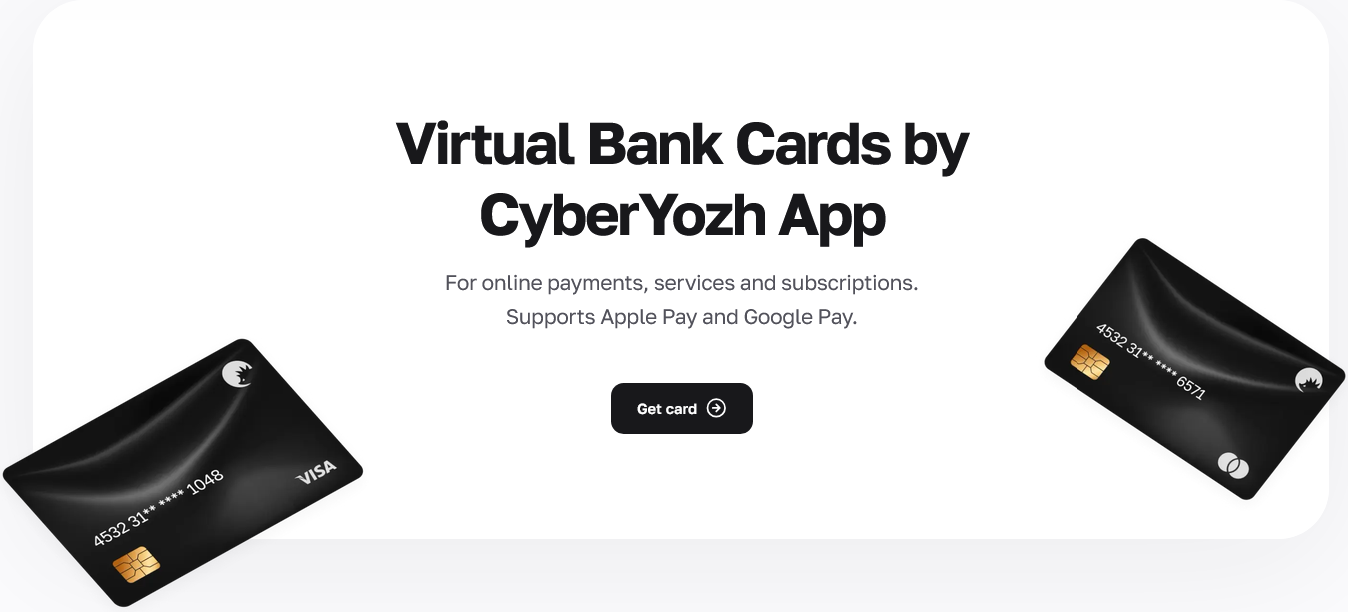
Access integrated SMS and virtual-number services to handle strict account verifications. Generate tokenized virtual bank cards for safe international payments.
Control network routing, phone verifications, and fraud score checks from one secure dashboard. It operates smoothly with all major automation frameworks.
👉 Rent virtual phone numbers: Pass strict SMS verifications on 700+ platforms using real ISP-linked numbers.
👉 Issue tokenized virtual cards instantly: Automate your platform expenses safely alongside your data extraction infrastructure.
FAQs: How to check proxy address
How to check proxy address settings in Google Chrome?
Chrome lacks a built-in network menu on Windows. It grabs your system defaults. Open Chrome settings and type "proxy" into the search bar. The browser immediately opens your native Windows or macOS network panel. Read the active IP directly from those OS settings.
How to check proxy server address and port using the command line?
Graphical menus hide connection errors. You need terminal feedback to diagnose broken sockets. Open your command line and run a verbose cURL request. The terminal output shows exactly where the connection drops.
How to check my proxy server ip address on a mobile device?
Mobile operating systems bury these settings inside the Wi-Fi menu. Open your iOS or Android network settings. Tap your active Wi-Fi network. Scroll down to the HTTP Proxy section. Hit "Configure Proxy" to read your assigned IP and open ports.
How to find proxy address settings without a graphical menu?
Many raw scrapers run entirely in the terminal. They have no visual settings. You force the connection through environment variables. Open your terminal. Set the HTTP_PROXY and HTTPS_PROXY variables manually. The software pulls these system-level parameters automatically upon launch.
How to check your proxy server address for digital leaks?
Connecting successfully is only the first step. Run your active connection through a Fraud Score checker. Look closely at the WebRTC and DNS leak test results. If the checker displays your local home internet provider instead of the proxy network, your setup is leaking.
Why does my scraper drop connections after I check the proxy address?
Your timeouts are probably too tight. Remote residential nodes route traffic through physical household devices. This introduces natural latency. A strict two-second timeout drops perfectly good connections. Increase your socket timeout settings to handle this natural delay.
Can target servers see my real hardware through a verified proxy?
Yes. A proxy only covers your network layer. Your browser still broadcasts your exact graphics card and operating system parameters via JavaScript. You must run your automation through an anti-detect browser to manage hardware fingerprinting in the cloud.
How to check proxy server address reputation before a massive crawl?
Do not trust a simple terminal ping. Evaluate the actual Fraud Score. Check your IP against corporate databases like IPQualityScore or MaxMind. Drop any node scoring above 75. Filter out high-risk IPs before execution to prevent immediate automated blocks.