
Teamwork with Proxies: Creating Sub-users and Controlling Expenses
Media buying teams, marketing agencies, and software developers constantly need to distribute network access among staff. Sharing a single master username and password violates digital security protocols and eliminates a manager's ability to monitor expenses.
The CyberYozh App ecosystem solves this directly. You can create proxy sub-users. Issue isolated credentials for team access delegation. And enforce strict traffic limits on your pool of 50M+ residential IPs across 195+ countries.
Why do you need proxy sub-users for teamwork
Residential proxies operate on a Pay-As-You-Go model based on data consumption (starting at $0.9 per 1 GB). If an entire team shares one profile, a single misconfigured web scraping script can drain your entire budget. Effective proxy management isolates sessions. It protects your main balance, which holds your virtual cards. And it allows you to analyze individual employee performance.
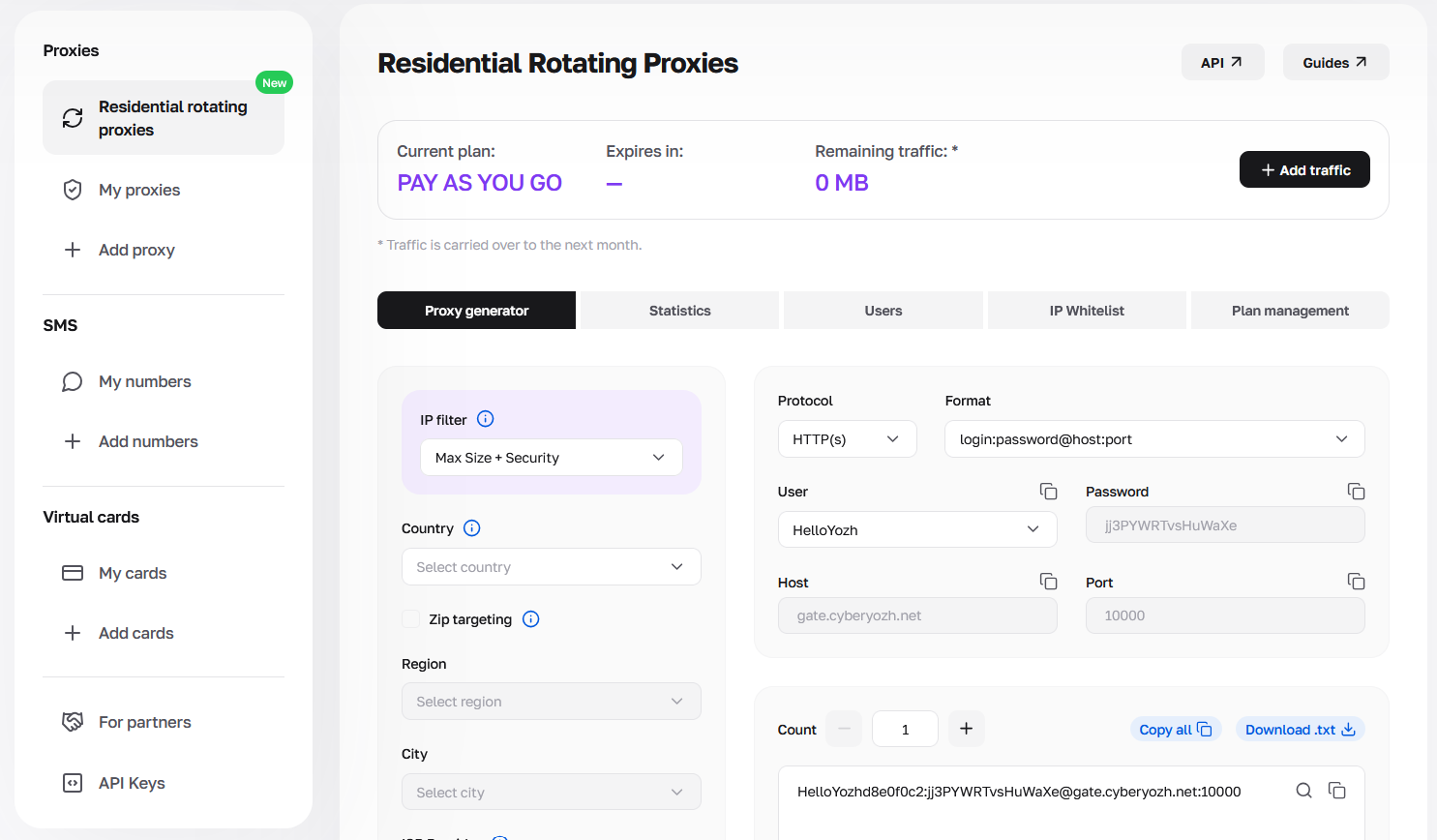
How to create proxy sub-users: Step-by-step setup
Adding new team members takes less than a minute and requires no technical expertise.
Log in to the CyberYozh platform and navigate to the Residential rotating proxies section.
Open the Users tab.
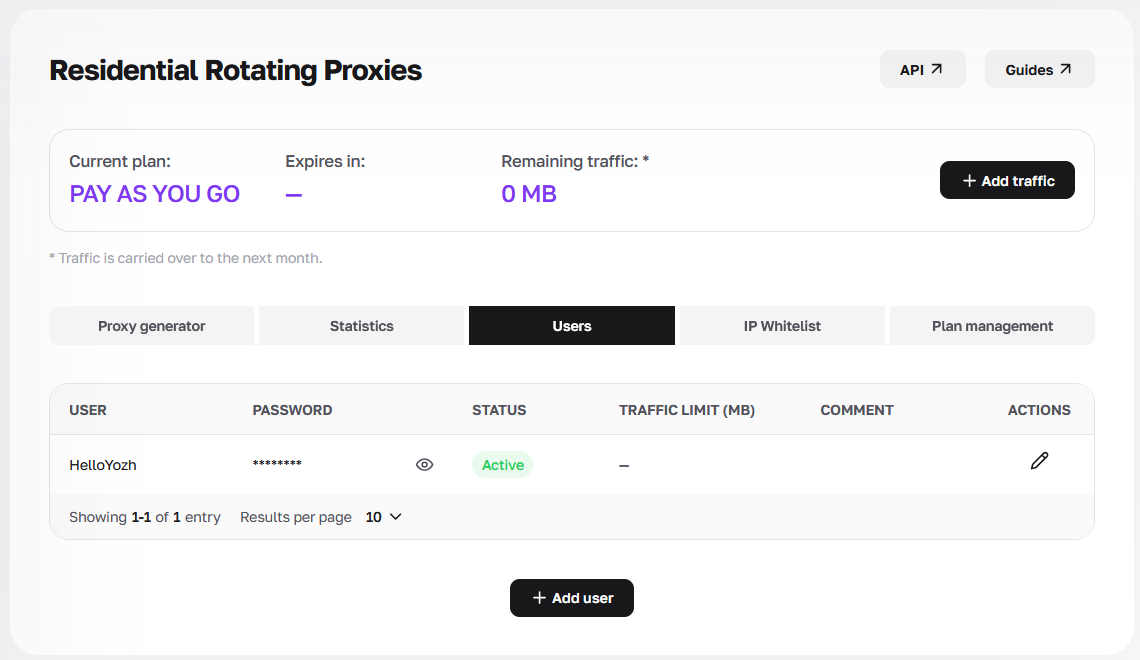
Users tab Click the + Add user button at the bottom of the screen.
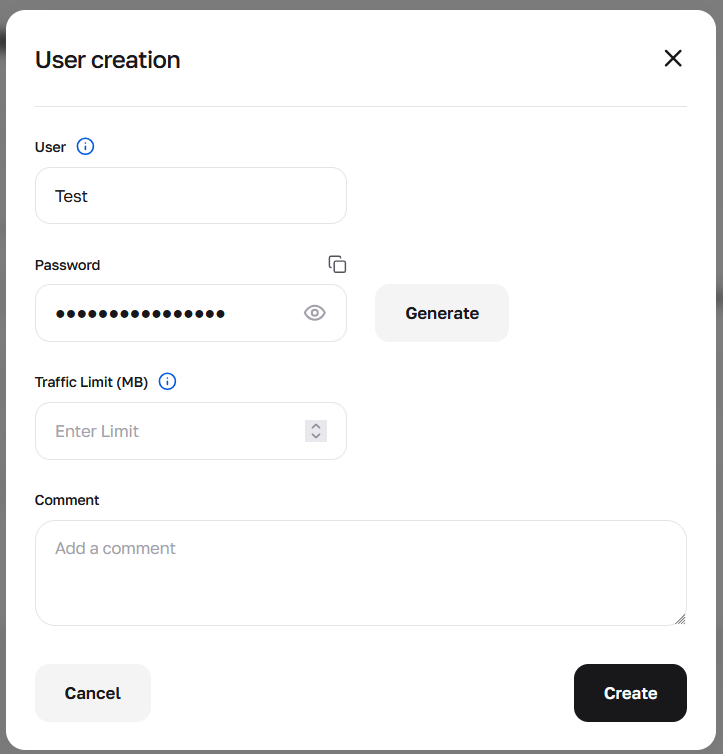
In the modal window, enter a unique username (User) for your employee.
Click Generate to create a highly secure password.
Fill out the Comment field with the employee's name or project title for easier tracking.
Click Create.
👉 Get residential rotating proxies now.
Setting traffic limits for proxy sub-users
The most critical step in proxy management is the Traffic Limit (MB) field. Entering a value here sets a hard cap on data consumption. For example, if you allocate 2000 MB to a developer, their connection will automatically drop once the threshold is reached. All data charges are deducted directly from your main balance, eliminating the need to fund each profile individually.
Access management: Pausing and deleting proxy sub-users
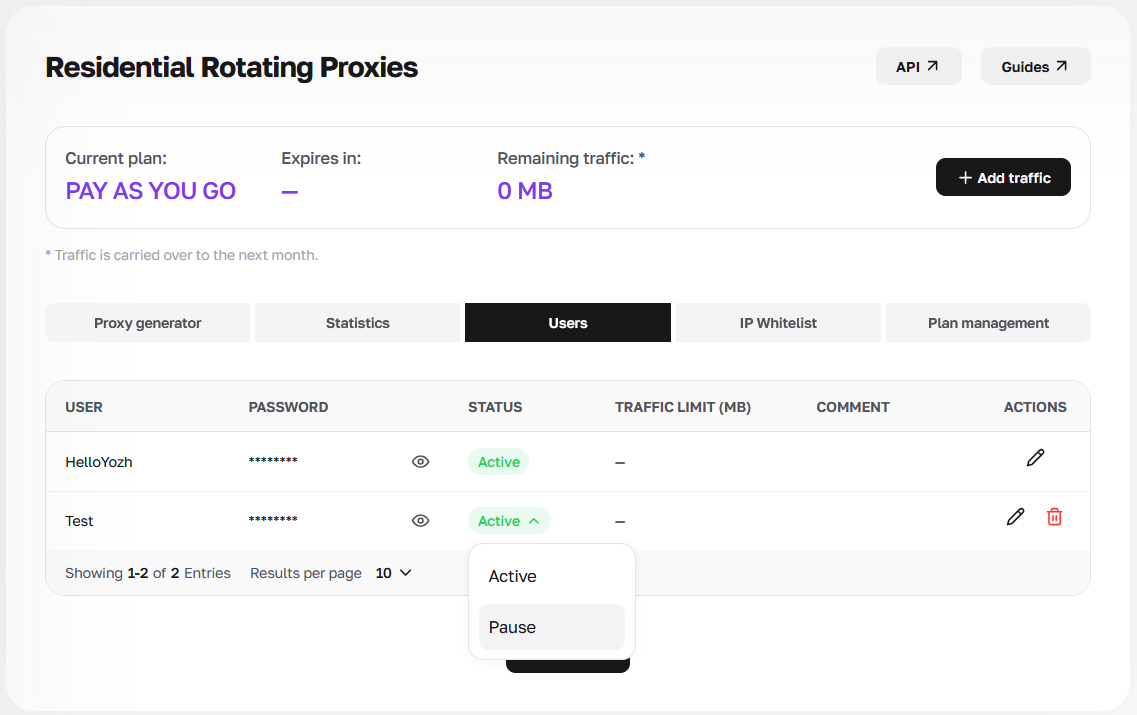
If a project concludes, you don't need to delete the profile permanently. In the "Status" column, simply click on Active and select Pause from the dropdown menu. Traffic routing for that specific username will halt immediately, ensuring complete control over team access delegation.
Analytics: Tracking proxy sub-users
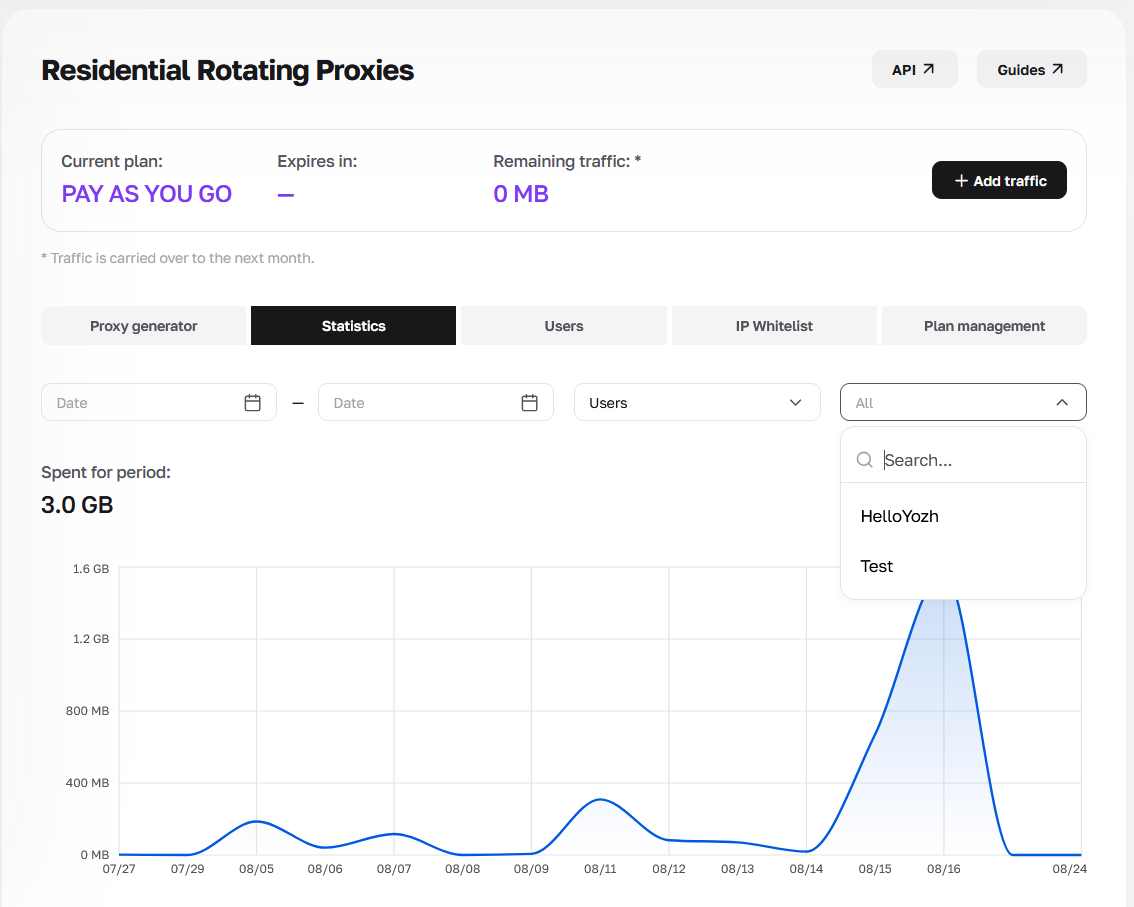
The platform ensures transparent expense monitoring. Navigate to the Statistics tab. Use the "Users" dropdown filter to switch from "All" to a specific team member. The chart will display the exact amount of megabytes consumed, allowing you to easily calculate individual KPI.
Security and Fraud Score verification
CyberYozh App infrastructure integrates advanced Fraud Score evaluation tools. When you utilize proxy sub-users, their traffic routes through pristine IP addresses. This guarantees your team seamlessly passes enterprise anti-fraud systems. Like IPQualityScore, ThreatMetrix, or PerimeterX. You maintain an exceptionally high Trust Rate.
Real-world use cases: managing team traffic
Web scraping automation. You run extraction tasks using Playwright or Yozh Scraper. A code bug loops the script. It starts downloading heavy media files instead of raw text. Your budget drains entirely overnight. Isolate the task with a 5 GB sub-user limit. The error simply drops the connection at that threshold. Your master balance is safe.
Media buyer tracking. Five employees work in your department. They used to share a single SOCKS5 port. Expense tracking was impossible. Now everyone gets a unique login. You monitor megabyte consumption in real-time. Someone wasting bandwidth on heavy tests? Pause their specific profile instantly. The rest of the team continues without interruption.
FAQs about proxy sub-users and team access
Can I apply custom traffic limits for a specific employee?
Yes. Specify the allowed volume in the "Traffic Limit (MB)" field during creation. You can edit this limit at any time.
Are proxy sub-users safe to use?
Absolutely. The sub-user receives only the login and password for host:port authentication. They have zero access to your master balance, SMS phone numbers, or virtual cards.
How much does it cost to create a sub-user?
Adding profiles is completely free. You only pay for the pooled traffic consumed by the residential proxies, starting at $0.9 per 1 GB.
Can I temporarily disable an employee's access?
Yes. Go to the "Users" tab and change the status of the desired profile from "Active" to "Pause".
Can I apply geo-targeting to proxy sub-users?
Geo-targeting is configured in the "Proxy generator" tab. You can generate a specific endpoint configuration for a sub-user and send them the ready-to-use .txt file.
Do proxy sub-users work well with anti-fraud systems?
Yes. Sub-user connections route through the exact same high-speed infrastructure. They retain the maximum Trust Rate needed to navigate systems like ThreatMetrix safely.