
In this comprehensive guide, we will take a detailed look at the process of configuring proxy servers in Human Emulator — a specialized browser that accurately mimics the behavior and actions of a real internet user using automated scripts. This technological approach is widely used in situations where it is necessary to manage multiple business accounts simultaneously or automate routine tasks on the internet. Using proxy servers in combination with this tool provides a significantly higher level of privacy and security when performing various online operations, increasing the stability of automated tasks.
Getting Started: Which Proxy to Choose for Human Emulator?
Before writing code, you need to decide on the infrastructure. Depending on exactly what your script automates, you will need different types of IPs.
1. Mobile Proxies (For SMM and SEO Research)
If your script is used for SEO analysis, managing social media accounts, or automated email checking — choose Mobile Proxies (4G/5G).
Why: Websites see traffic from a mobile operator and provide a high level of trust to the connection.
Nuance for the script. In Human Emulator, you will need to set up a loop:
Performed an action -> Hit the API link to change IP -> Started over.
👉 Select Mobile Proxies in the CyberYozh App catalog
💡 Evolution: VLESS/XRAY and Mobile Proxies
What if you need the convenience of a VPN (one button on your phone) but the stability and "trust" of mobile proxies? Use modern protocols.
We offer solutions based on VLESS/XRAY with XTLS-Reality support, running on top of mobile proxies. This provides unique advantages:
High Reliability. Your traffic looks like regular web browsing, ensuring uninterrupted operation.
High Trust. You access the network from the IP address of a real mobile operator, rather than a server data center.
Convenience. It works like a VPN (via an app), but with the quality of elite proxies.
You can find the rates for Mobile Proxies with Vless/Xray and next-generation VPNs here.
2. Residential Proxies (For E-commerce, Classifieds, and Scraping)
There are two main sub-types here, and it is important to understand the difference:
Static Residential (ISP): These are IPs from home internet providers that do not change. Ideal if you need to manage one account for a long time (e.g., on Amazon, Avito, or OLX), keeping the same IP to maintain a stable session and increase connection reliability.
👉 Select Static Residential Proxies in the CyberYozh App catalog
Rotating Residential: Used when you need many different IPs with a high level of trust (e.g., for mass data collection).
Session Management (SID): You have the flexible ability to manage session length. In the credentials generator, you can specify random numbers after the
sidparameter yourself, creating unique short sessions for each request.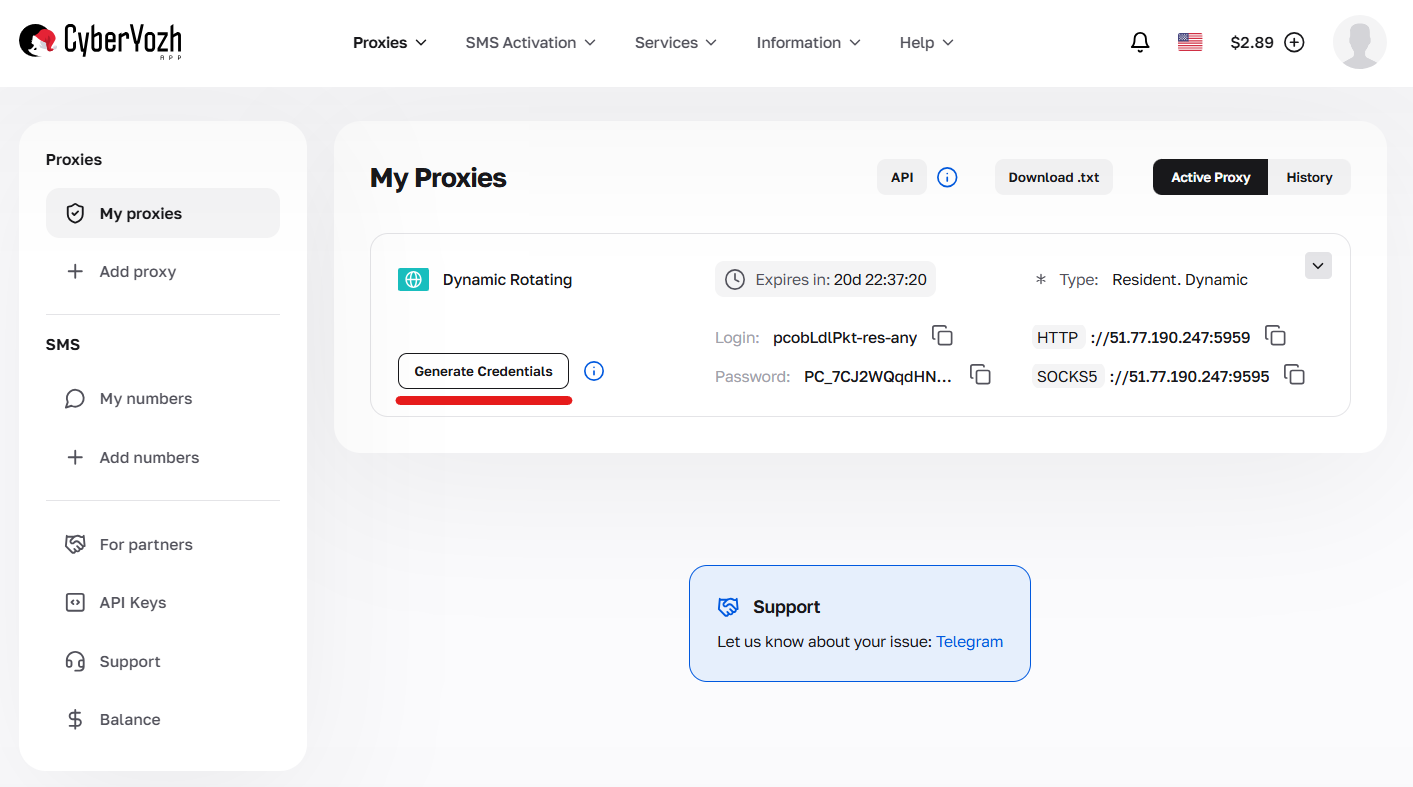 Fig. 1. Button in the dashboard to open the credentials generator interface.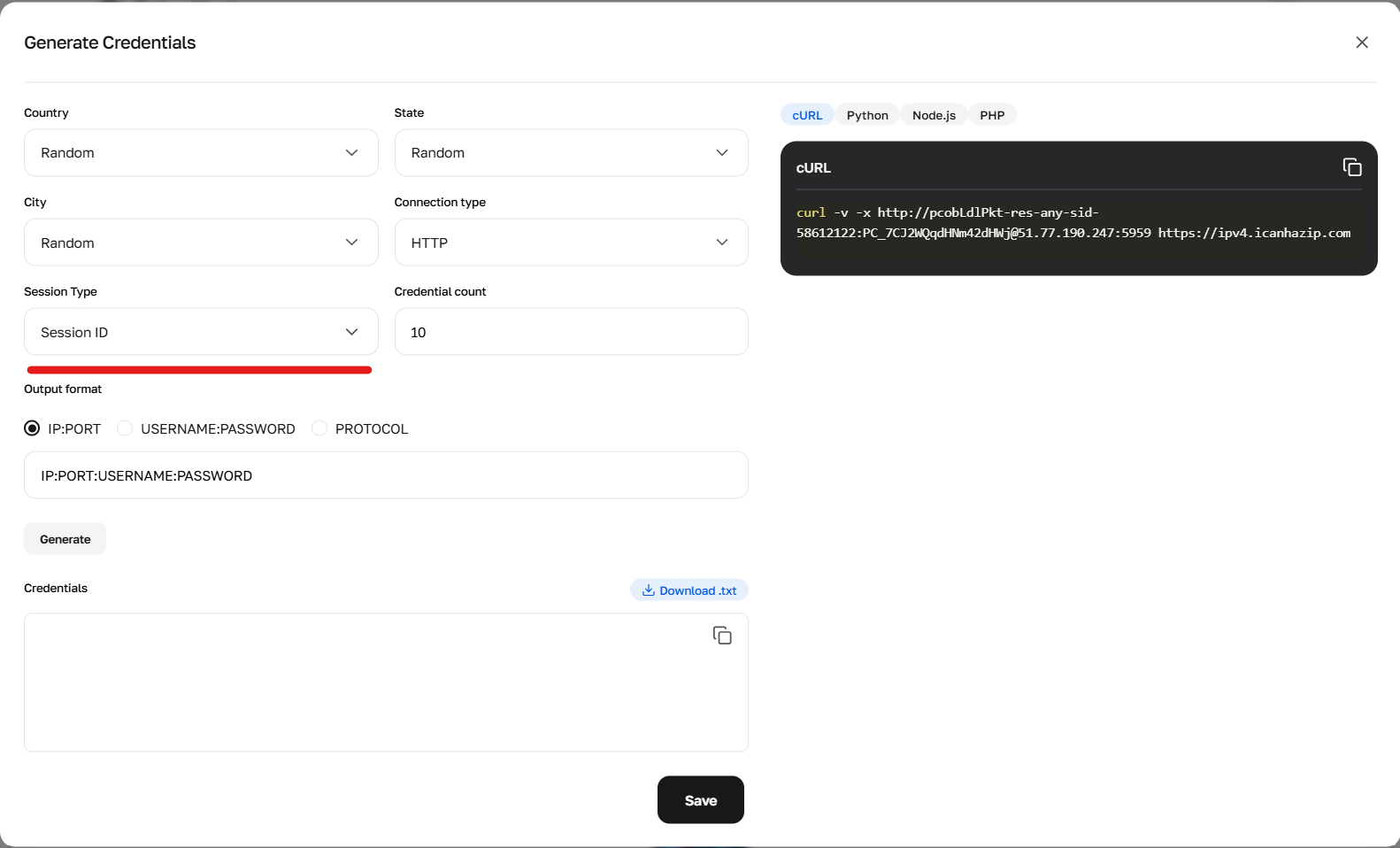
Fig. 2. The credentials generator allows changing sid- to create unique sessions.
Sticky Sessions: If you need to hold one IP longer (up to 6 hours), you can obtain a special token via a curl request or use our generator in the dashboard.
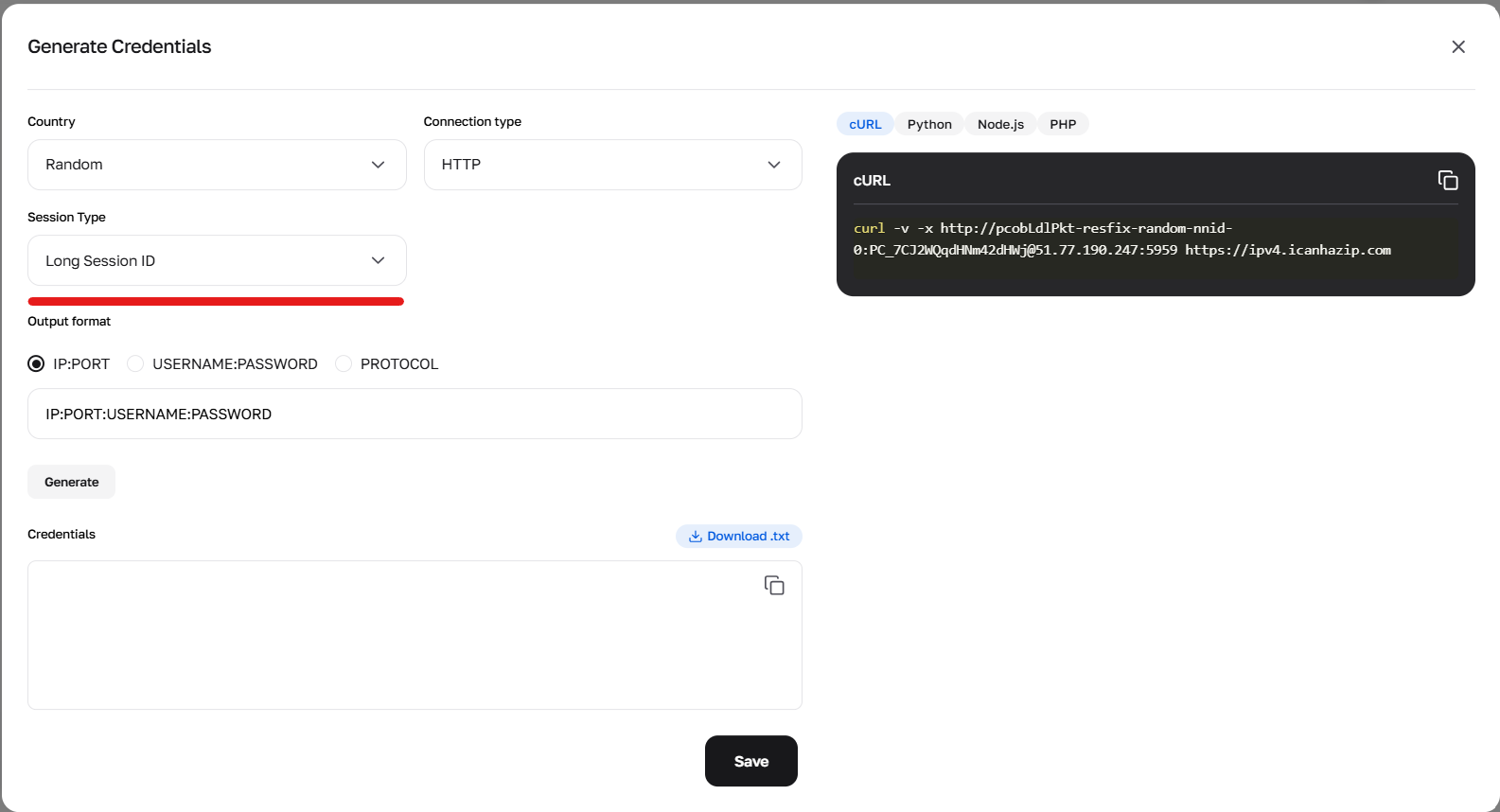 Fig. 3. Credentials generator, choosing long-term sessions.
👉 Select Rotating Residential Proxies in the CyberYozh App catalog
3. Datacenter Proxies (For Simple Scraping)
If your task is mass processing of data from websites without complex protection (e.g., scraping news feeds, monitoring prices in simple online stores), choose Datacenter IPs.
Speed: These are the fastest proxies (often a 1 Gbps channel or higher).
Price: The most budget-friendly solution on the market for large volumes of data.
Stability: High uptime, as IPs are hosted in professional data centers.
Nuance: Major ecosystems (Google, Facebook) identify them as data center traffic. Use them for tasks that do not require mimicking real user behavior.
👉 Select Datacenter Proxies in the CyberYozh App catalog
Obtaining Data for Proxy Connection in CyberYozh App
In our catalog, choose the proxy type that suits you, considering the following parameters:
- Proxy type: mobile, residential, or datacenter
- IP type: static or dynamic
- Geolocation: choose a country or region
- Provider: ensure it meets your requirements
Important about protocols: When connecting, you may face a choice of protocol (HTTP/HTTPS or SOCKS5). If you are unsure which protocol you need and what the differences are, we recommend reading our article.
Interface Features for Mobile Proxies
The mobile proxy card differs from others by the presence of a rotation link (to change the IP). Note where it is located, as you will need it for integration into your script. It is also worth remembering that you can change the IP address manually directly in the CyberYozh App dashboard.
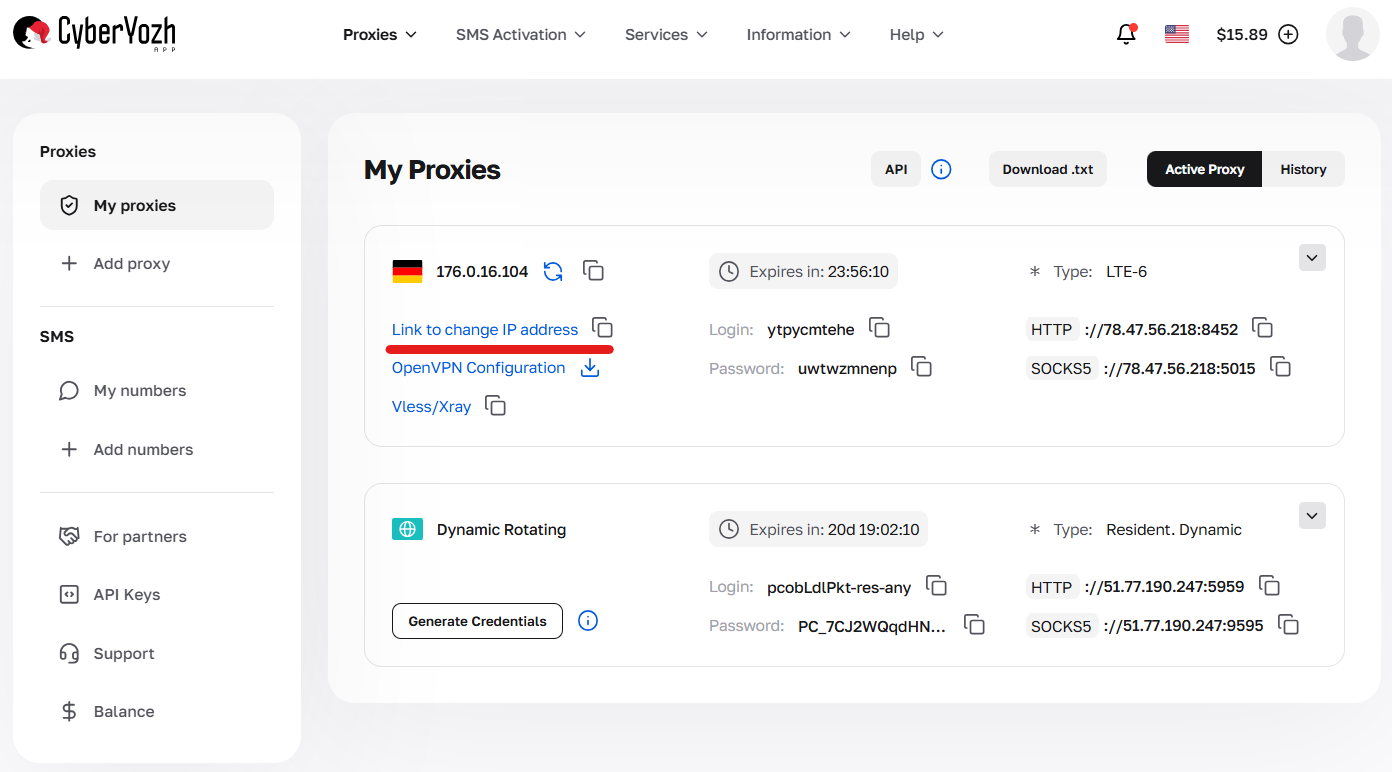
Fig. 4. Mobile Proxy card in the dashboard indicating where the IP change link is located.
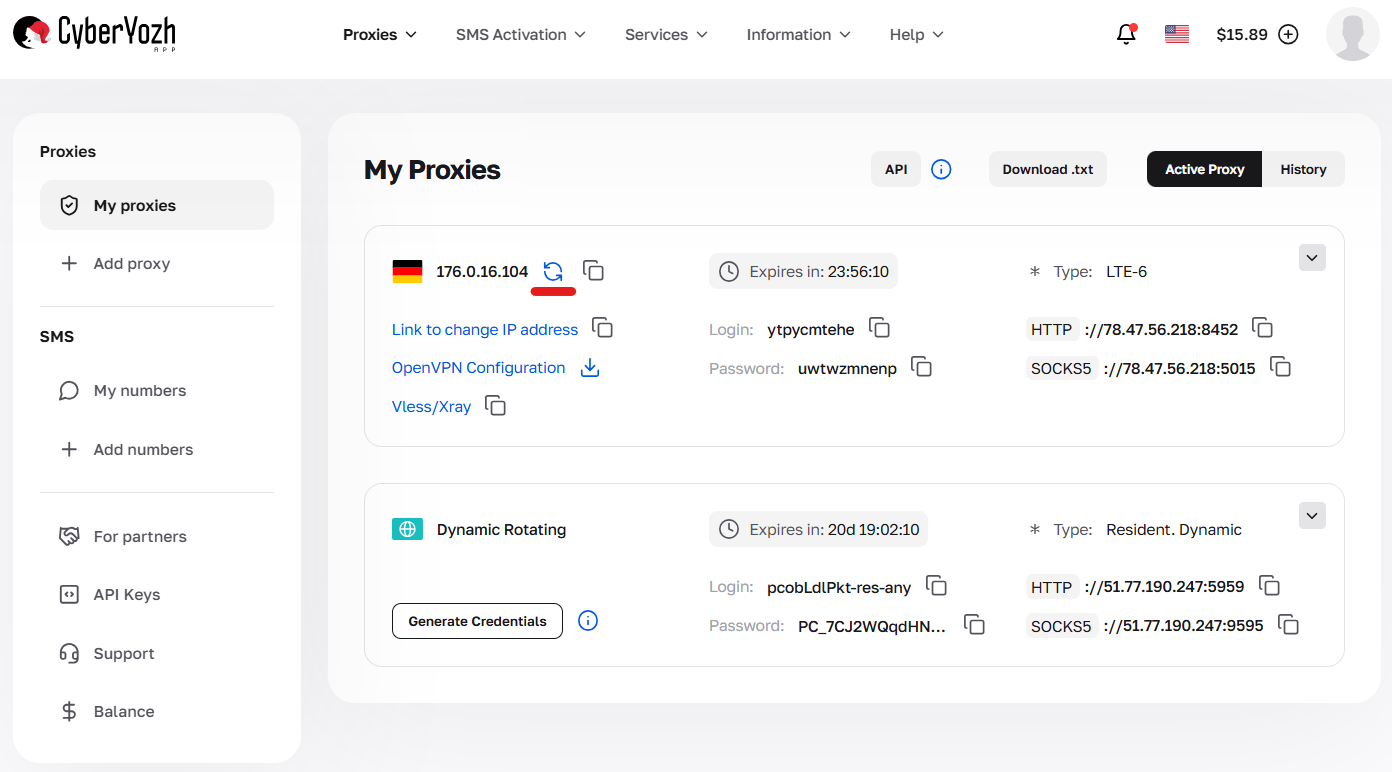
Fig. 5. Mobile Proxy card in the dashboard indicating where to manually change the IP address.
Functionality Check (Checker)
Before inserting a proxy into Human Emulator, we strongly recommend checking the IP:
With our checker: It aggregates data from paid private subscriptions of well-known providers. This provides the freshest and most relevant data on reliability (Trust Score) and IP geo-referencing. Additional information about our IP checker can be found at the link: IP Checker from CyberYozh App.
Via console: Proxy functionality can also be checked with a simple curl request.
curl -x http://user:password@proxy_host:proxy_port -L http://google.comReplace user, password, proxy_host, and proxy_port with your data.
For example: curl -x http://pcQedolPkt-res-any:PC_7CJ2WQqdGBm42dHWj@51.77.190.247:5959 -L http://google.com
If you receive the HTML code of the Google page in response, it means your proxy is working correctly.
Connection Data
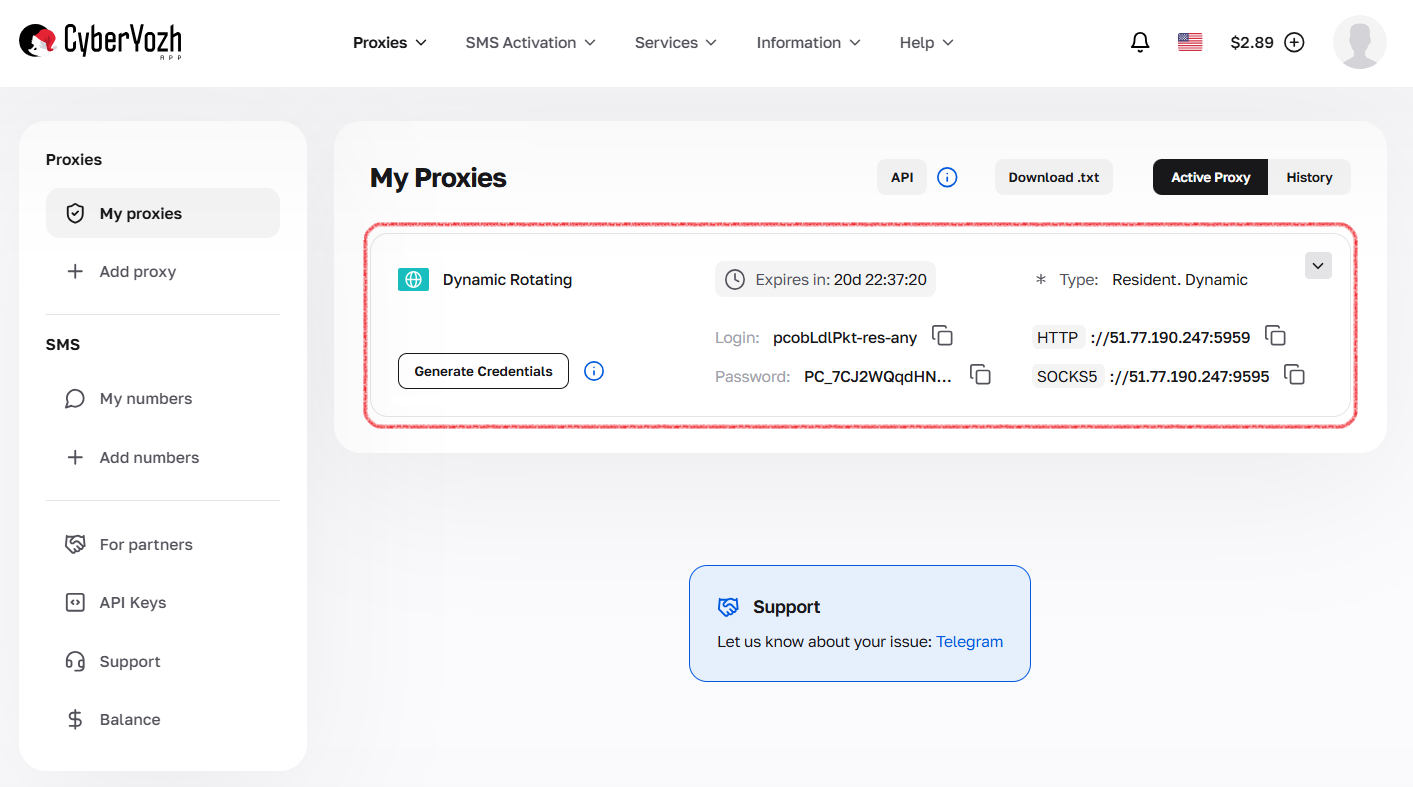
Fig. 6. Screenshot of the CyberYozh App platform interface.
After purchasing a proxy, you will receive connection information:
Proxy IP address
Proxy Port
Login
Password
Proxy Example: Host: 172.98.60.180 Port: 58763 Login: 7XbvvWautzmOZMA Password: xdtAof3xB7RSmUr
Starting Work with Human Emulator
The next step is to purchase and install the Human Emulator software from the developer's official website. This software offers a choice between different interface languages. By default, the program starts in your system's language, and you can switch the language in the "Tools" menu.
In this guide, we will focus on the English version of the interface, as it ensures more stable operation.
Open Human Emulator.
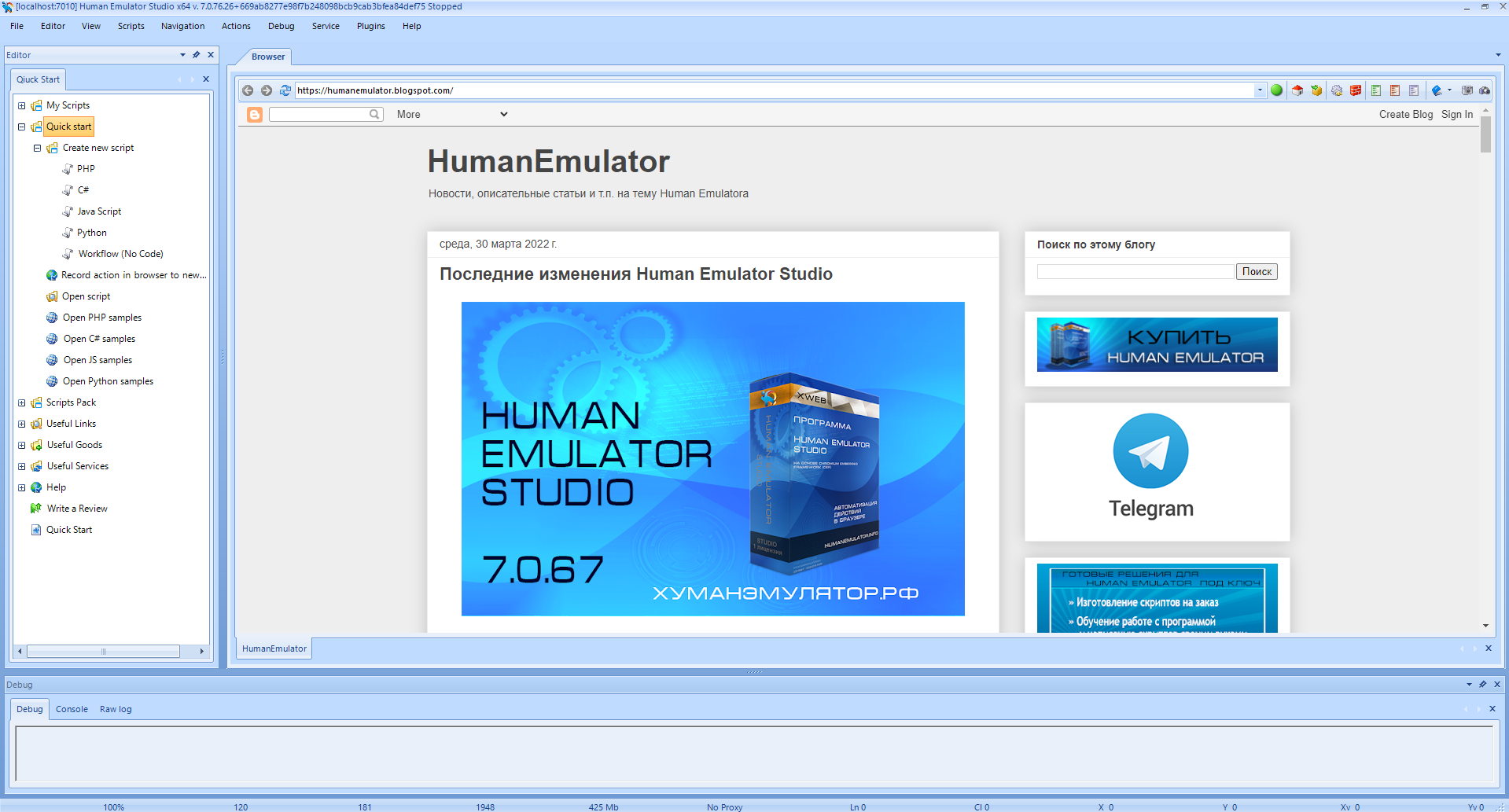 Fig. 7. Human Emulator software interface.
Go to the Quick Start tab.
Select Quick Start from the list and click "+".
In the menu that appears, select Create a new script and choose PHP.
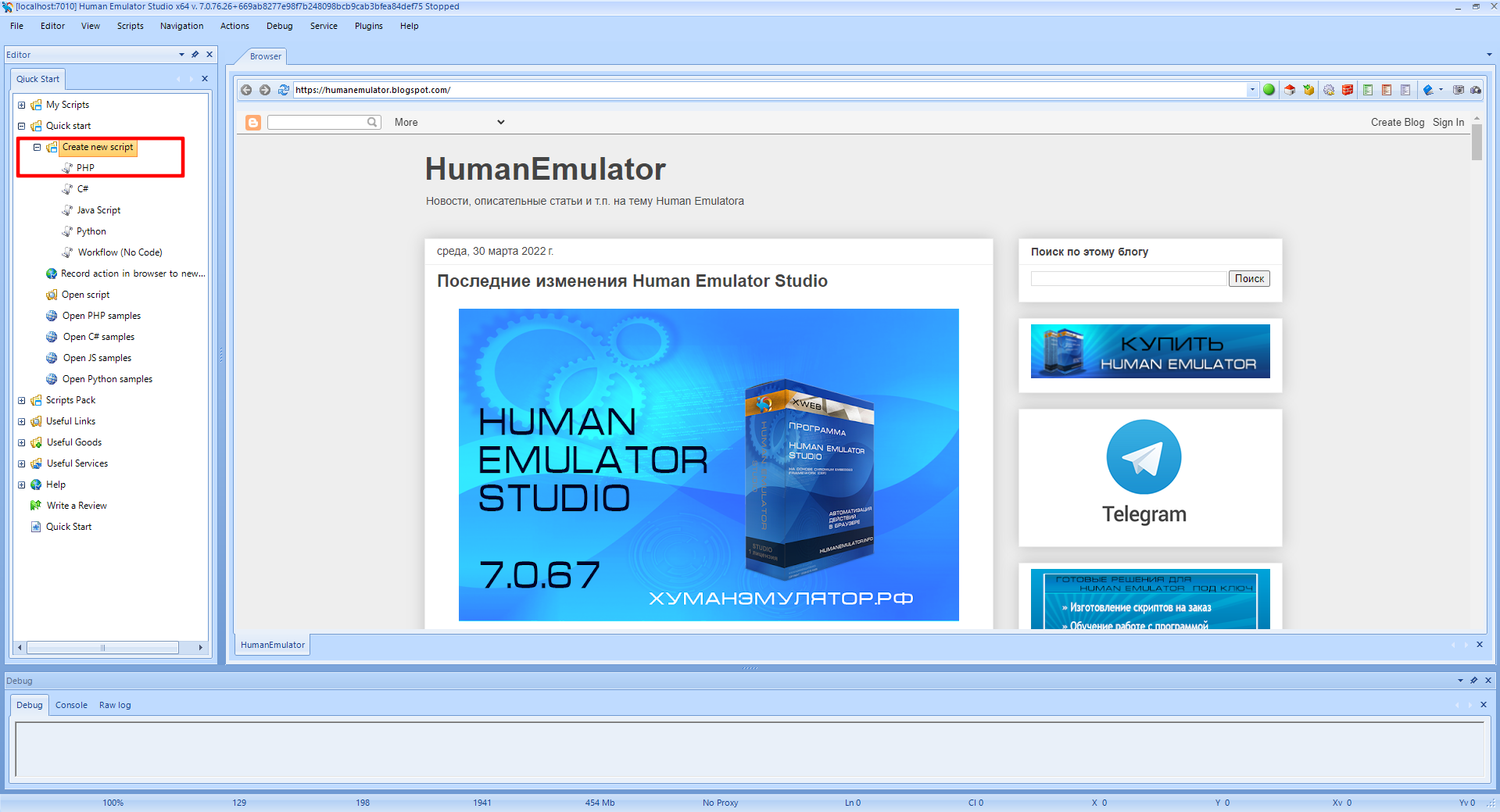 Fig. 8. Process of creating a new script.
Double-click on the created script — a template will open.
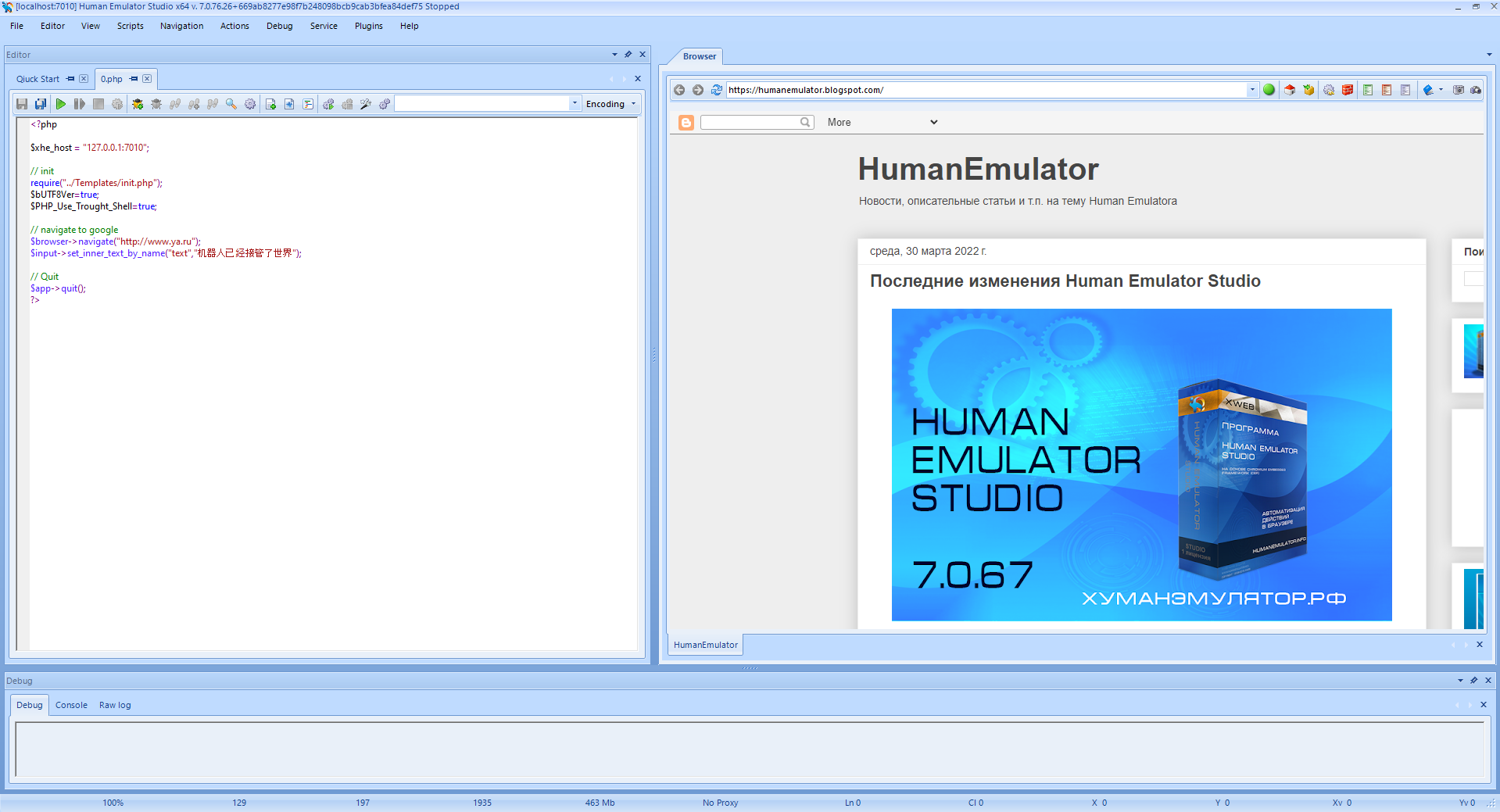 Fig. 9. Human Emulator IDE interface showing a PHP script template for web automation.
Inserting Proxy Command
Enter two commands:
$browser->enable_proxy("all connections", "37.252.72.189:4002@login:pw");
// replace the login and pw variables with your data
$browser->navigate("https://browserleaks.com/ip");
// navigation link to a checker site for IP verification
We will insert our proxy data as an example, and specify a resource for IP checking as the test site. This will allow you to clearly verify that the browser is using the specified parameters instead of your real IP.
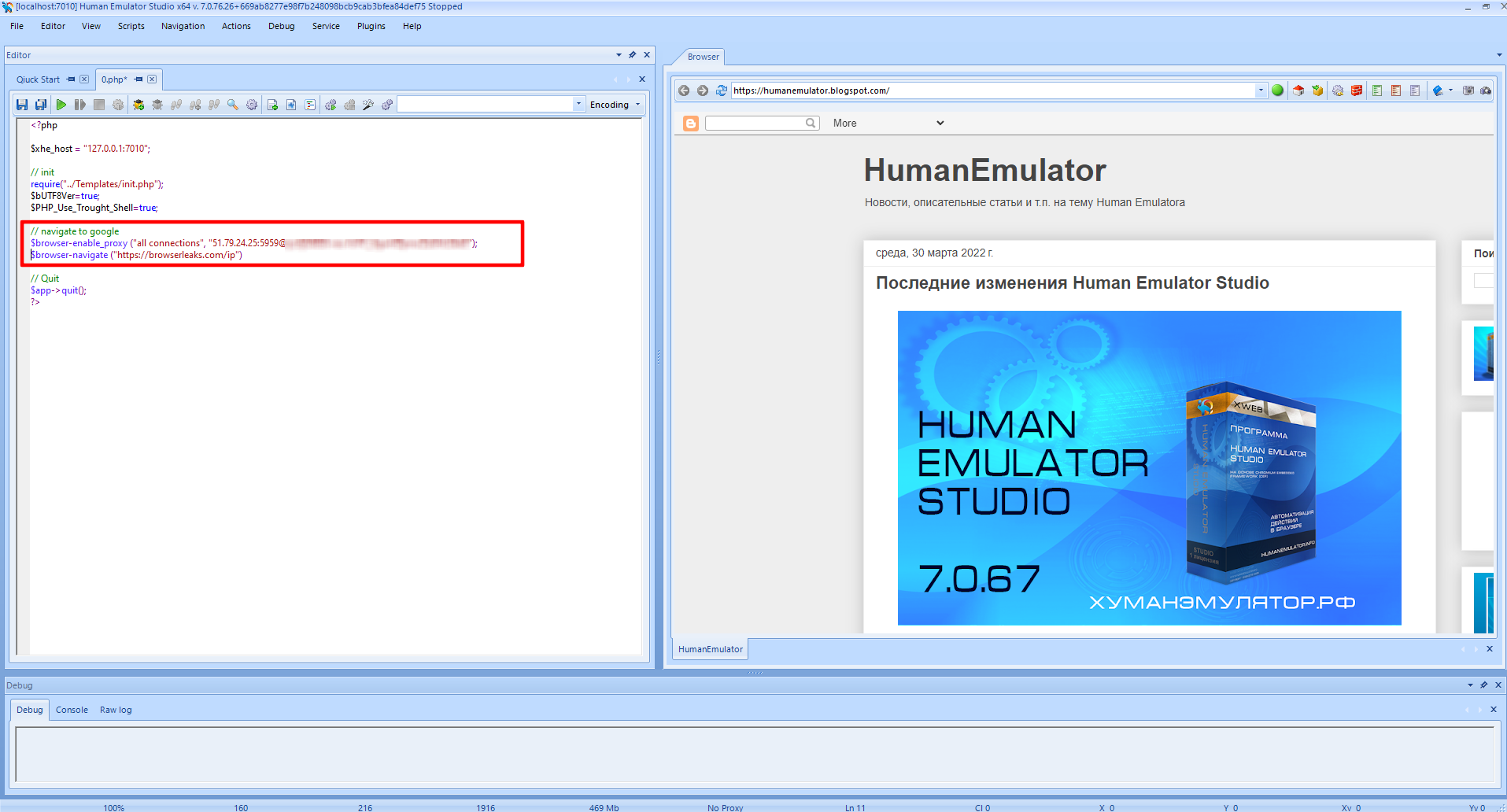
Fig. 10. PHP script fragment demonstrating two key commands: activating the proxy connection with authentication parameters.
Running the Script
Click the green button with the arrow in the top panel. Fig. 11. Human Emulator software interface showing the process of running a script to activate a proxy connection.
If everything is configured correctly, the site you specified will be displayed on the right.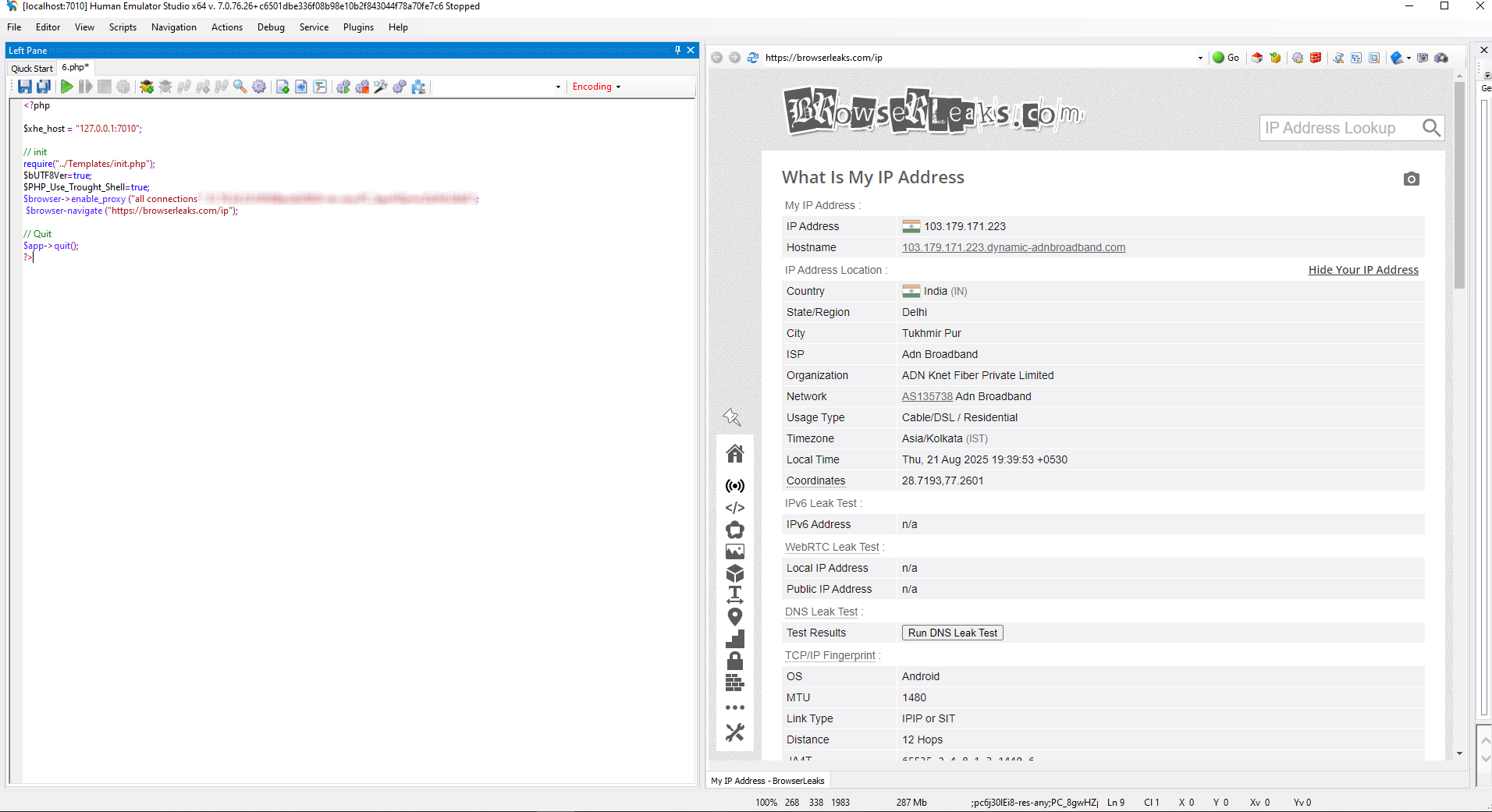 Fig. 12. Result of script execution confirming correct proxy setup by displaying the specified web page.
🛠 Advanced Automation Tips
To ensure your automation scenarios in Human Emulator work as correctly as possible and have high compatibility with target platforms, pay attention to the following technical nuances:
Automatic Rotation (Mobile IPs): Do not change IP too frequently to maintain a natural connection profile. Ideally — one IP change per one completed logical iteration (e.g., after registering one account). Use the command:
$browser->navigate("IP_CHANGE_LINK");Flexible Session Management (Residential IPs): Use dynamic session creation via the
sidparameter in the connection string for scraping, or use "sticky" sessions for up to 6 hours for working in dashboards where it is important to keep one IP throughout the entire session.Leak Protection (WebRTC): Changing a proxy does not hide your real IP 100% if WebRTC is enabled. This is an important step for ensuring maximum IP privacy. Be sure to disable it with the command:
$browser->set_webrtc_mode(0);Intelligent Error Handling: The network is an unstable environment. Use the function
is_exist_by_textto check for text presence on the page. If the page failed to load due to a temporary proxy lag, configure the script for 2-3 retry attempts before finishing with an error.
🏁 Conclusion
Configuring a proxy in Human Emulator is the foundation of your security and successful automation. Making the right choice between mobile, residential, and datacenter IPs allows you not only to save budget but also significantly increase the success rate of tasks and minimize connection interruptions.
Remember that anonymity is a complex process. In addition to high-quality proxies from CyberYozh App, we recommend:
Check the IP before launching through our internal checker.
Use virtual numbers for secure account verification to protect personal data.
Keep an eye on protocol updates (such as VLESS/XRAY) to always use modern technologies for secure and stable access.
Have questions or need help choosing a plan? Our support team is always available to help you find the perfect solution for your tasks.
