
Hidemium.io is a Chromium-based antidetect browser designed to create and manage thousands of isolated browser profiles, each with a unique fingerprint and IP address. It’s very universal, offers a free plan, and can be used by individuals and organizations. For efficient work, it should be paired with a proxy.
Here, we’ll explore how to set up the CyberYozh proxy in Hidemium.
How to choose the best proxy for antidetection
Which proxy is the best for your specific purpose? Let's decide that.
Mobile proxies: Social media and social data
Private mobile proxiesconnect through real mobile carrier networks, giving them the highest trust score available on any platform. Because they appear as ordinary smartphone users, platforms rarely challenge them with CAPTCHAs or bans, even during large-scale, repeated operations:
Social network multi-account management and growth
Influencer campaign automation and scheduling
Bypassing platform bot detection systems
Mobile ad verification across multiple regions
App behavior testing on real cellular networks
Hidemium assigns one proxy per profile, making mobile proxies the right choice whenever account health is the top priority.
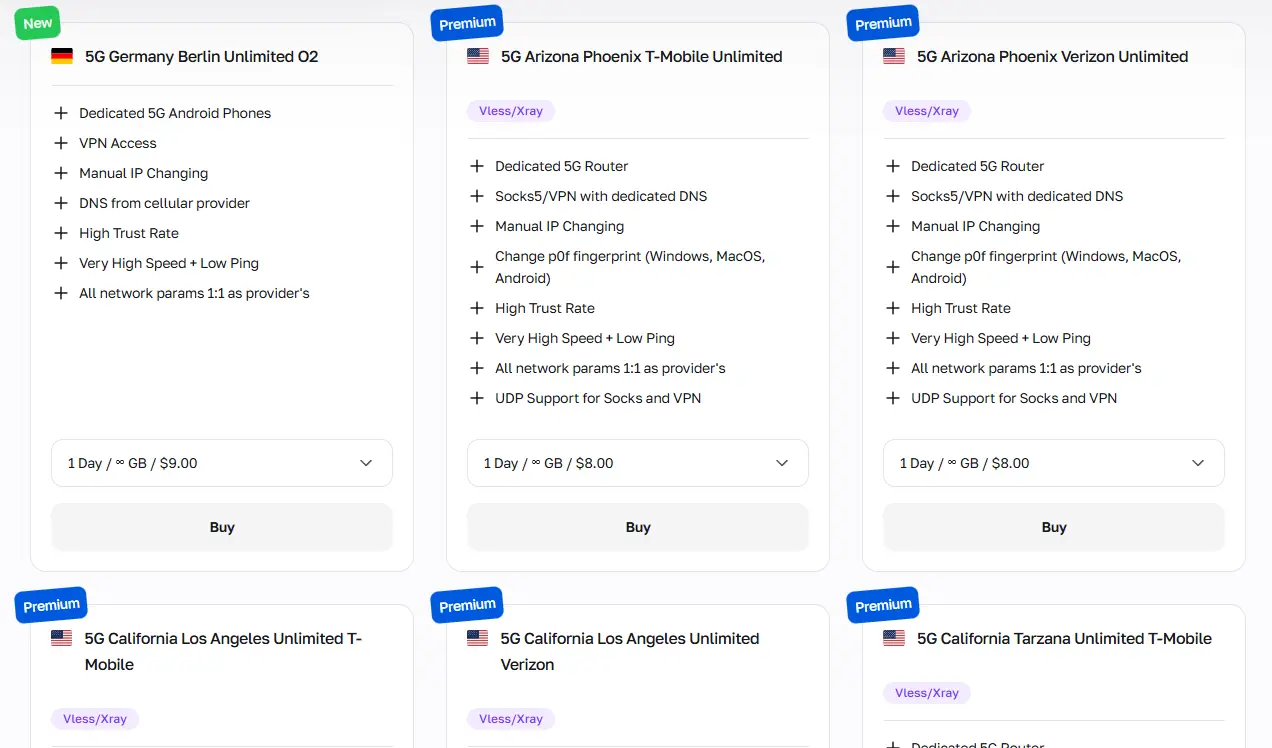
CyberYozh mobile proxies also include digital fingerprint management for an additional layer of protection.
Need virtual numbers for account verification? CyberYozh's SMS service provides phone numbers starting at just $0.15.
Residential static: 1 IP = 1 profile
Residential static proxiesprovide a fixed, real home IP address that platforms see as an ordinary household user. They are affordable and fast, making them the best option for long-term activities, such as:
Long-term brand identity maintenance across platforms
Persistent authenticated sessions and login persistence
E-commerce account management on Amazon, Etsy, and eBay
Stable SEO rank tracking from fixed geographic locations
B2B LinkedIn profile management and outreach automation
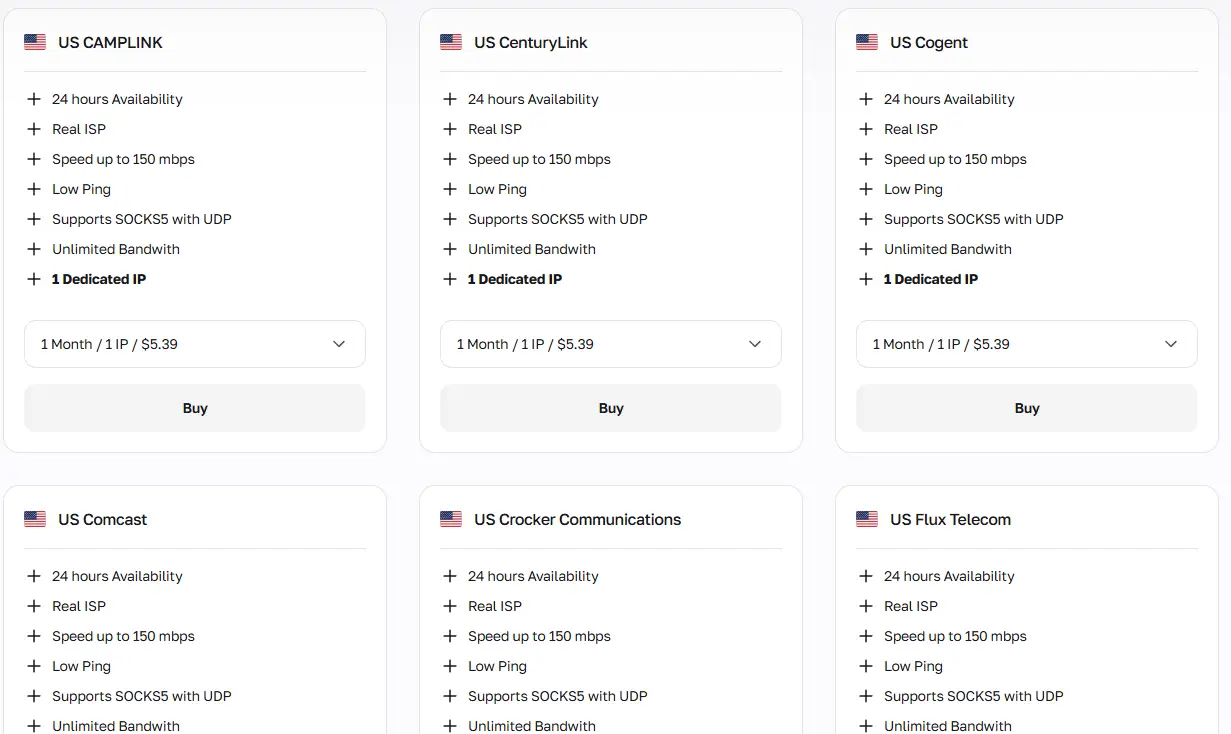
Avoid high-volume bulk actions from a static IP, as unusual traffic patterns can hurt your IP's reputation.
Residential rotating: Bulk online activities
Residential rotating proxies draw from a large pool of real home IPs that change with each request or at a set interval. Since Hidemium supports automation via API, Puppeteer, and tools like n8n, rotating proxies can be paired with Hidemium's workflow automation. Rotating residential proxies are ideal for:
Bulk keyword tracking and SERP monitoring
Large-scale product catalog and price scraping
Mass lead generation and contact collection
Ad verification across multiple geos simultaneously
High-volume social media audience research
Their costs scale with traffic volume, so optimizing your scraping logic to avoid redundant requests directly lowers costs.
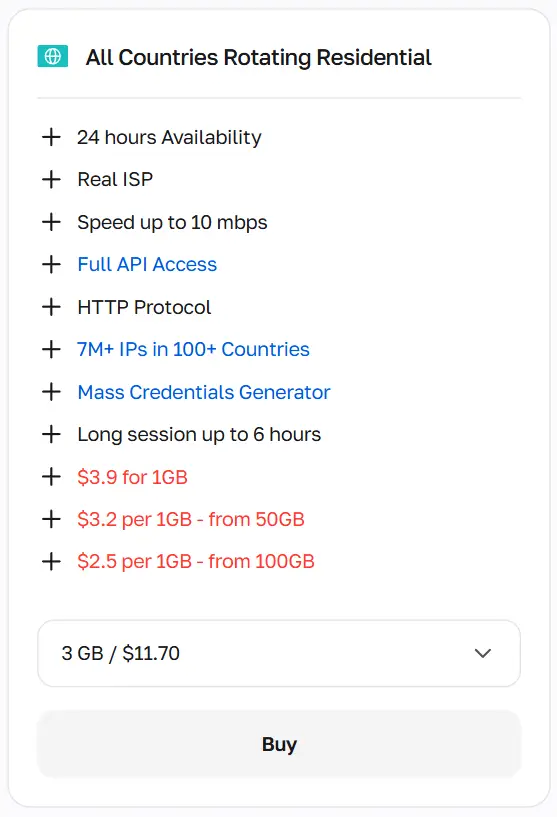
Before using any proxy, verify its reputation with CyberYozh's IP Checker to ensure the address is clean and trustworthy.
Datacenter proxies: Fastest, but the lowest trust
Datacenter proxiesoffer the largest IP ranges, the highest speeds, and the lowest price per IP of all proxy types. However, since most datacenter IPs are associated with server infrastructure rather than real users, anti-fraud systems on major platforms frequently flag or block them. Datacenter proxies work well within Hidemium for:
Scraping open databases and public directories
API endpoint testing and load simulation
Large-scale news and content aggregation
Speed-critical automated data pipelines
Development environment testing and QA automation
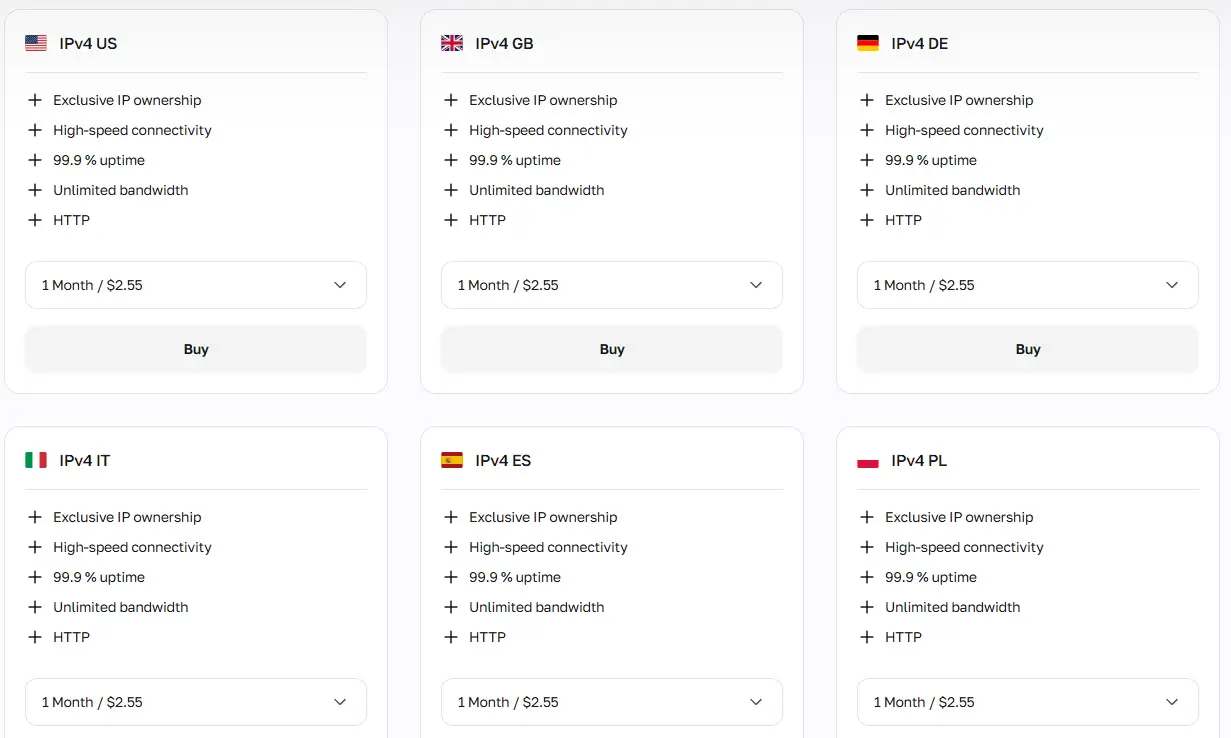
Therefore, they are best reserved for tasks where detection risk is low or non-critical.
Starting with Hidemium: Summary
Setting up the Hidemium.io profile requires different proxies for different tasks, so let’s summarize that quickly:
For social media account management and data scraping, mobile proxies must be applied.
For stable, long-running profiles, residential static proxies give the best cost-to-trust ratio.
For large-scale automated data collection, especially with Puppeteer integration or n8n workflows, use rotating residential proxies.
For other cases, try datacenter proxies as the fastest and most affordable option, but remember that they carry the highest risk of detection
Now, let’s go to the proxy setup.
How to set up the Hidemium browser with a proxy
Once you have selected the right proxy type, the setup is straightforward. Hidemium's profile creation window keeps all proxy configuration fields in one place, so you can go from registration to a fully configured anonymous session in a few minutes.
1. Create the Hidemium account
First, go to Hidemium.io and sign up for a free account. Specify your messenger handle (e.g., Telegram) so the browser’s support team can reach out to you if needed.
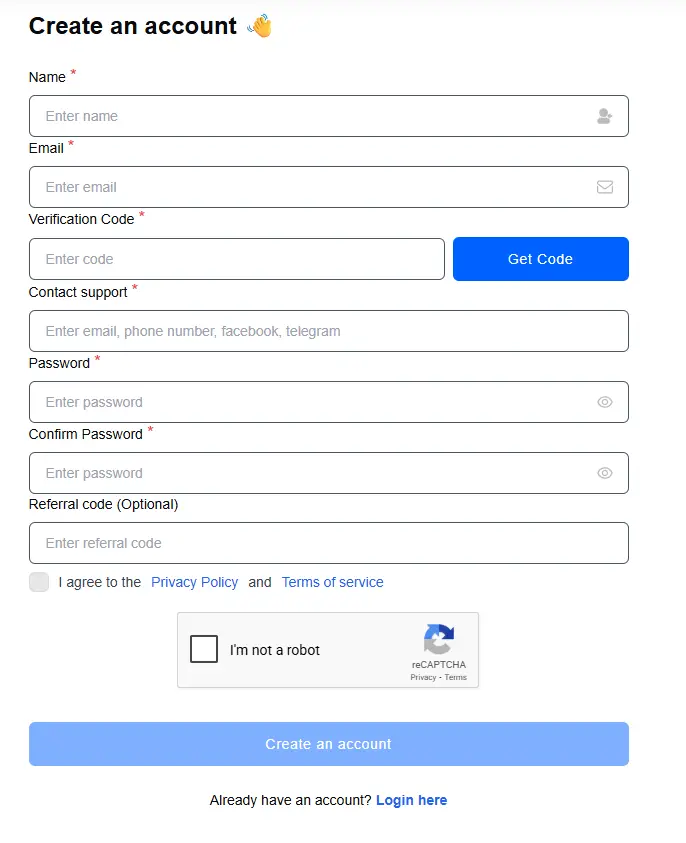
After logging in, download the Hidemium desktop application for Windows or macOS. Install the app, launch it, and log in with your credentials.
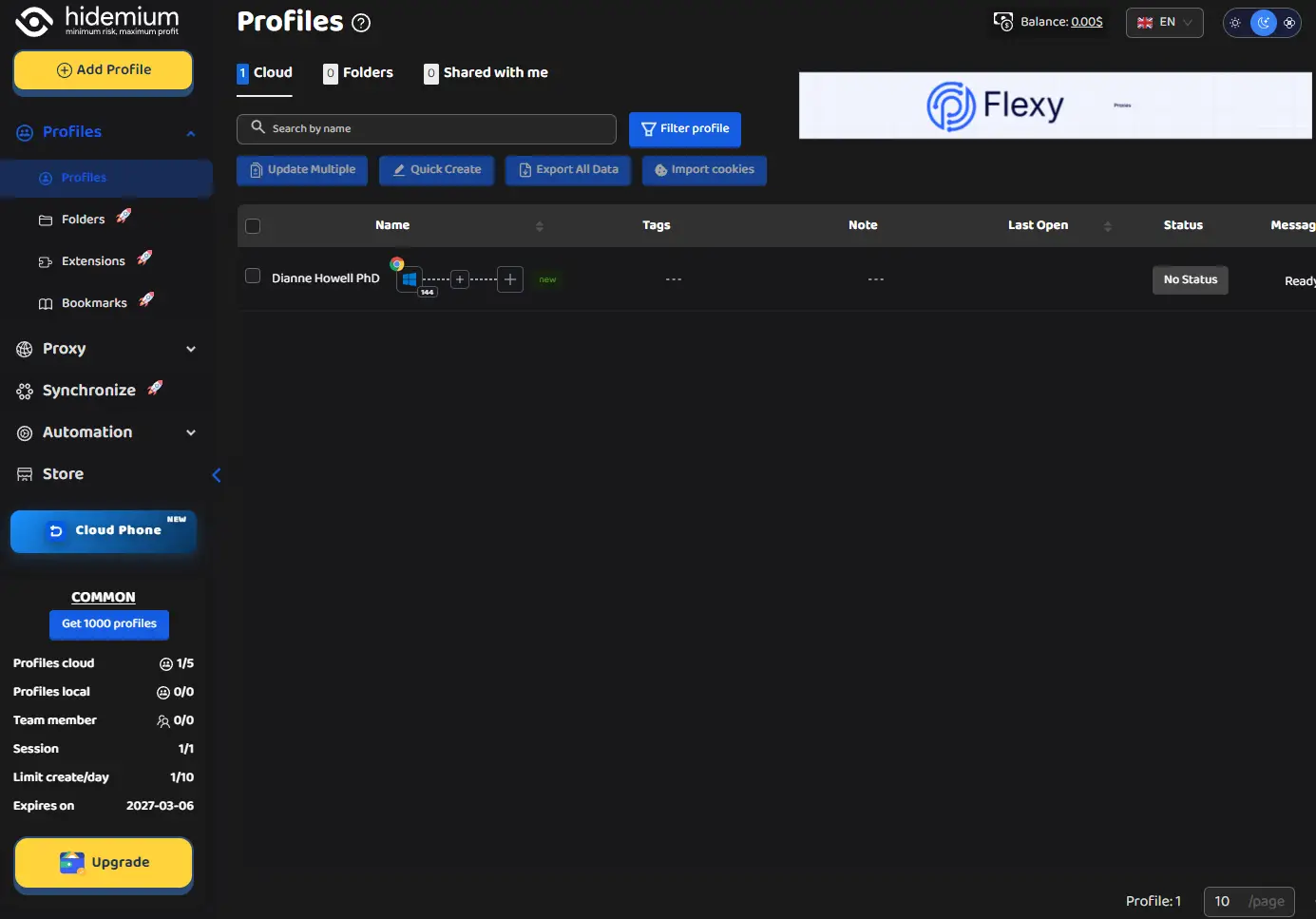
Here, you can see that one profile is already present. The Hidemium's free version allows you to create and manage up to 5 profiles with limited functionalities.
2. Get the CyberYozh proxy
Log in to your CyberYozh account, click Add proxy, and choose the proxy type that matches your use case — mobile, residential (static or rotating), or datacenter.
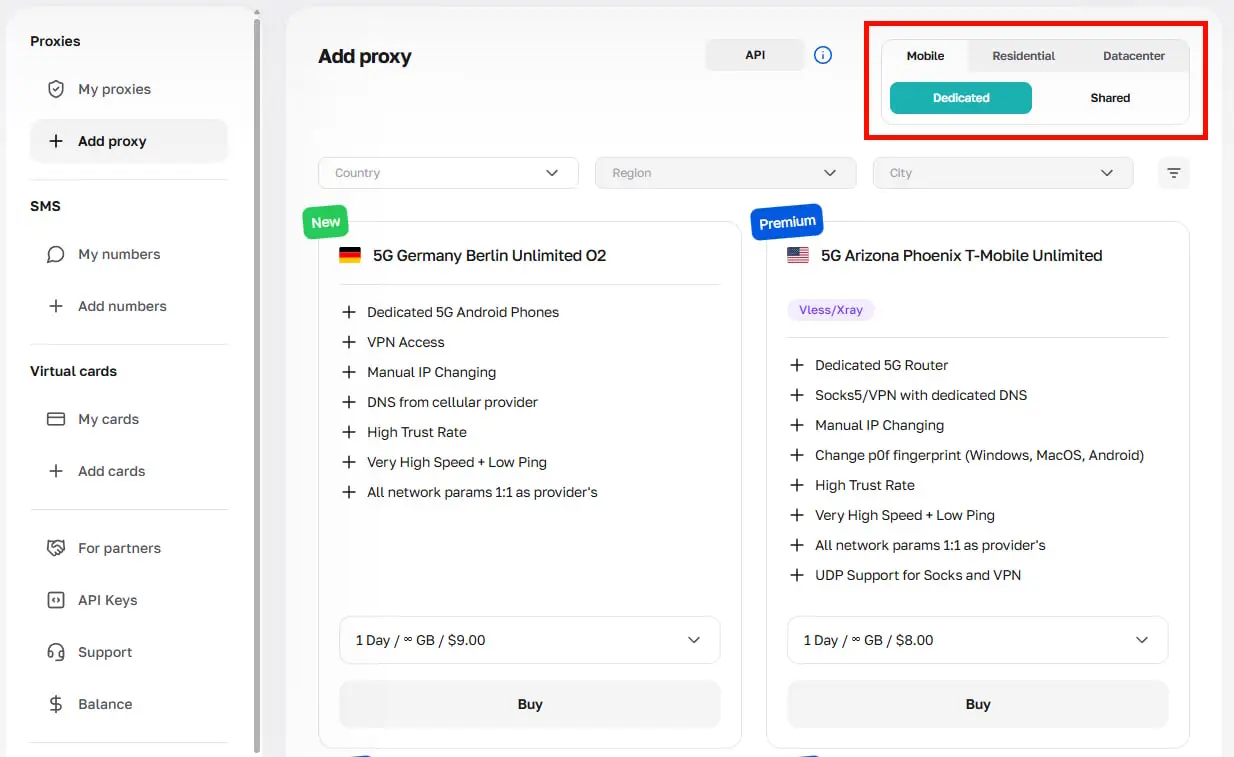 After purchase, your proxy credentials will be displayed in the account panel:
Host: The proxy IP address (e.g., 51.79.24.25)
Type:Mobile, residential static/rotating, or datacenter
Port: The HTTP or SOCKS5 connection port (e.g., 5959)
Username: Your proxy login
Password:Your proxy password
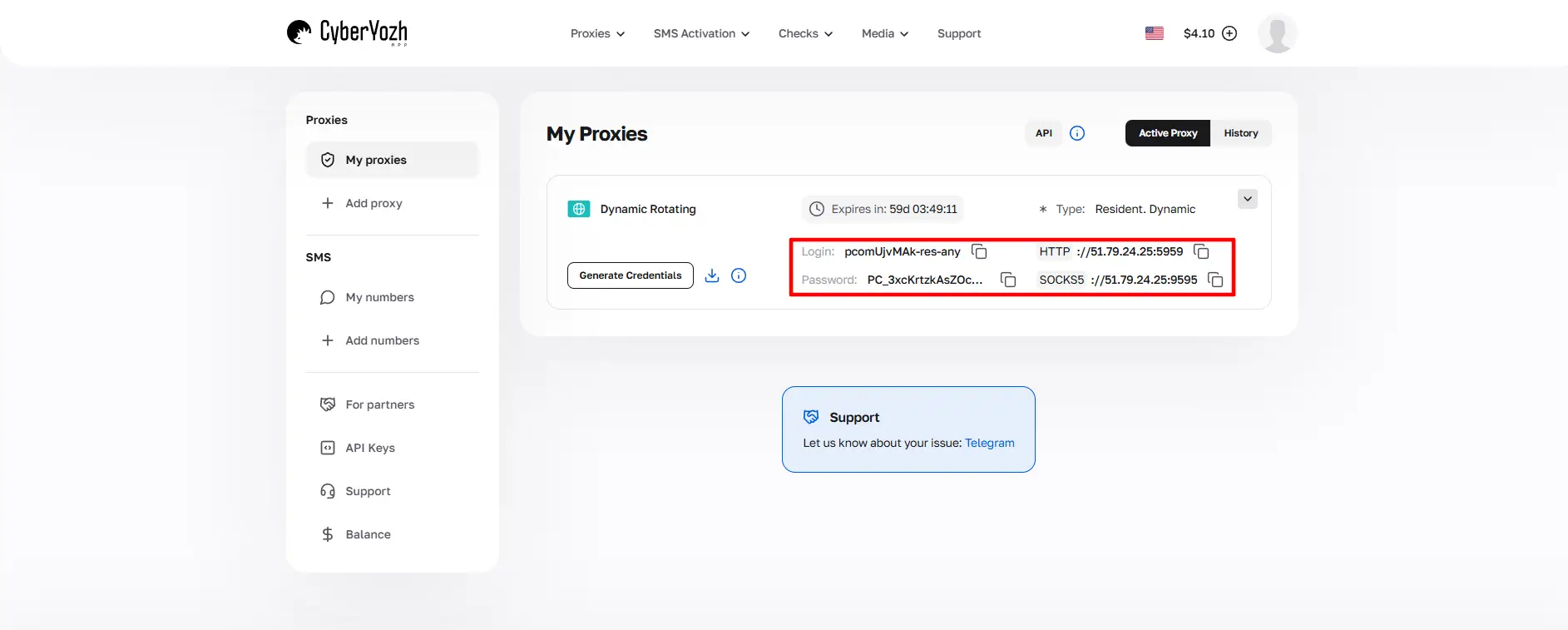
Click Generate Credentials to export these in the format you need. For Hidemium, both the standard IP:Port:Username:Password string and the separate-field format work. Copy the credentials, and let’s paste them into the Hidemium profile.
3. Create a Hidemium profile
From the Hidemium main dashboard, click Add Profile to open the profile creation window.
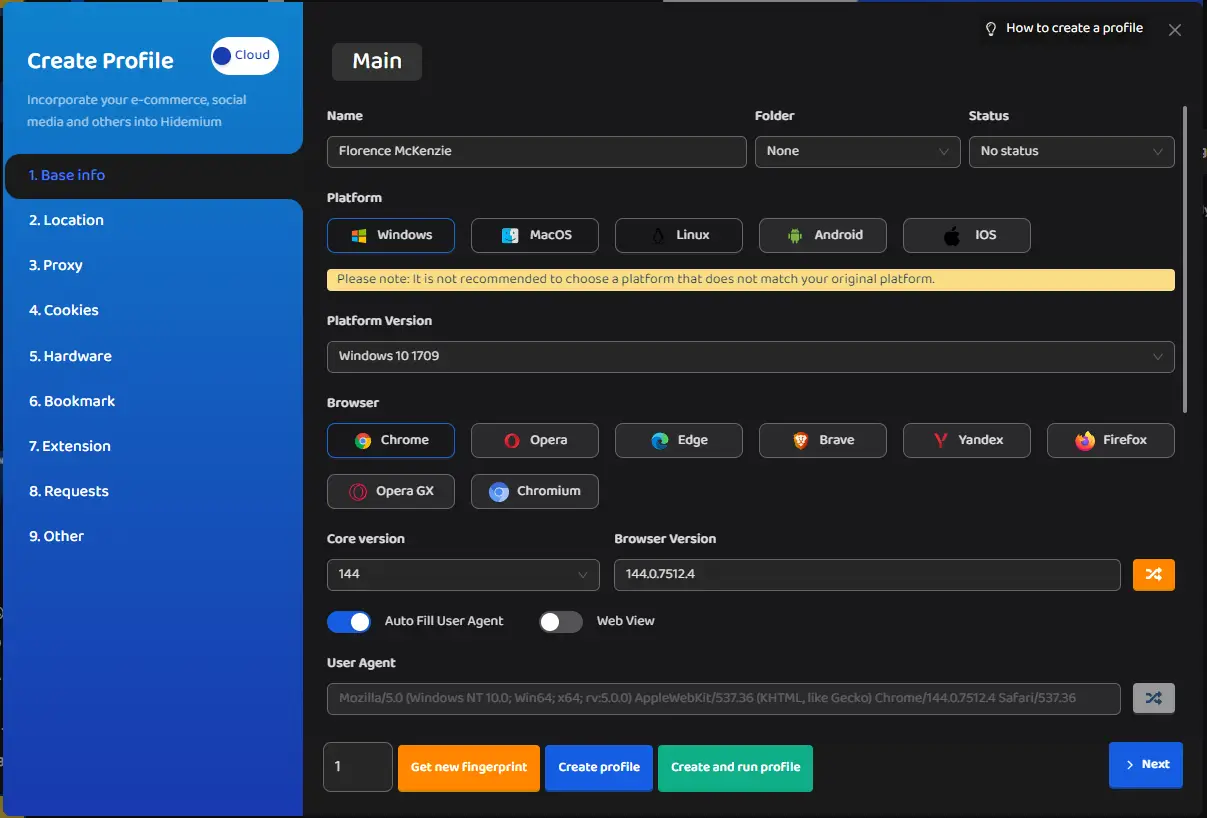 In the Base Info section, give the profile a name and configure the core fingerprint parameters:
Operating system
Browser version
Timezone and language
Canvas and audio randomization for enhanced fingerprint uniqueness
Hardware parameters, including CPU cores, RAM, and screen resolution
Hidemium's fingerprint database provides platform-specific configurations, so you can select presets tuned for Facebook, Google, TikTok, Amazon, or other platforms you plan to manage.
4. Add proxy configurations
Within the same profile creation window, navigate to the Proxy section (number 3). You will see a tab labeled Your Proxy, and here, you must select a Proxy Type.
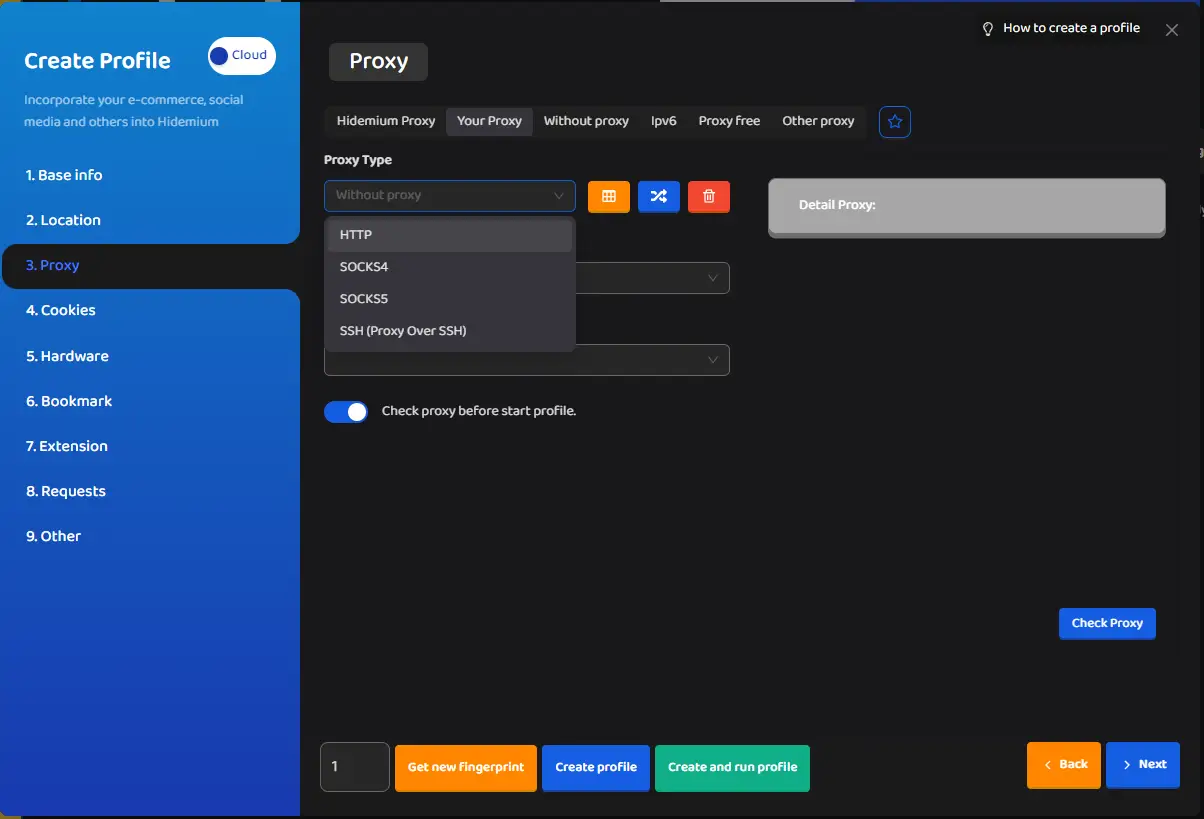
Typical use cases include:
HTTPis a standard choice for most use cases
SOCKS5is recommended when you need full UDP support and/or use automation workflows
SSHis used for advanced setups only
Enter the proxy details in the corresponding fields:
Field | Example value |
IP Address / Host | 51.79.24.25 |
Port | 5959 |
Username | your_cyberyozh_login |
Password | your_proxy_password |
Alternatively, paste the full proxy string (e.g., http://username:password@host:port) into Hidemium’s Format Proxy field. Other fields can be left blank.
5. Verify the proxy and test the connection
Before saving the profile, click the Check Proxy button inside the proxy settings panel. Hidemium will send a test request through the configured proxy and return:
The detected IP address
Location, city, and timezone
Country and connection status
Once the check passes, click Create Profile, or Create and Run Profile to launch immediately. Your new Hidemium profile will appear in the main dashboard.
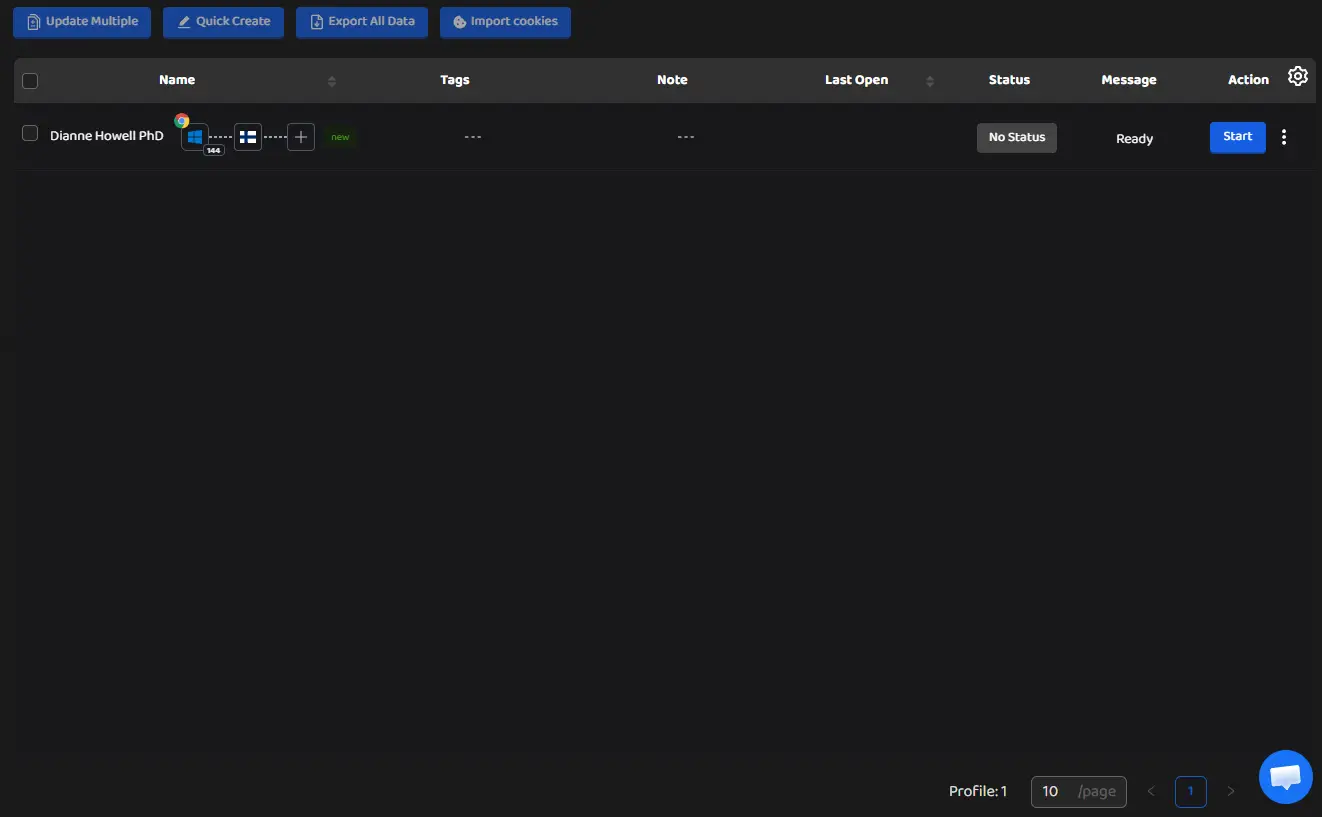
Click Start next to it to open the isolated Chromium session with the CyberYozh proxy applied. As you can see, the Finnish proxy usage leads to the authentic Finnish-language experience.
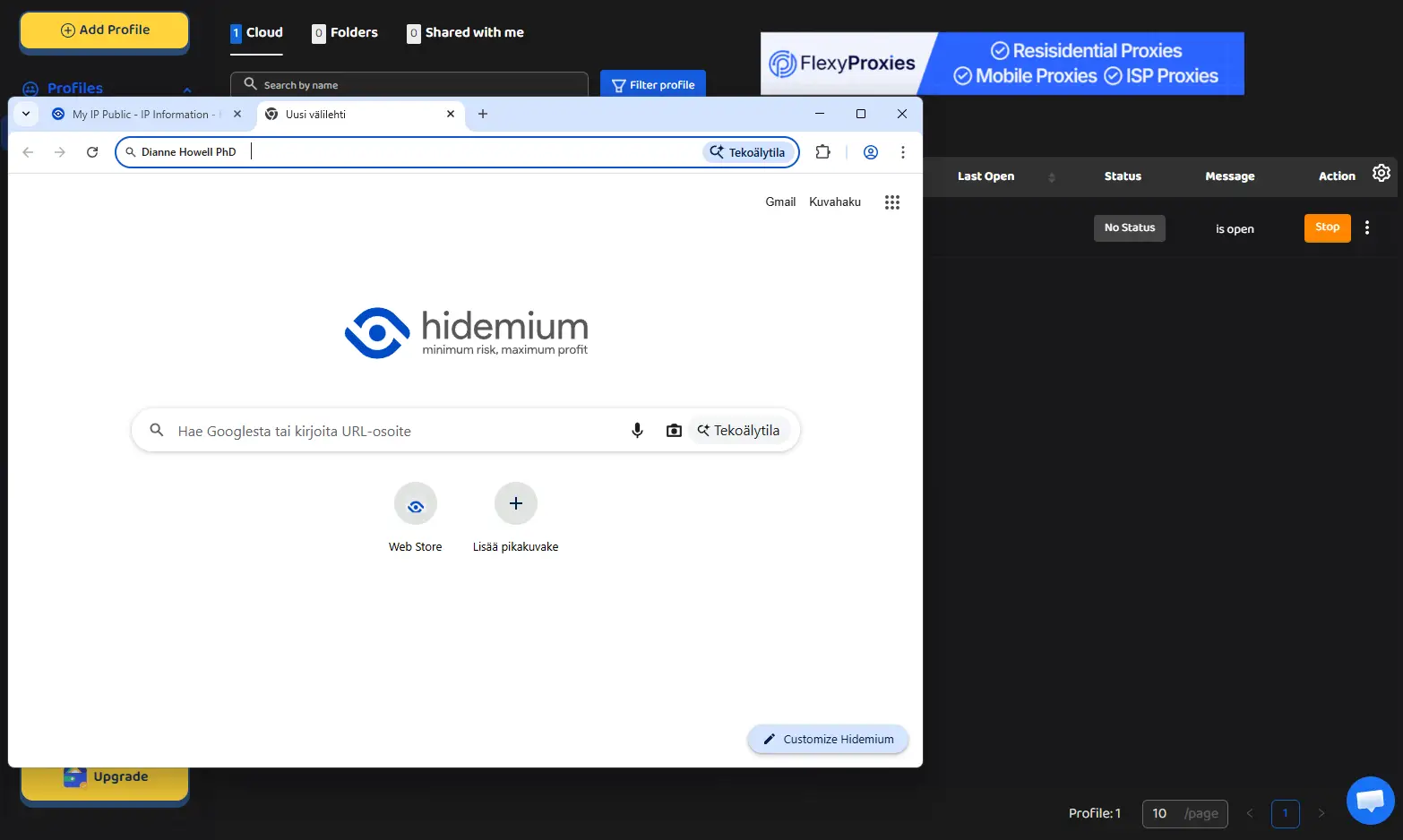
To confirm everything is working as expected, open IP lookup tools and verify that the displayed IP matches your proxy address, not your real one. Start your online activities, but remember to apply best practices so you're not restricted.
Hidemium troubleshooting: Best proxy practices
When CyberYozh proxies are paired with Hidemium browser profiles, each session presents a distinct IP address and browser fingerprint, making it effectively invisible to anti-fraud and multi-accounting detection systems. The following practices will help you maintain clean, long-running profiles across all use cases:
Match the proxy type to the account's trust requirements. Use mobile or residential static proxies for social media profiles and e-commerce accounts. Reserve rotating residential proxies for scraping and bulk research tasks, with Hidemium's API or n8n automation workflows handling the traffic.
Assign one unique proxy per Hidemium profile. Sharing a single IP across multiple profiles is the fastest way to trigger cross-account linking flags. Hidemium's profile manager makes it easy to confirm proxy assignments before launch.
Always run the Check Proxy test before starting a new session.If the proxy fails, first diagnose the credentials (confirm that the host, port, username, and password are copied exactly from your CyberYozh account). Then retest it outside of Hidemium using a browser or terminal.
Verify IP reputation before assigning proxies to valuable profiles. Use CyberYozh's IP Checker to confirm the proxy IP is clean. If an IP comes back flagged, replace it with a fresh one from your CyberYozh account rather than trying to recover its trust score, as it’s a tedious task.
Check the CyberYozh proxy catalog to explore all available proxy types and find the right plan for your Hidemium workflow. Additionally, read more about the proxy lifecycle to understand how its reputation is measured and how it can be recovered.
FAQ about the Hidemium antidetect browser
What is an antidetect browser and how does it work?
An antidetect browser replaces your real browser fingerprint — OS, fonts, hardware, timezone — with a unique spoofed identity per profile, keeping sessions isolated via separate cookies, cache, and proxy-assigned IPs.
What is Hidemium and what are its key features?
Hidemium is a Chromium-based antidetect browser for Windows and Mac that offers multi-profile isolation, fingerprint spoofing, HTTP/SOCKS5 proxy integration, team collaboration tools, and AI-powered automation via Prompt Script.
What is browser fingerprinting and why does it matter?
Browser fingerprinting collects device signals — screen resolution, fonts, GPU, WebGL, timezone — to build a unique identifier that persists even after cookies are cleared, linking your activity across sessions.
Why do antidetect browsers need proxies?
Without a proxy, all Hidemium profiles share the same IP, instantly triggering multi-account detection. A unique proxy per profile makes each session appear as a separate, independent user.
What proxy types does Hidemium support?
Hidemium supports HTTP, HTTPS, SOCKS4, SOCKS5, and SSH proxies, with one-click verification and batch import for managing multiple profiles efficiently.
What is the difference between mobile and residential proxies for antidetection?
Mobile proxies use real carrier networks with the highest platform trust — ideal for social media. Residential static proxies provide a fixed home IP at a lower cost for stable long-term profiles.
How do I add a proxy to a Hidemium profile?
In the profile creation window, navigate to the Proxy section, select Your Proxy, enter your CyberYozh host, port, username, and password, then click Check Proxy to verify.
Is using an antidetect browser legal?
Antidetect browsers are legal tools for social media management, web scraping, testing, and cybersecurity. Actual legality depends on your specific use case and the target platform's Terms of Service.
Can websites still detect Hidemium profiles?
Yes — platforms may flag profiles if fingerprint settings are inconsistent with the assigned proxy's geo-location, or if the proxy IP carries a poor reputation score.
Does Hidemium support automation tools like Puppeteer or n8n?
Yes. Hidemium provides an API that integrates with Puppeteer, Playwright, and workflow tools like n8n, enabling large-scale automated multi-profile management without manual interaction.
